


att.net

Ever since the update mail won't connect to att.net via sbcglobal. I can connect thru att direct or yahoo but thunderbird still gives password rejected at server from att. I applied the the security tls min value as other fixes suggested checked the virus software to see if it's blocked etc. etc. etc. I also contacted att direct they said something about mozilla not being secure bunch of b.s. because it's been working fine until this last up date. It's so frustrating are you pushing firefox now and not supporting mozilla, Just want it to work as before is that asking to much.
Mr.Frustrated !!
Chosen Solution
All Replies (8)

Having the same problem. After the last update, I cannot send or receive emails from my ISP AT&T. I ha I have reloaded Tbird completely and done all the other "helpful hints" but nothing has worked. I tried disabling the firewall and my anti-virus, started in safe mode, and still no email. I'm running Win 10 on a Dell machine.
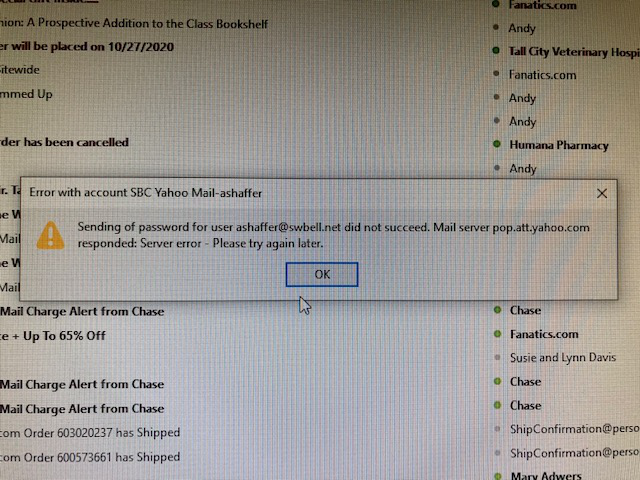
Same here! An @sbcglobal.net address uses a POP3 server, and we can't get T-bird to access it any more. OAuth never appears as an option, anywhere. I've Totally screwed T-bird up by installing a 78.4.3 version over my old installation -- then re-installing a 68.6.0 copy over that -- And nothing changed. Except nothing works. I'm losing it! Can anyone help? Mike
Chosen Solution
Thanks sfhowes the solution worked for me hope the rest of you have the same results.
Wayneo
Thank so much sfhowes. That worked, but I had to back door it with AT&T. Their original instructions did not work in that there was no ability to "Scroll to Secure mail key" as shown in step 3 (at lease the way I signed on). What I found that worked was to click on the "Learn about OAuth and ..." in the AT&T instructions, and then scroll down to the second topic about creating a secure mail key.
REALLY appreciate your help on this.

Once again, my sincere gratitude to sfhowes. Angels do walk this earth. Two days of fussing about and 5 minutes to fix the problem. Deep breaths once again. Bob
I still have a problem with Thunderbird. I only have the "inbound.net" listed under saved passwords. There should be an "outbound.net" but it's not listed. In Thunderbird how do I add the "outbound.net" with the same password as "inbound.net".
If the inbound server is set to send through the outbound server with the same User Name, the password saved for inbound should be applied to sending. If it's not, you will be prompted to enter the secure mail key the first time you send a message.
This question has been locked because the original author has deleted their account. While you can no longer post new replies, the existing content remains available for reference.