


Recover a deleted TB profile
In my haste, after migrating to a new user, I deleted OldUser/appdata file, that contained old emails. I was able to recover most of the TB profile files. Now I have a bunch of files that have to fit into the NewUser TB profile structure. I feel totally lost.
Please help...
All Replies (3)

What kind of files do you have? A screenshot of them, showing their details (details view) would be helpful.
The files have been recovered by the software EasyUS Recovery. Thus I have almost 500 separate files, seemingly all related to the deleted TB profile. I attach samples of the file list in 4 screen shots.
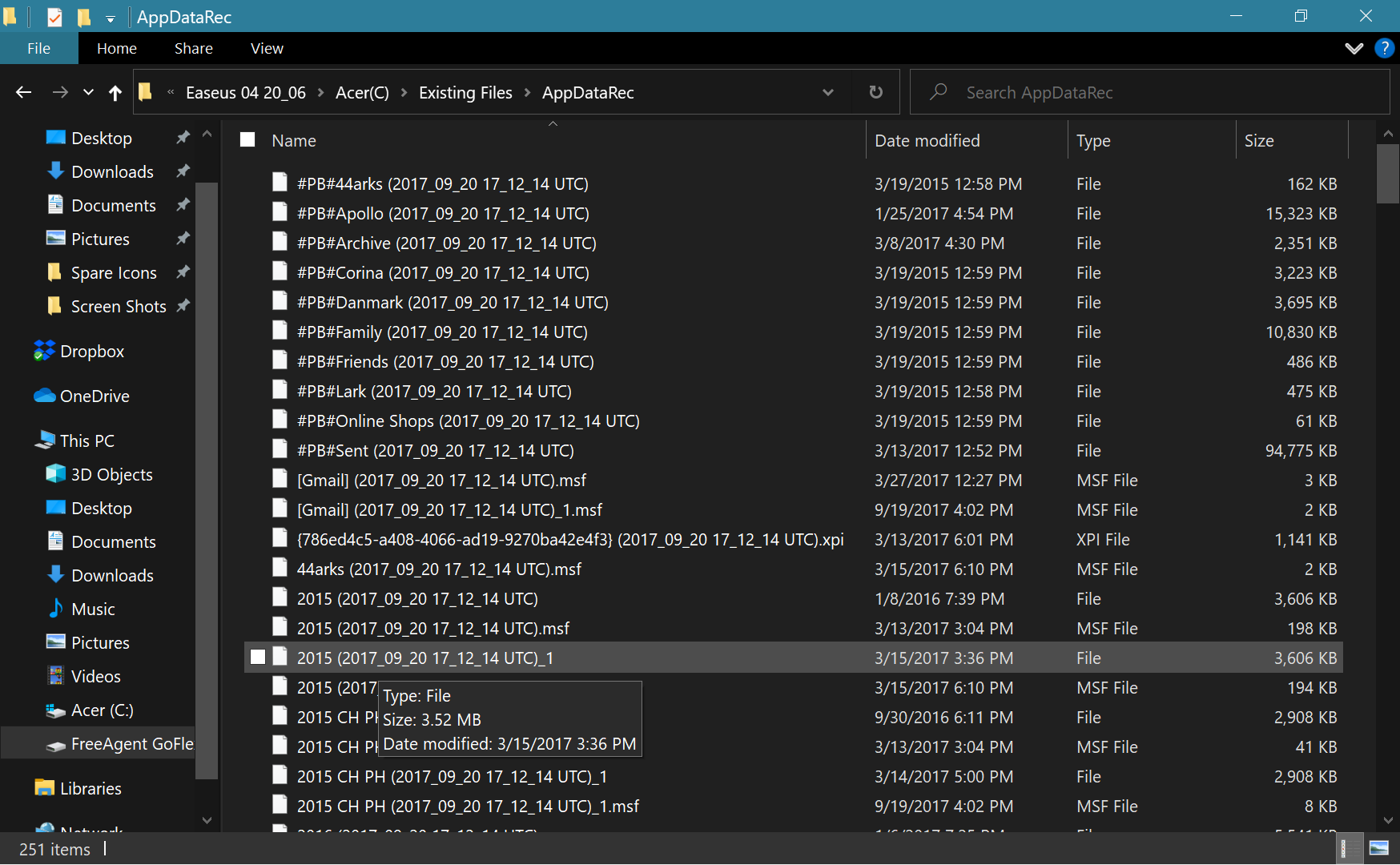
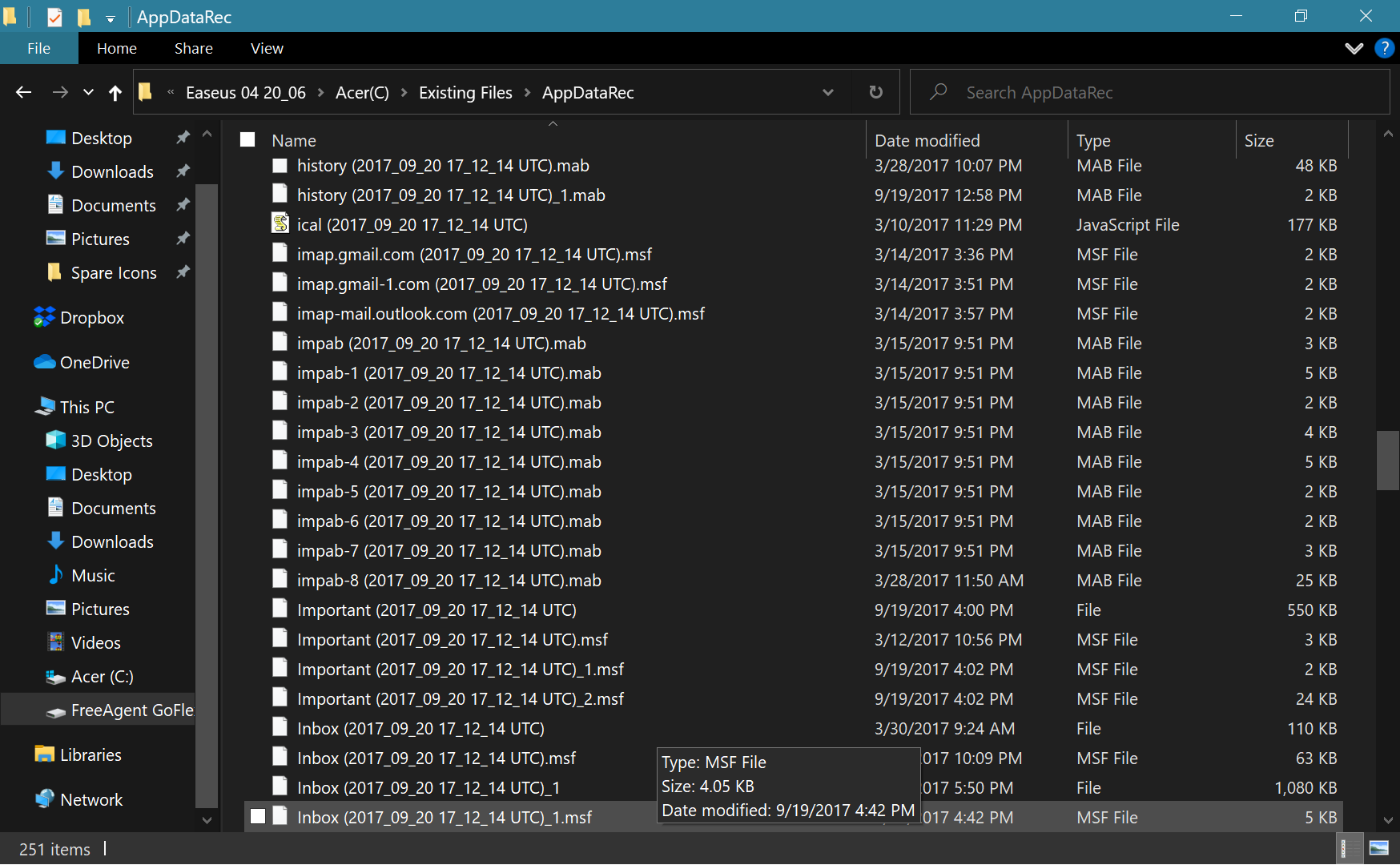
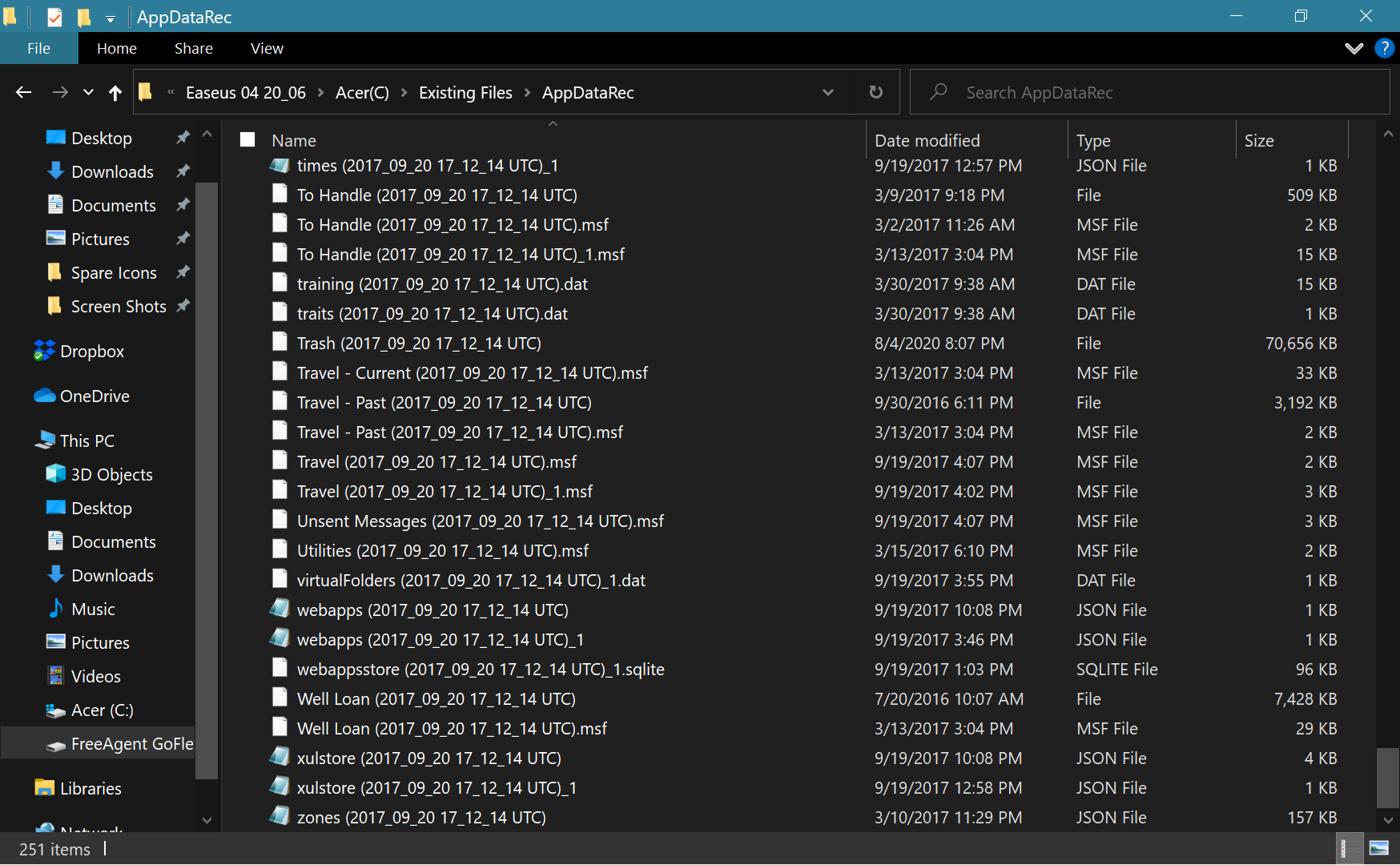
Thunderbird stores messages in mbox files. They are the larger files without extensions. Those are the ones you need to restore your lost messages. Each Thunderbird folder has a corresponding mbox file; for example, the Inbox and Sent folders have mbox files named "Inbox" and "Sent" respectively. You don't need the .msf files, so you can delete those because they are simply indexes of the messages contained in mbox files. Thunderbird will recreate them when it indexes the recovered messages.
You should clean up the names of the recovered mbox files by renaming them accordingly. For example, remove the "#PB#" prefixes and the date stamp suffixes from the mbox files so that you end up with the original simple names of the folders. For instance, rename the #PB#Apollo (2017....) to simply Apollo. You can then copy those mbox files into the Mail > Local Folder location of your current Thunderbird profile folder, then restart Thunderbird. Each of the mbox files will appear as a folder under the Local Folders account and they should contain your recovered messages. This, of course, depends on the recovered mbox files being intact (undamaged).
Note: I'm assuming the prefix #PB# was not originally part of the lost folder names and was put there by the recovery software, but if you intentionally used it for those folders, then leave it be.
Modified by Stans