


Error occurred while sending email
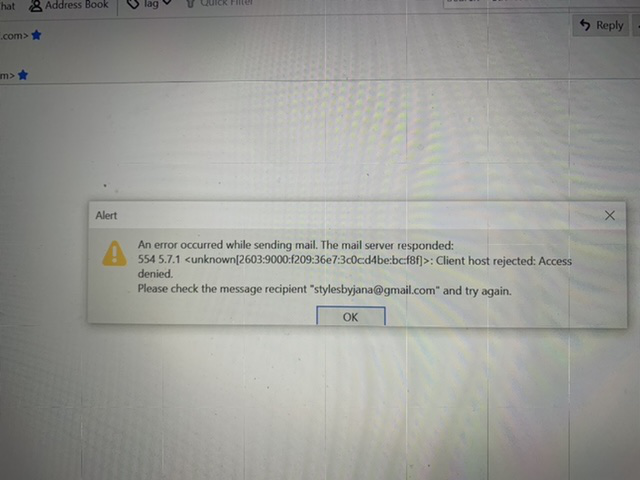
Picture below
Mail server responded Client host rejected: Access Denied
Chosen solution
I notice the error indicates the recipient is the same as the sender, and I believe gmail has a policy about sending to oneself (the message doesn't appear in the Inbox), or the error might be prompted if you're sending through a VPN.
Read this answer in context 👍 0All Replies (5)

You should talk to your email provider.
Chosen Solution
I notice the error indicates the recipient is the same as the sender, and I believe gmail has a policy about sending to oneself (the message doesn't appear in the Inbox), or the error might be prompted if you're sending through a VPN.
The sender isn’t gmail only who I’m sending it to.
How do I know who my email provider is? I thought it was Thunderbird
I just signed upfront this email address 3 days ago. I can send message from my phone but not my computer when I try to email.
Your mail provider is whomever is after the @ in your address. TB is just a mail program that will accept accounts from most providers. What settings do you have for the new account? Help/Troubleshooting, paste the Mail and News Accounts section here.