


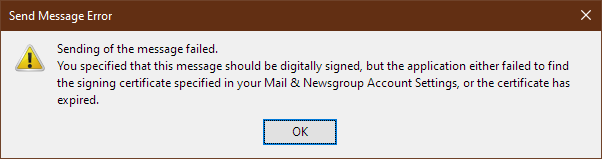
A certificate expired. I have installed a new one. It is not being recognised.
If I look at Tools, Account Settings, Security, Manage Certificates
Chosen solution
Thank you for that suggestion. I had not done so before. When I did, I saw that the certificate had been revoked, I had revoked a certificate because I had ordered it using Firefox and it turned out that Sectigo only support IE for ordering and collecting certificates. I had ordered and collected a second using IE, but I suppose it is possible that I somehow picked the wrong one. Anyway, I deleted it and have now asked for the certificate to be reissued.
Read this answer in context 👍 0All Replies (3)
I did not finish typing. The new certificate is there.

View the cert in Thunderbird Certificate Viewer, and post a screenshot of the cert details. https://support.mozilla.org/kb/how-do-i-create-screenshot-my-problem
Chosen Solution
Thank you for that suggestion. I had not done so before. When I did, I saw that the certificate had been revoked, I had revoked a certificate because I had ordered it using Firefox and it turned out that Sectigo only support IE for ordering and collecting certificates. I had ordered and collected a second using IE, but I suppose it is possible that I somehow picked the wrong one. Anyway, I deleted it and have now asked for the certificate to be reissued.