


tunderbird not downloading offline folders
Hi All,
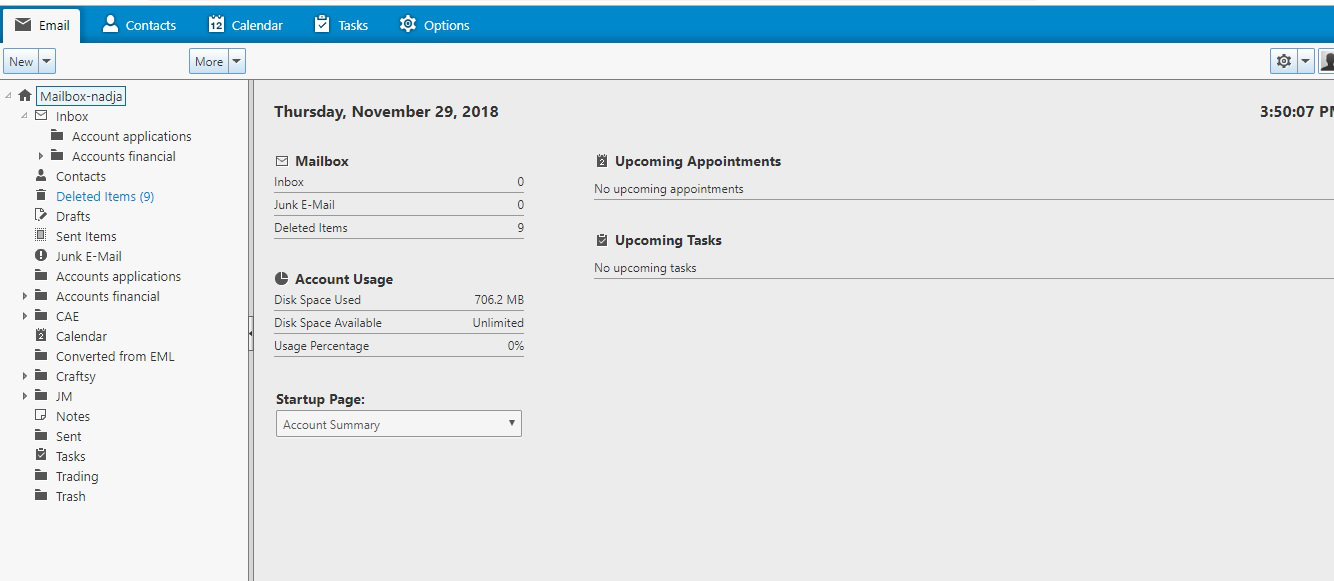
I have switched from godaddy to site123 in June and had nothing but problems with emails and domains since then. The latest is that I cannot see any of my folders with exception of the inbox. I can see them when I go to syncronize. I am, however unable to syncronize. I tick the boxes and nothing happens. I then tried to go to offline folders under advanced settings. There, nothing is shown, only the inbox is visible. I have attached a screen shot of what I am talking about. going slightly insane so thanks for any help!!
All Replies (2)
Imap account check settings: You need to subscribe to see folders. If you have subfolders then you also need to subscribe to see them.
- Right click on imap mail account and select 'Subscribe'
A window opens with list. Are all your folders listed?
- Click on 'Refresh' button.
- Make sure everything is selected.
- click on OK
Now check account:
- Right click on imap mail account and select 'Settings'
- Select 'Server Settings'
- Select : 'Check for new mesages at startup'
- Select: 'check for messages every eg: 15 minutes'
- Select 'Allow immediate server notification when new messages arrive'
When I delete a message
- Select 'Move it to this folder' and choose 'Deleted Items on imap mail account'
- click on 'Advanced' button
- Select: 'Show only subscribed folders'
Note: if you are not seeing all your folders in the 'Subscribe' list then try unchecking this option.
- Select 'Server supports folders that contain subfolders and messages'
- click on 'OK
- select 'cleanup (Expunge) Inbox on Exit'
Left pane
- select 'Synchronise & Storage'
- select 'Keep messages for this account on this computer'
- click on 'Advanced' button
- Make sure all folders and subfolders are listed and checked.
- click on 'OK'
Under Disc Space'
- Select: 'synchronise all messages locally regardless of age'
clickon 'OK to close Account Settings
Check Offline options:
- Menu icon 3 bars icon > Options > Advanced > 'Network & Disc Space' tab
- click on 'Offline' button
- Select: 'Automatically follow detected online state
Send unsent messages when going offline
- Select 'Ask me'
Download messages for offline use when going offline
- select 'Yes'
- click on OK
- Click on 'OK' to save Options.
Make sure you have this setting: 'Menu icon > Folders > 'All'
Restart Thundrebird
Once it is fully running....
Menu icon > File > Offline > Work Offline It should auto synchronise folders before going into offline mode.
Chosen Solution
That was so helpfu! I don't know which one of those settings fixed it, but one of them did!! Thank you so much!
One happy lady here :)