


plain text mode

When I select "Edit as New Message" in Thunderbird (v52.9.1) on a Mac, the message editor comes up in html mode even if I have set everything to plain text.
I have read all the articles on this and done all the things people have recommended including messing with Advanced options, account settings, etc. However, none of these solutions work.
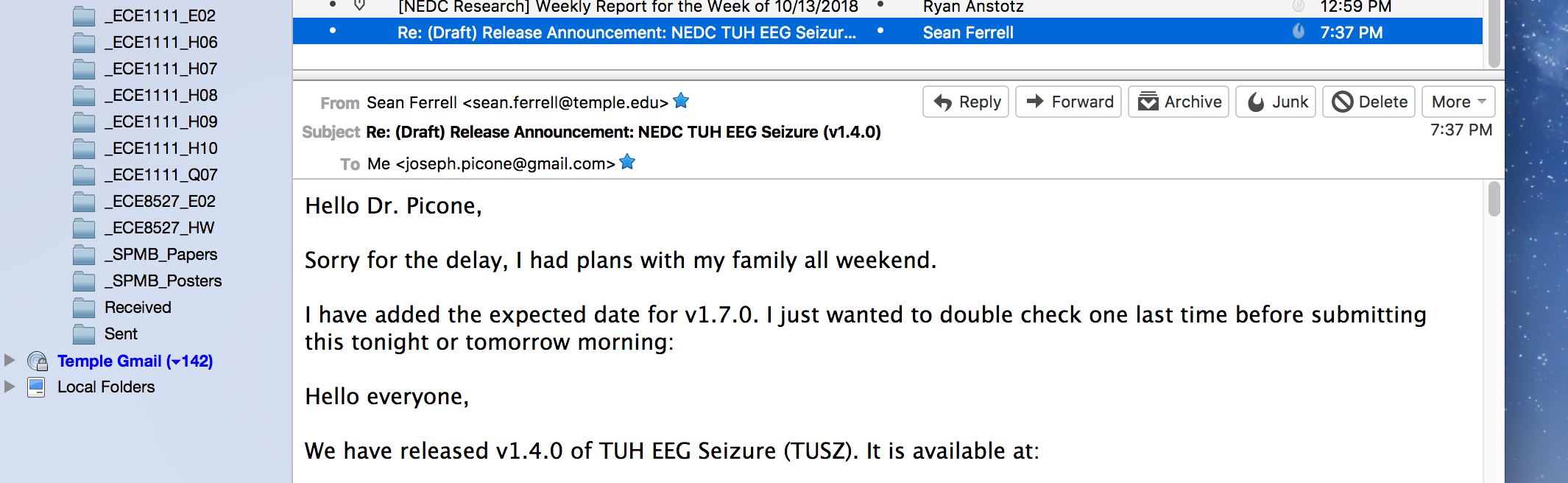
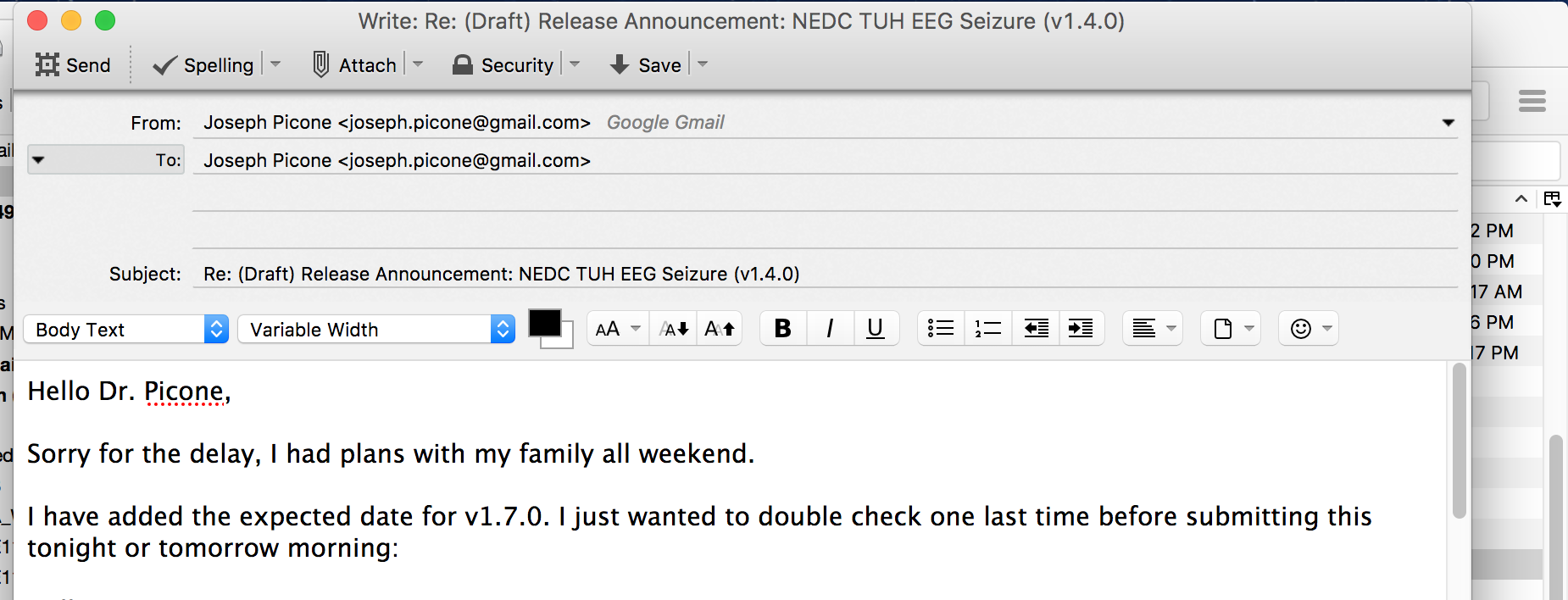
Attached is a screenshot showing the problem. The first screenshot shows my inbox. The second shot shows that "Edit as new message" comes up in html mode.
Please advise.
Chosen solution
I normally recommend this page when a user wants to force an upgrade:
https://www.thunderbird.net/en-US/thunderbird/all/
I just downloaded the Mac version from there and it gave me TB60.2.1. Be aware that many of your add-ons may stop working with this version.
All current and past versions (and even some un-released beta versions) can be found here:
https://ftp.mozilla.org/pub/thunderbird/releases/
This is handy if you need to revert an upgrade.
Read this answer in context 👍 0All Replies (2)
Good news - the problem has been fixed in v60.2. The html message now comes up in plain text. Very nice!
Thanks very much!
And I was wrong. I missed that change.