


it asks for password every time I log on, why

As soon as I log on to email a screen pops up asking me to enter password, if I ingnore it or cancel it just comes up again. The inbooz is as slow as a wet week as well.
Chosen solution
How long is a piece of string?
I can only guess, I have no idea wehat you have configured or not.
Posibilities are.
- You enabled a master password so you are being asked for the password to the password manager.
The following assume you have not saved the passwords, or something like your firewall of blocking Thunderbird from the internet.
- You have added a calendar on the internet and you are being asked for the password for the calendar.
- You have added an incoming mail account and Thunderbird is trying to get mail.
- You have added a password protected chat account and Thunderbird is trying to connect to the chat server.
- You have an add-on that syncs something to the net (like google contacts) and it is wanting to do it's thing.
- you are connected to an LDAP server and update of contact on the server is happening.
- The email Thunderbird is displaying contains a link to a secure web site and Thunderbird needs the password to display the content, like an image.
Perhaps if you posted a screen capture of the password request I could actually move from possibilities to likely scenarios. Usually password requests offer up clues like site names and server names for the password, so you can supply the correct one.
Read this answer in context 👍 0All Replies (5)
Chosen Solution
How long is a piece of string?
I can only guess, I have no idea wehat you have configured or not.
Posibilities are.
- You enabled a master password so you are being asked for the password to the password manager.
The following assume you have not saved the passwords, or something like your firewall of blocking Thunderbird from the internet.
- You have added a calendar on the internet and you are being asked for the password for the calendar.
- You have added an incoming mail account and Thunderbird is trying to get mail.
- You have added a password protected chat account and Thunderbird is trying to connect to the chat server.
- You have an add-on that syncs something to the net (like google contacts) and it is wanting to do it's thing.
- you are connected to an LDAP server and update of contact on the server is happening.
- The email Thunderbird is displaying contains a link to a secure web site and Thunderbird needs the password to display the content, like an image.
Perhaps if you posted a screen capture of the password request I could actually move from possibilities to likely scenarios. Usually password requests offer up clues like site names and server names for the password, so you can supply the correct one.
I have switched my mail host company and I seem to have to enter the password for each email address when I log in.
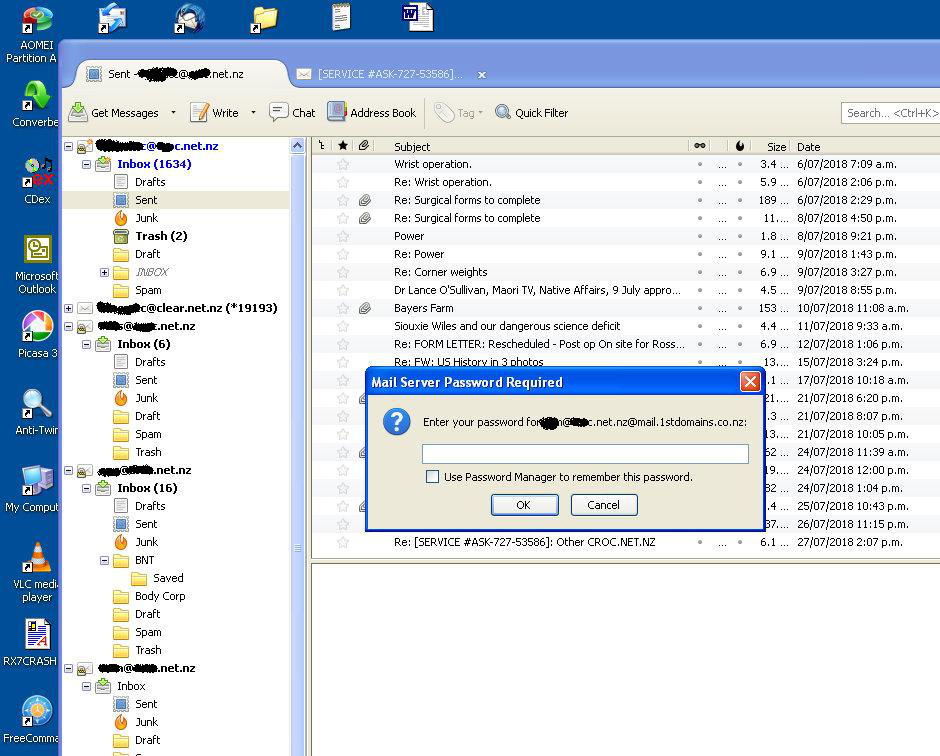
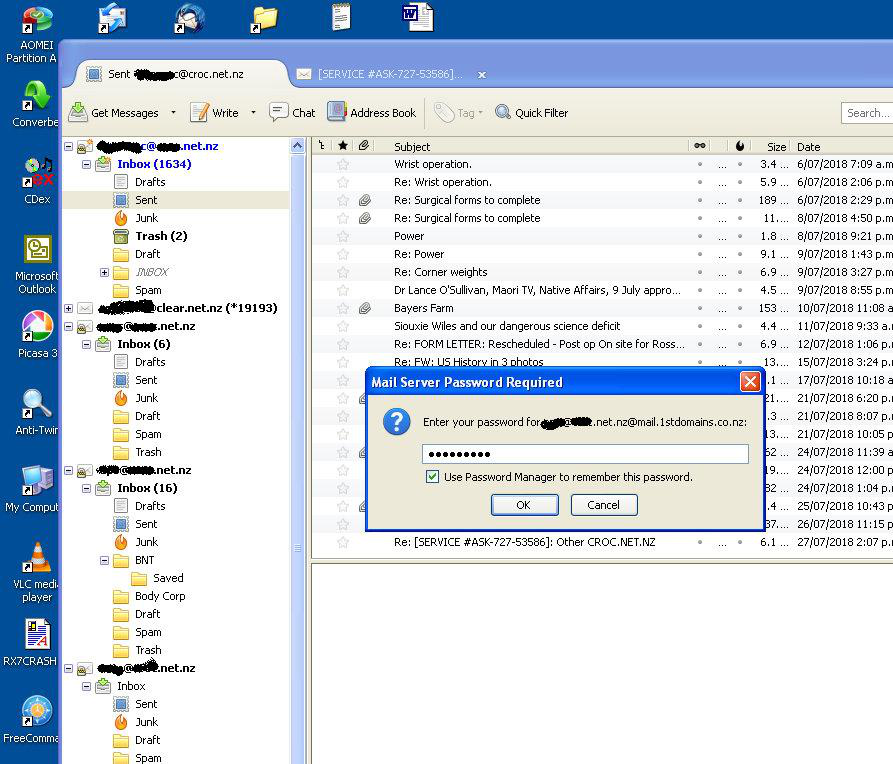
See the box for password manager to remember your password? Have you ever clicked that? If not that is why you are asked. Your providers mail server wants a password to receive or send mail. Either you enter it or tell Thunderbird to remember and enter it for you.
Please, could you bother to take a look at the second screenshot, which I had posted to show that I TICK THE BOX. So now sometimes I don't tick the box. Result seems to be exactly the same...
Ok. Good luck.