


How to keep inbox actively showing without irrelevant emails on top line

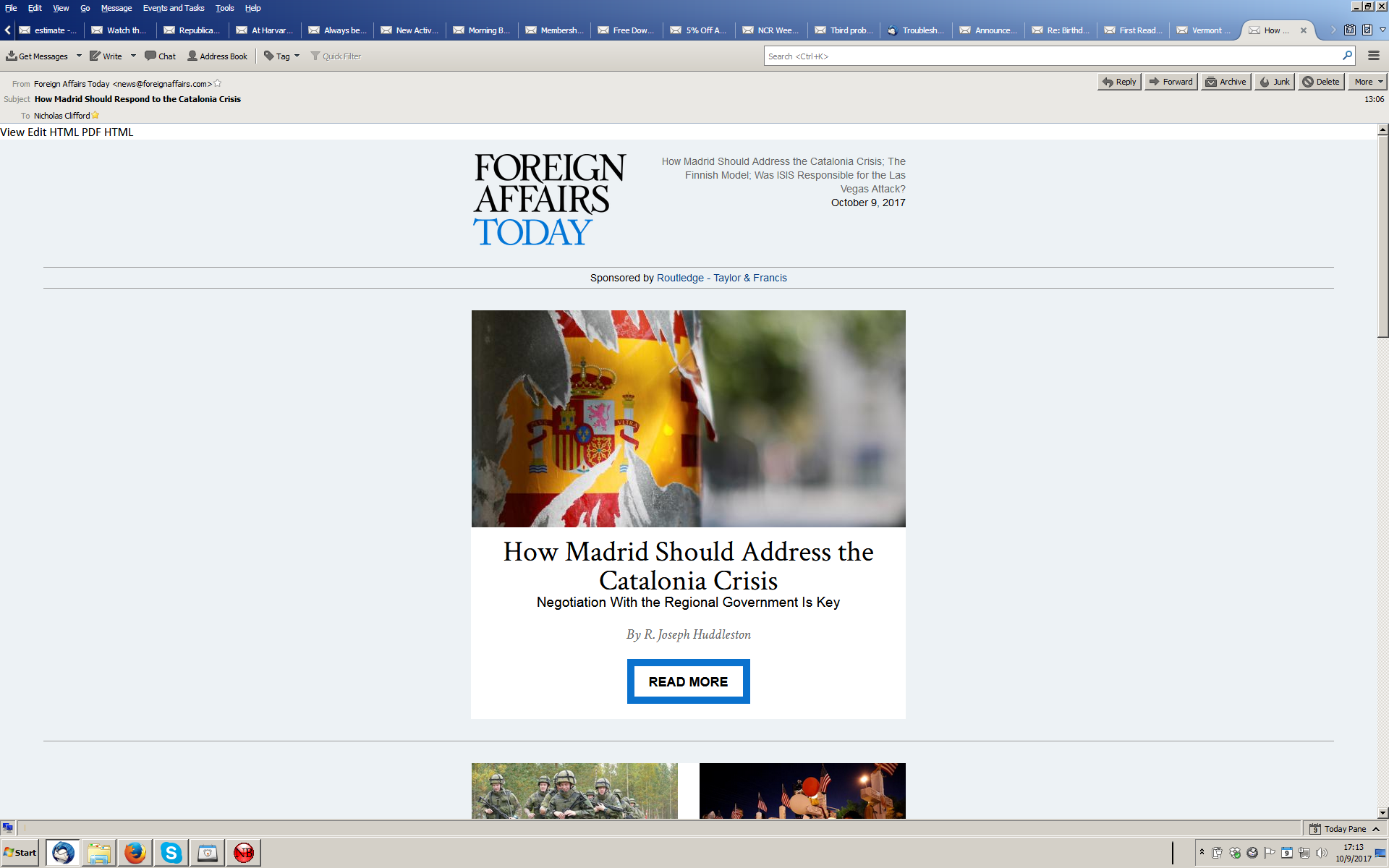
Tho Tbird opens to my Inbox, as soon as I start reading messages, the top line gets cluttered up with about twenty or so irrelevant emails crowding out the Inbox indicator, and I have to backspace thru all of them to get back to the Inbox. I've played around with the View menu but nothing seems to help. The screenshot below shows what happens when I call up a particular email; the Inbox has gone into hiding. Part of my problem may be that I'm not asking the question the right way and do not know what that top line is called (nor does Tbird tell me).
Thanks. Nicholas Clifford clifford@middlebury.edu
Chosen solution
Those are all the messages you opened in tabs to view and neglected to close.
To clean up the mess you have now right click a tab and select Close Other Tabs. In the future close a tab when finished with it or better yet turn the Message Pane on by pressing F8 and read your mail there.
Read this answer in context 👍 1All Replies (2)
Chosen Solution
Those are all the messages you opened in tabs to view and neglected to close.
To clean up the mess you have now right click a tab and select Close Other Tabs. In the future close a tab when finished with it or better yet turn the Message Pane on by pressing F8 and read your mail there.
Many thanks, and it worked like a charm. I've used T-bird for years, and I don't think I've either changed my ways, or ever had this problem before. So why now? Just one of life's little mysteries, I suppose, but I'm most grateful. '