


Symbols in address line

Dear Sirs,
I have Win7 x64, Thunderbird 52.1.1 x32 Ru.
The problem:
If I try to send a letter and write any address at the address line I got the list of symbols there (see attached picture please).
It is Unicode in the Settings.
Could you please help me to fix it?
Thank you in advance!
Best regards, Andrey
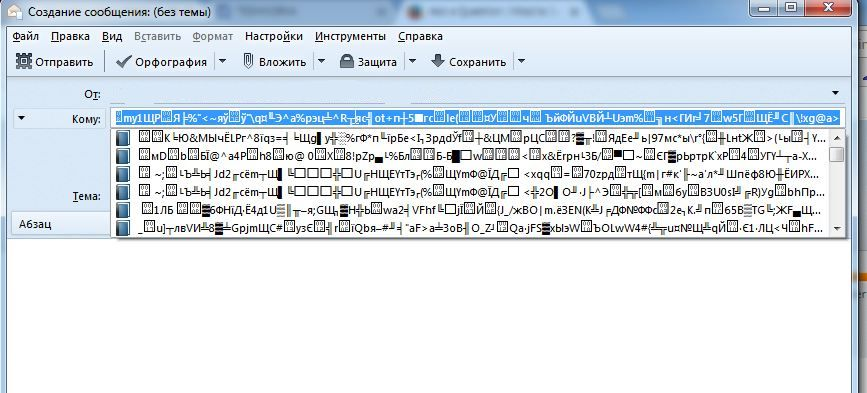
Modified by andrey2017
All Replies (2)
Restart Thunderbird with add-ons disabled (Thunderbird Safe Mode). On the Help menu, click on "Restart with Add-ons Disabled". If Thunderbird works like normal, there is an Add-on or Theme interfering with normal operations. You will need to re-enable add-ons one at a time until you locate the offender.
Dear Matt,
I did everything as you told, but the problem wasn't fixed.
BTW I only has the following Add-ons on my Thunderbird:
1) British English Dictionary (Marco Pinto)
2) gContactSync
3) Lightning
4) Shockwave Flash
Anyway, thank you for your help!
Best regards, Andrey