


Thunderbird 52.1.0 fonts look blurry

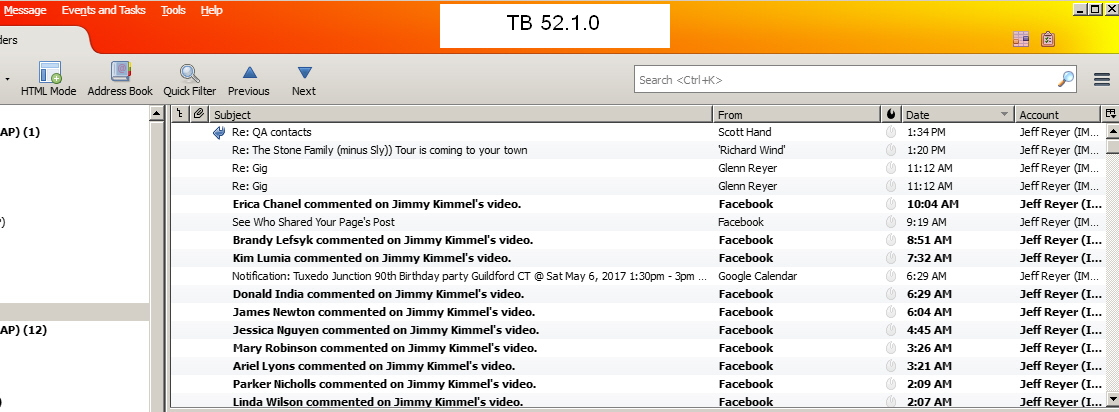
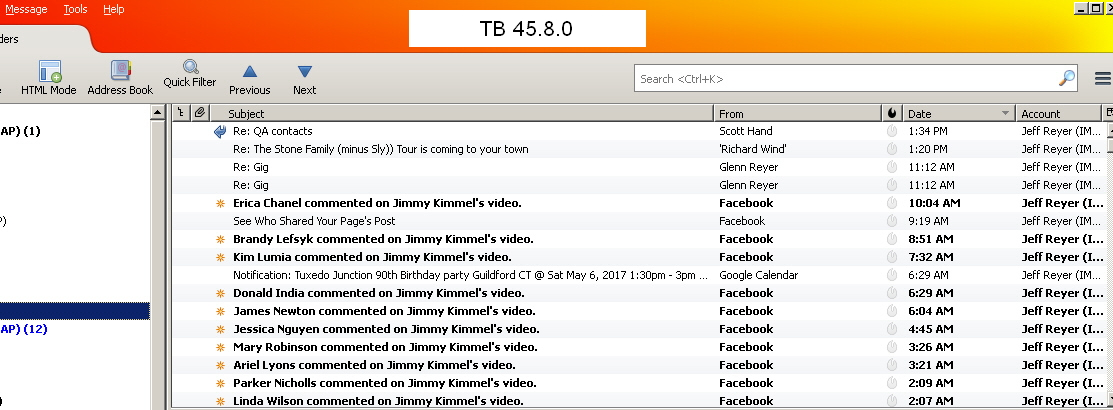
Upgraded TB from 45.8.0 to 52.1.0 on WinXP SP3. Fonts are now blurry. This may be related to
https://bugzilla.mozilla.org/show_bug.cgi?id=1354357
Screen shots of both 45.8.0 and 52.1.0 attached.
Is there a workaround?
Thanks
All Replies (3)
Chosen Solution
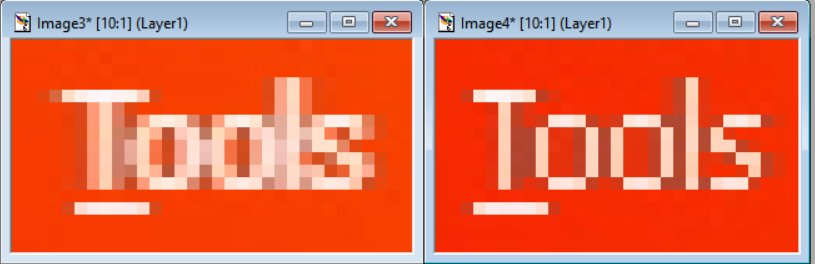
I guarantee you that this is affecting everything on your computer, not just Thunderbird. Everything in your screenshots is affected, not just the stuff that Thunderbird itself displays.
For example, the display of the menu bar at the top of the window is done by Windows. If you look at the zoomed in images I attached below, you will see that the fuzziness is there too.
What has happened is that ClearType in Windows XP has been turned on. You just need to turn it off. See Microsoft's instructions for how to do this.
Great thank you. Disabling font smoothing does work.
Just a small clarification: the "Standard" setting also looks blurry. So for those who dont want any font smoothing effect, you must disable (uncheck) the box for "Use the following method to smooth the edges of screen fonts". See attached.




This problem still exists on Windows XP, even with the newest v52.3.0 Thunderbird version.
The solution is here: http://forums.mozillazine.org/viewtopic.php?f=31&t=3029534
If the above link does not work, the steps are here: 1.) Start Thunderbird 2.) Tools > Options > Advanced > General > Config Editor 3.) In about:config window select: gfx.*.azure.backends 4.) Change the two values from direct2d1.1,skia,cairo to direct2d1.1,cairo,skia 5.) Restart Thunderbird
And the problem is solved. ;)
(Classic Theme Restorer add-on for Firefox does the same and calls it "Old font rendering". So this also works with Firefox ESR v52.3.0)