


How do I display an e mail on the start page alongside the list of e mails like Live Mail

I am moving to Firebird from MS Live mail. But I find the absence of the e mail alongside the highlighted e mail on the start page dissappointing. Does Firebird support this facility? Regards Roger
All Replies (2)
Chosen Solution
Most of us have three panes; accounts ("account pane"), current folder contents ("folder pane") and current message ("message pane"). This last one, the message pane, can be toggled on and off (via F8 on Windows and Linux.).
If you're asking this question, then I guess you haven't explored the menus. I'd suggest you use alt+v or F10 to make the traditional menu appear, then go to View|Toolbar and tick all the checkboxes.
View|Layout will let you switch the message pane on and off, and also offers different pane configurations.
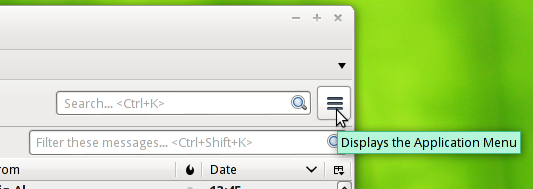
There is a newer "Application Menu" system hiding behind a button with three horizontal bars. This is supposed to be universally understood symbol for menu and is used in may other places, notably on android software. However, if you don't have a toolbar visible then you may not see this button.
I find the Application Menu hard to describe; sometimes you click, sometimes you hover. I usually guide users to the old fashioned menu.
Hi, Thanks for the info - it has really helped as i was about to give up on Firebird. I am now falling in love with Firebird! Thanks again, Roger