


I get ssl_error_no_cypher_overlap error accessing our internal web sites. It works on FF 24.8.1 but I get error with 38.3. Verified no chages in about:config

It works on IE and FF 24.8.1 but I get error with 38.3.
I have verified there are no chages in about:config.
I have tried to change the enforcement (security.cert_pinning.enforcement_level) to 0 and it did not work. Set it back to 1.
IE and FF 24.8.1 both ask to add the exception. FF 38.3 does not.
I am running on Win2008 R2.
All Replies (32)
Here you go.
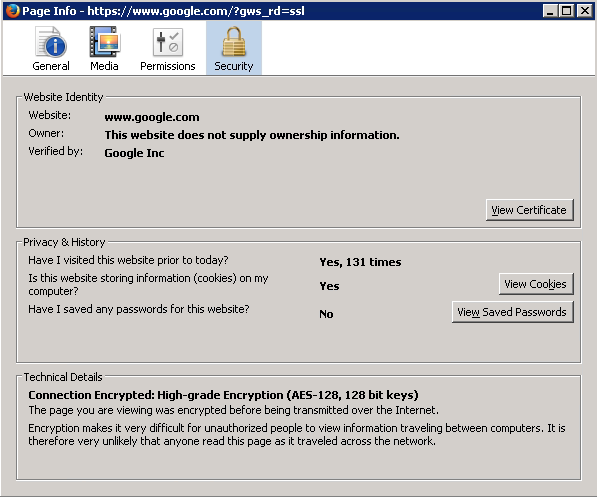
We are not allowed to load Google Chrome. :-(
This is for 38.3
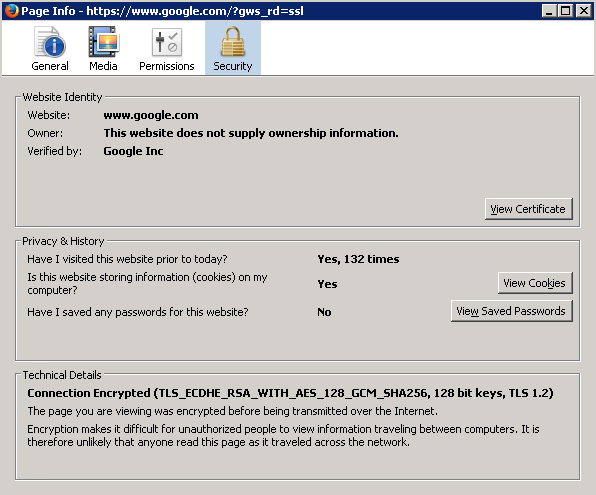
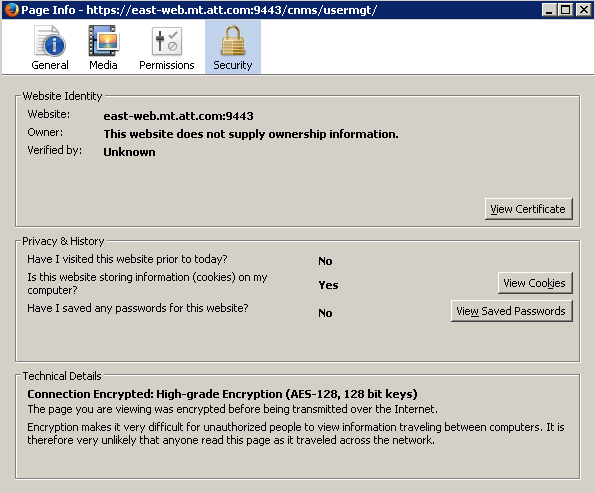
I think cor-el meant the Page Info > Security tab for your internal site, especially the part at the bottom.
Here is the 24.8.1 connection
I installed FF 44.0.2 and got the same result.
Page Info -- The website east-web.mt.###.com:9443 does not support encryption for the page your are viewing.
The Advance pull down on the error page:
east-web.mt.###.com uses security technology that is outdated and vulnerable to attack. An attacker could easily reveal information which you thought to be safe. (Not secure) Try loading east-web.mt.att.com using outdated security
When I click on the "Try loading ##### using outdated security" I get the same result.
Hi dooley0008, on 44.0.2, does it make any difference if you make the two about:config changes mentioned earlier?
I wish I knew of a way to coax more detailed diagnostic information out of Firefox about secure connection problems.
jscher, I ran through all the steps we did yesterday with the same result. Everything I am seeing is that FF enforces full encryption with no ability to configure an override since version 37. I am appreciating all the ideas that you and cor-el are giving me. This is very frustrating. Please keep them coming as I am fresh out of them.
I think I may have to introduce one of the IE Add Ons since it does work with IE. Is there one that you recommend over all the others?
dooley0008 said
I think I may have to introduce one of the IE Add Ons since it does work with IE. Is there one that you recommend over all the others?
I suggest Open in IE, which you can set to launch URLs or domains in IE when you follow a link to them. https://addons.mozilla.org/firefox/addon/open-in-ie/

ssl_error_no_cypher_overlap
I'm getting the same error from a couple of sites. This is recent as they have been fine up to about a week ago. I am using the latest version of Firefox.
Chrome works fine. Firefox also works on my laptop, just not on my desktop.
Hi dtsaudio, I suggest starting a new question and including your Firefox/system information ("Share Data" when entering your question).
You can start with this link, and scroll down past suggested articles to continue with the form:
https://support.mozilla.org/questions/new/desktop/fix-problems
I'm sure someone will ask whether you use a proxy or any of the security products known to intercept secure connections, so you may want to mention that as well (e.g., Avast, BitDefender, Bullguard, ESET, Kaspersky; AVG LinkScanner / SurfShield; Microsoft Family Safety).
Thanks.