


get messages option disappeared

The Get Messages are no longer showing, I would like to get back.
Chosen Solution
Thank you so much Airmail, it worked this time :-)
All Replies (12)
Are you missing the entire toolbar? Press the alt key if the Menu Bar is missing too. From the Menu Bar select View-Toolbars and turn the missing toolbars back on.
Hi Airmail, Pressing the ALT key does not do anything. Further more, the Tools option also disappeared, and I am using the filters alot. froggy114
The alt key or F10 are shortcuts for revealing hidden Menu Bars. One of the two should make File-Edit-View etc show up. Tools is also on the Menu Bar so you need to get that back.
Airmail, ALT nor F10 make any difference. How do I get the Menu Bar back?
The alt key or F10 as stated above. If those don't not work for you I do not know what to tell you. This is on a Windows computer correct? These shortcuts are Windows shortcuts and have worked with Windows applications from the beginning. When was the last time you rebooted your PC?
Yes, Window7, and rebooted yesterday, they were working before.
Hello,
In order to better assist you with your issue please provide us with a screenshot. If you need help to create a screenshot, please see How do I create a screenshot of my problem?
Once you've done this, attach the saved screenshot file to your forum post by clicking the Browse... button below the Post your reply box. This will help us to visualize the problem.
Thank you!
Airmail, What do you want to get a screenshot of? A message showing that the Menu Bar is missing?
It might help to see what you are or aren't seeing.
Airmail, Here is the screen capture
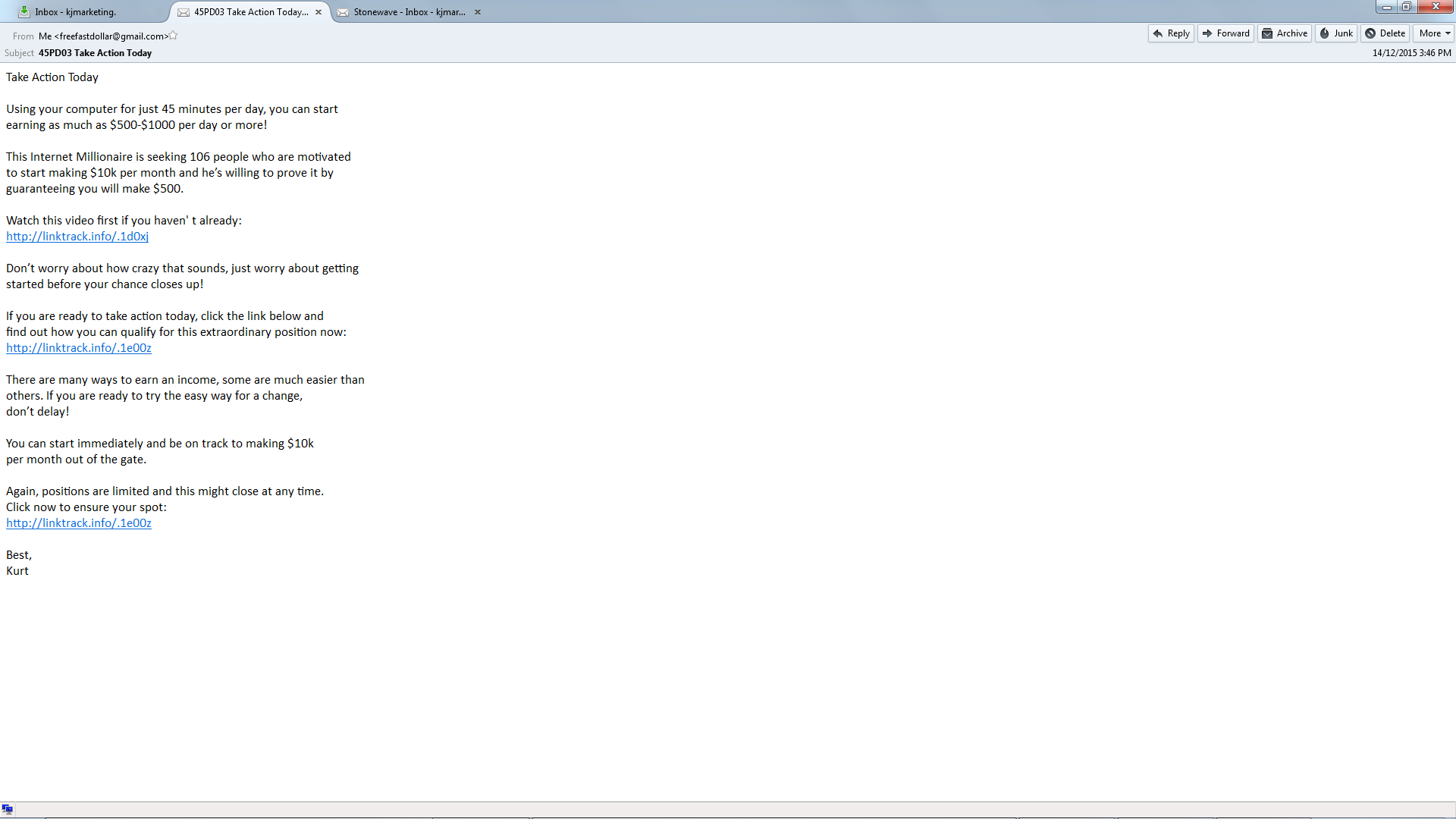
If you right click on the blue header to the right of the message tabs do you get a Menu to select the Menu Bar and the Mail Toolbar?
Chosen Solution
Thank you so much Airmail, it worked this time :-)