


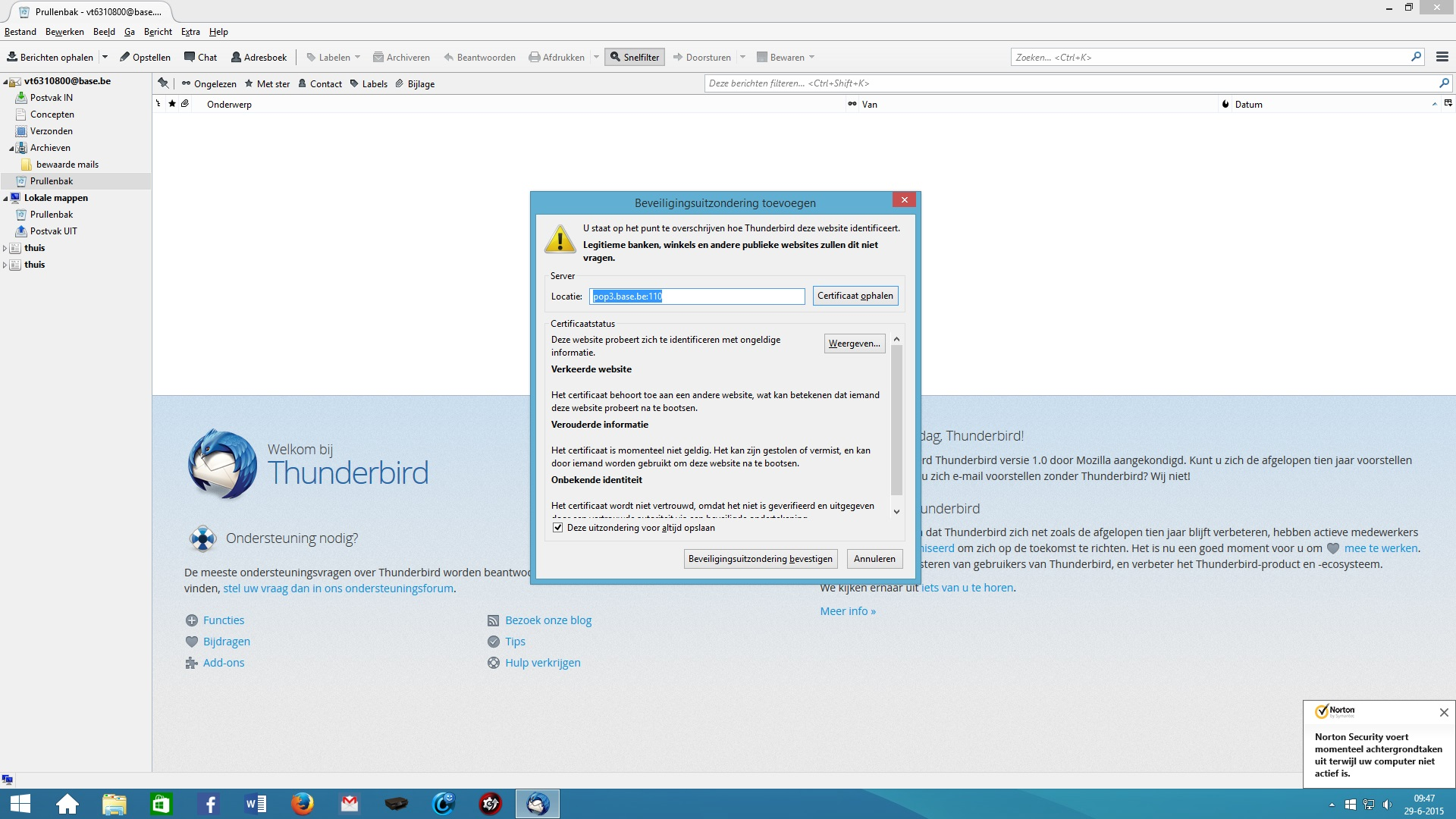
Hi There, Can someone tell me how I cqan get rid of this?

Hello,
Does anyone how i can loose this pop-up? Since some time it suddenly appeared, and I am afread it will harm my computer.
Thanks for your help
Luc Liedekerken
All Replies (1)
LucLiedekerken said
Hello, Does anyone how i can loose this pop-up? Since some time it suddenly appeared, and I am afraid it will harm my computer. Thanks for your help Luc Liedekerken
Hello Luc
So sorry for the late reply on this. The problem usually arises when the mail server's certificate is invalid for some reason. Problems can include certificates expiring, being incorrectly named, or claiming a certificate authority that is not in Thunderbird's list of valid authorities.
In your case your certificate is wrongly named. Security exceptions go with the format : https://pop.example.com:995 or https://smtp.example.com:465
I'd suggest that you disable the security exception on the account and give it another try or remove and configure the account again
- Select Edit | Preferences.
- Click the Advanced panel, then click the Certificates tab.
- Click View Certificates, then click the Servers tab.
- Remove Exception.
- Save
Please let us know how this goes.
-Michael
Modified by Michael Buluma