


Version 38.2 can't read messages and subject does not match sender on many emails

No problems until 38.2. Many emails blank and/ subject and sender info do not 'jive'....as if subject and sender info are 'mixed-up'. Can I reinstall (or restore)the previous version which worked fine?
Chosen Solution
right click the folder, select properties and then the repair button.
All Replies (5)
Please start Thunderbird in safe mode per https://support.mozilla.org/en-US/kb/safe-mode
Does problem go away? If not please post your screen shot here per https://support.mozilla.org/en-US/kb/how-do-i-create-screenshot-my-problem
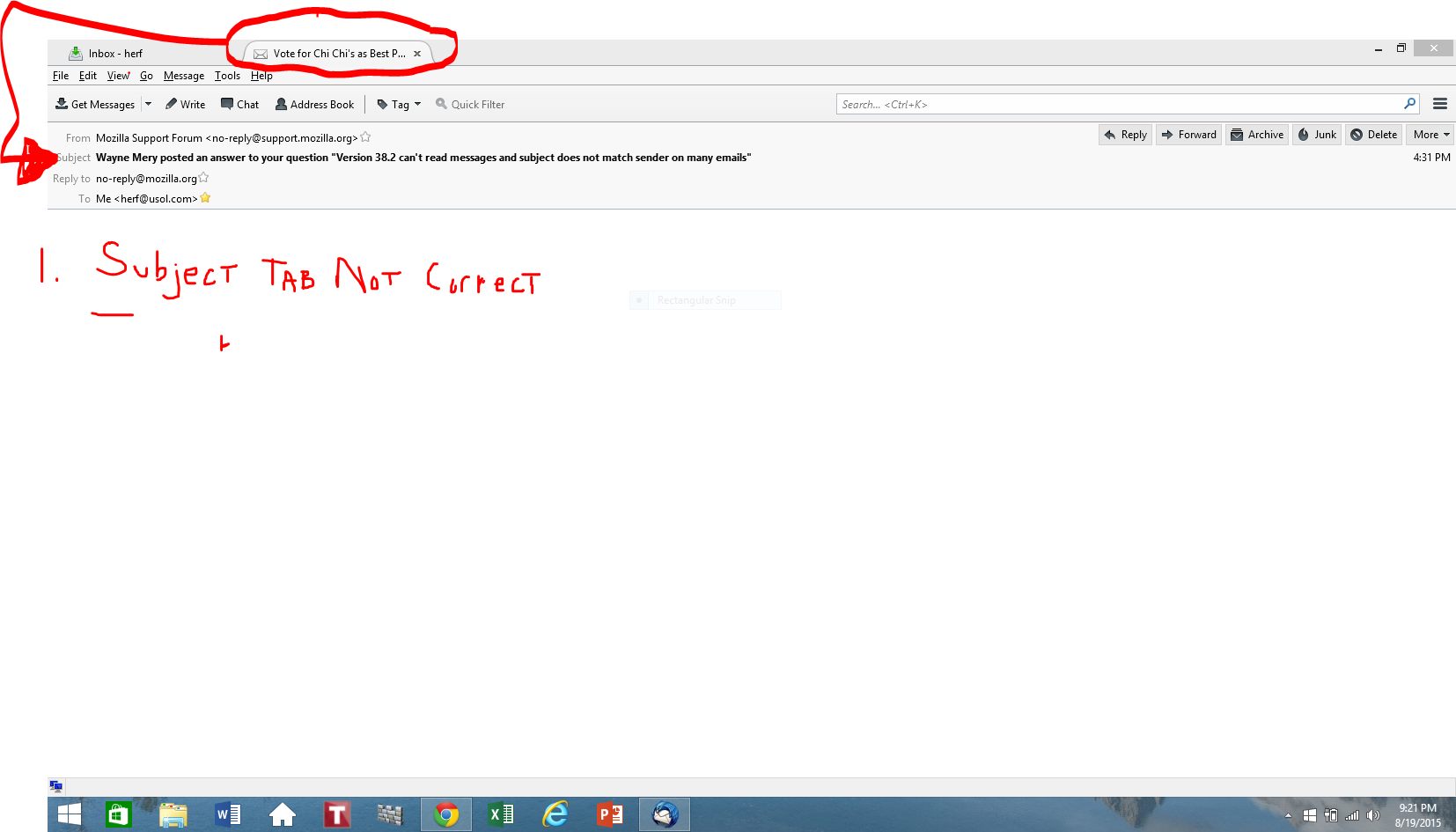
Any email received earlier that 7:00 am 8/19/15 has no content when opened. This affects about a month worth of email.....before 7/14 seems OK. The inbox subjects are intact but when you try to view an unreadable email, the last readable email, (see uploaded image) 'hijacks' the sender info location in the blank email...note that the subject tab of the unreadable email is still readable. Any thoughts?
Chosen Solution
right click the folder, select properties and then the repair button.
The "repair" solved the issue and realigned content. It did appear though that the un-openable emails may have dissapeared. Perhaps the issue was caused by an interruption while deleting email the the repair completed the process? At any rate thanks for the fix and I am moving on!
This is usually caused by poor email maintenance and folder corruption. This article might be a good read to help prevent future problems.