


Application's javascript is not able to read any of the headers in a HEAD request

The response is sending the Access-Control-Expose-Headers as a comma separated list. For example:
Access-Control-Expose-Headers:"Total-Site-Count, BIODATA-Site-Count, NWIS-Site-Count, STEWARDS-Site-Count, STORET-Site-Count, Total-Result-Count, BIODATA-Result-Count, NWIS-Result-Count, STEWARDS-Result-Count, STORET-Result-Count, Warning, FATAL ERROR"
is in the response headers as our the headers themselves.
However, none of them are getting returned when executing getResponseAllHeaders or using getResponseHeader(xxx).
Chosen solution
I figured out what the issue was. One of the headers was "FATAL ERROR". That space seems to be what caused the issue. When I changed the server to set the header to 'FATAL-ERROR', firefox worked perfectly
Read this answer in context 👍 0All Replies (4)
The examples on MDN do include using getResponseHeader so on that basis, I think it should work:
Do you have a page online demonstrating this problem?
The application that I'm testing is not out in the wild because its not working. I'll have to think about how to get a test implementation online. In the meantime, I have attached the network page of the debug tool, showing the response and request headers.
As further information, the application is working in IE11, latest Chrome, and the latest Safari.
Thank you for your time.
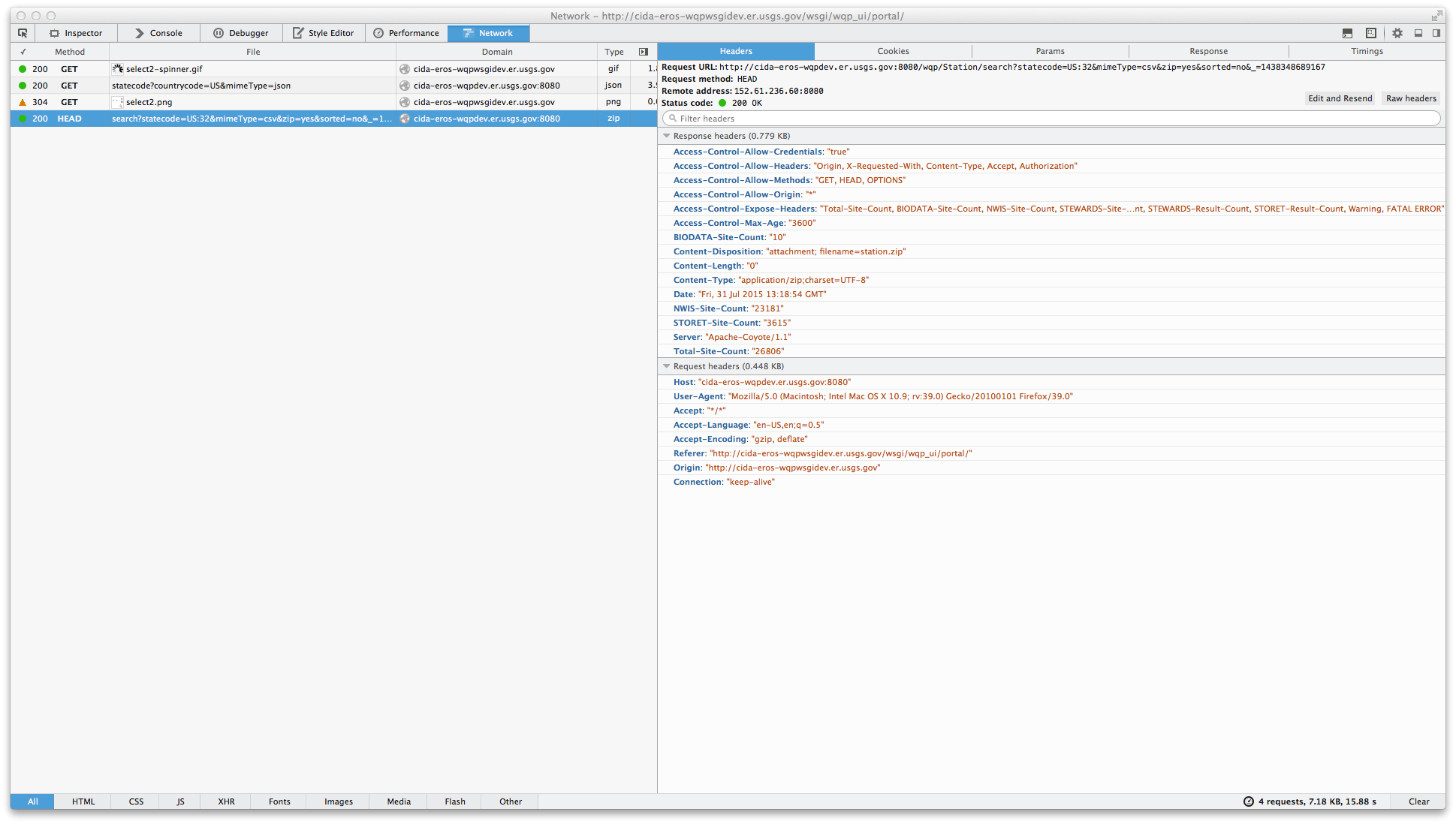
Some more additional information. If the list of Allow-Control-Expose-Headers are sent separately, ie one for each custom header we want to be able to read, Firefox works. Of course then IE11, doesn't. It seems like the standard says they should be specified as a comma separated list.
Chosen Solution
I figured out what the issue was. One of the headers was "FATAL ERROR". That space seems to be what caused the issue. When I changed the server to set the header to 'FATAL-ERROR', firefox worked perfectly