


I got no buttom for "warning message" under security tab. /Stefan

Hallo! I got no button for -warning message- under Security in Firefox 35.0.1
All Replies (7)
hi stefan, i think i don't fully understand the question yet. can you explain in a little bit more detail what you're trying to achieve in the first place?
Chosen Solution
Note that the warn settings in "Options/Preferences > Security" have been removed a long time ago in Firefox 4 and later versions.
Hi, I have the same question. I read the "solution" but I wonder why the "help=?"-button on the Security-page still shows this fact?
Hi crille
I'm not sure what item you are referring to.
Can you attach a screenshot?
- http://en.wikipedia.org/wiki/Screenshot
- https://support.mozilla.org/kb/how-do-i-create-screenshot-my-problem
- Use a compressed image type like PNG or JPG to save the screenshot
- Make sure that you do not exceed the maximum size of 1 MB
Thanks again cor-el,
Here comes the screen-shot! Sorry for the delay.
//Chrille
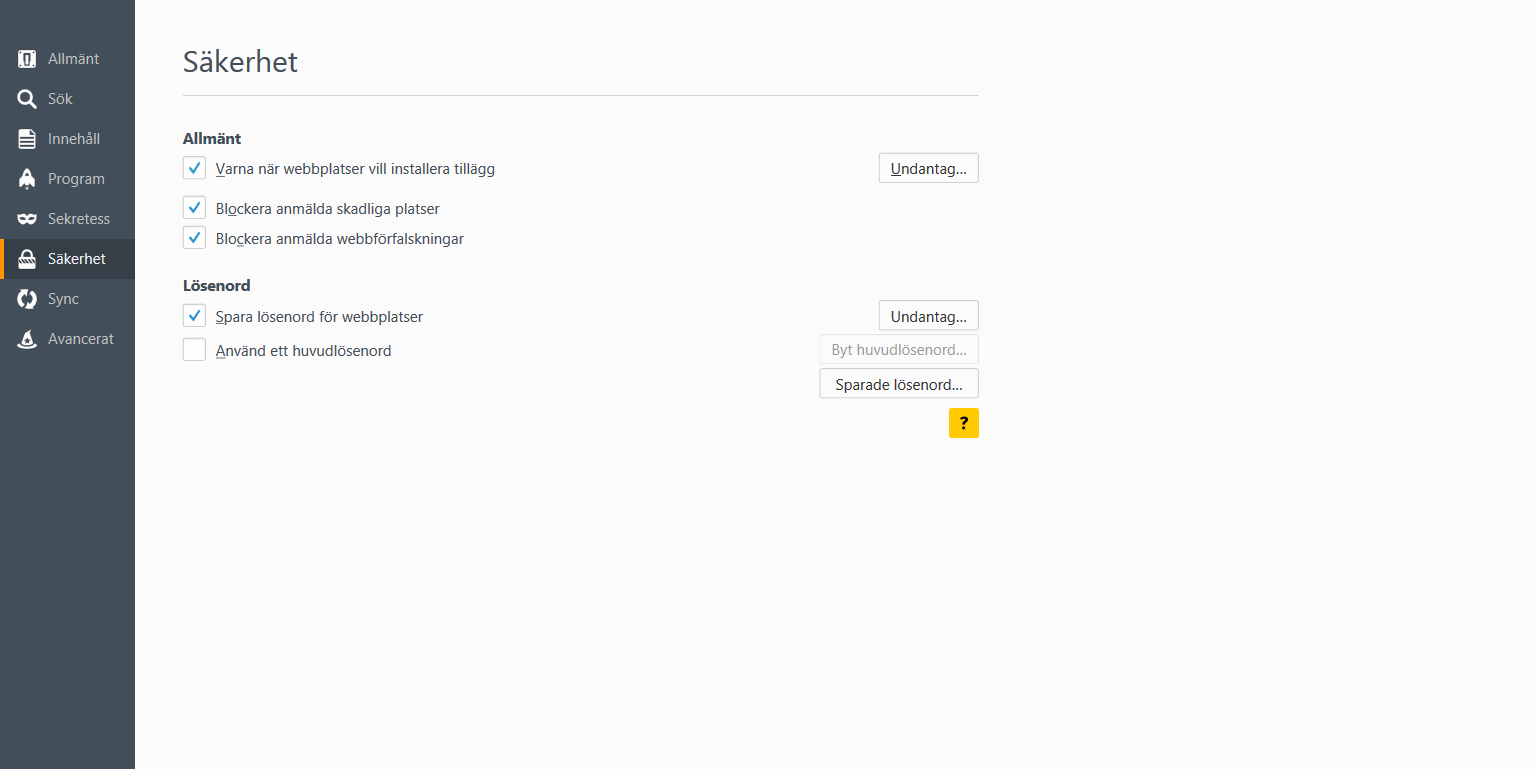
The sv-SE page of this knowledge base article is seriously outdated and still includes the section about warning messages.
You can compare with the en-US version to see what it would have to look like if the article would have been updated.
Hi cor-el and thank you for the reply.
I understand the question-mark should be there but directed to an updated sv-SE page.
My best
Chrille