


Autofulfilling web-addresses

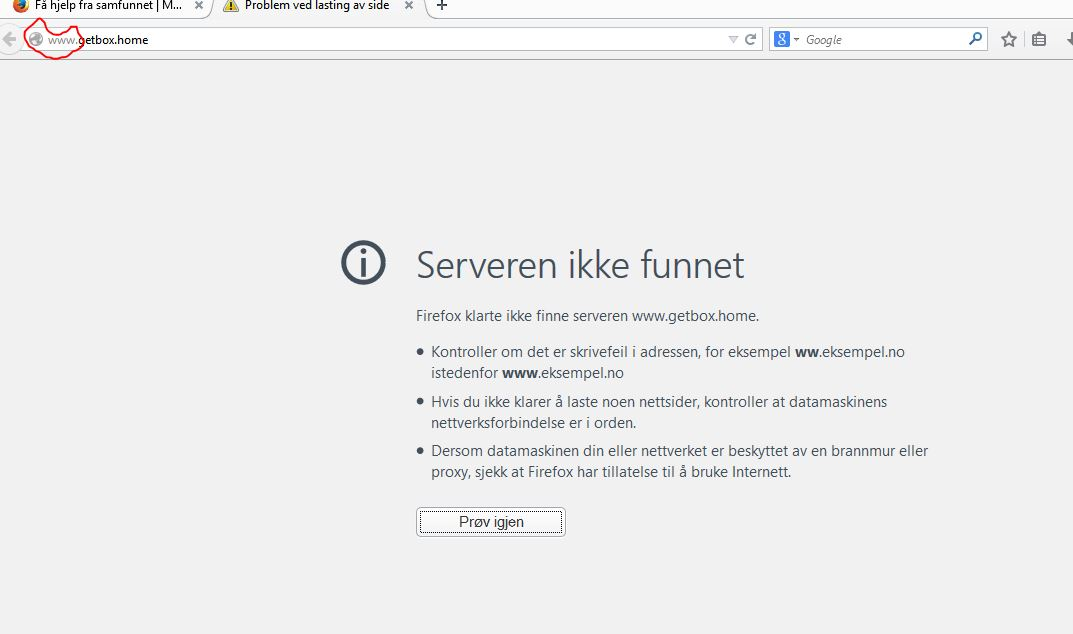
When I try to visit the URL for my router/modem (getbox.home), firefox automatically pre-fixes the adress with www (www.getbox.home). This address is not recognised by my router/modem, and I get an error-message from firefox ("Server not found"). This is espescially inconvenient when the internet-connection is down and I want to restart the router to see if this fixes the problem.
I want to avoid that firefox autofullfills webaddresses with www.
Anyone know which option I can change to fix this?
Chosen solution
There is a prefix about:config entry that you can disable, however this will disable the prefix for all sites. In order to change your Firefox Configuration please do the following steps :
- In the Location bar, type about:config and press Enter. The about:config "This might void your warranty!" warning page may appear.
- Click I'll be careful, I promise! to continue to the about:config page.
- Search for browser.fixup.alternate.prefix and double click on "www" and delete it.
Please post back with your results.
Read this answer in context 👍 2All Replies (3)
Here's an image that shows my problem.
Chosen Solution
There is a prefix about:config entry that you can disable, however this will disable the prefix for all sites. In order to change your Firefox Configuration please do the following steps :
- In the Location bar, type about:config and press Enter. The about:config "This might void your warranty!" warning page may appear.
- Click I'll be careful, I promise! to continue to the about:config page.
- Search for browser.fixup.alternate.prefix and double click on "www" and delete it.
Please post back with your results.
This solved the problem; I still got the error "Server not found", but this was due to unblock-us settings for the name server.
Thank you!