


Send Message Error only when sending mail using a SoGO acount

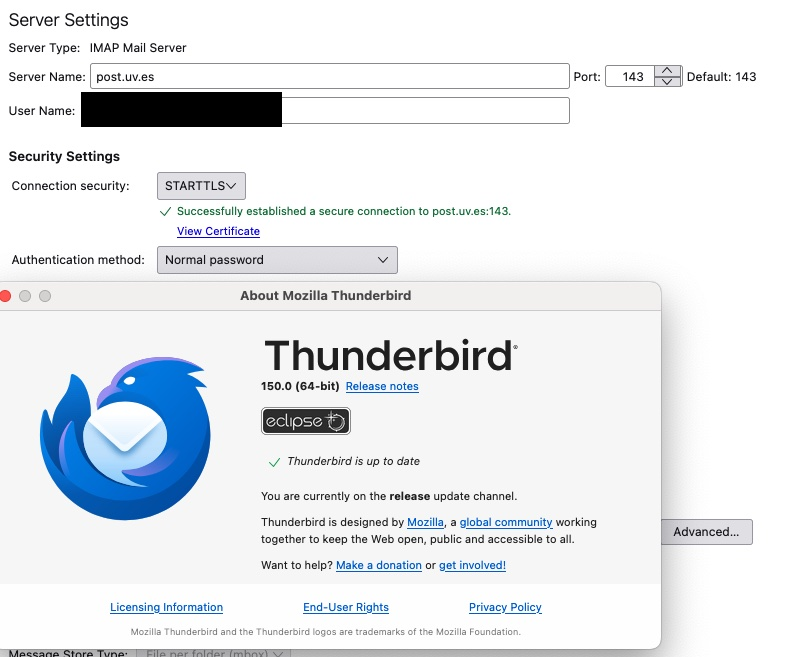
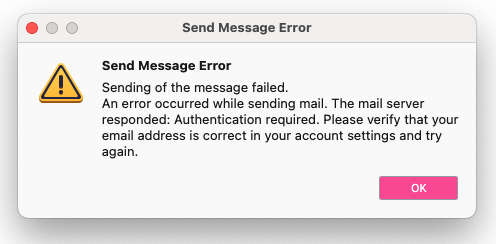
I have a SoGO email account through my educational institution. I configured the new account in Thunderbird just as I did with my other email accounts (which are all functioning well). My SoGO email was verified to be working, and I was able to receive new emails and also search my old emails. However, when I try to send emails, I come up with a Send Message Error that says Authentication required. I have checked the email address, the Outgoing Server, the authentication methods, and the server settings, and I can find nothing that is wrong. I am still able to send emails from the other accounts, and I am able to get incoming emails to the SoGO account, I just can't send them.
All Replies (1)
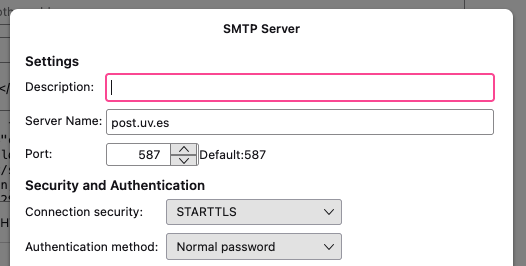
I assume that account has a description normally... It must have something in that box.
The error indicates you are using an non authenticated SMTP account. the one you have posted the information for is set to use a password, so I must assume you have another in "outgoing server(SMTP)" that is being used when the error occurs. Thunderbird's choice of which SMTP server to use is not always straight forward, just because that is the one listed in the identity for the account does not mean it will always be used. so checking others is the first thing to do.