


How to configure the settings to link the infomaniak mail with Thunderbird

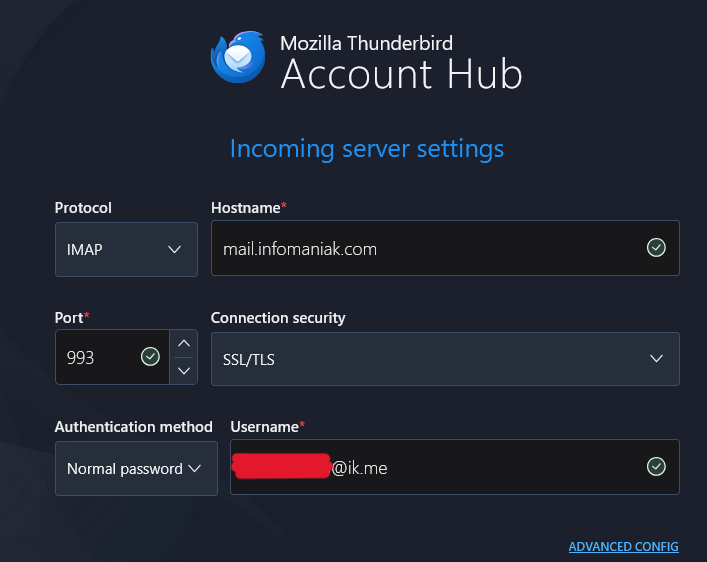
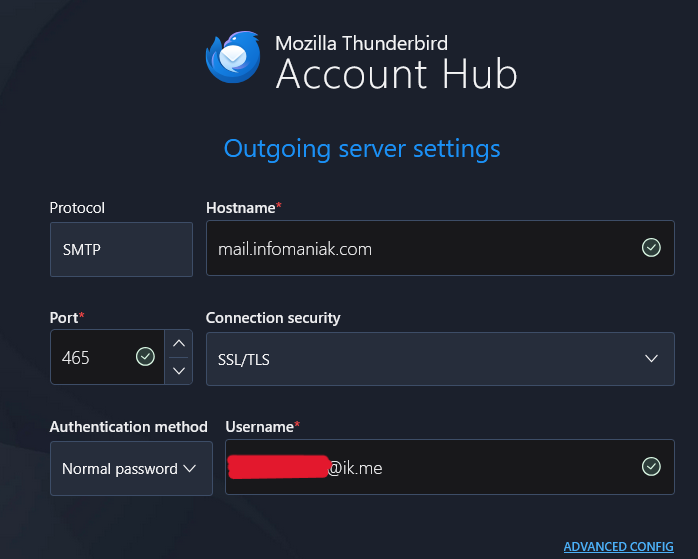
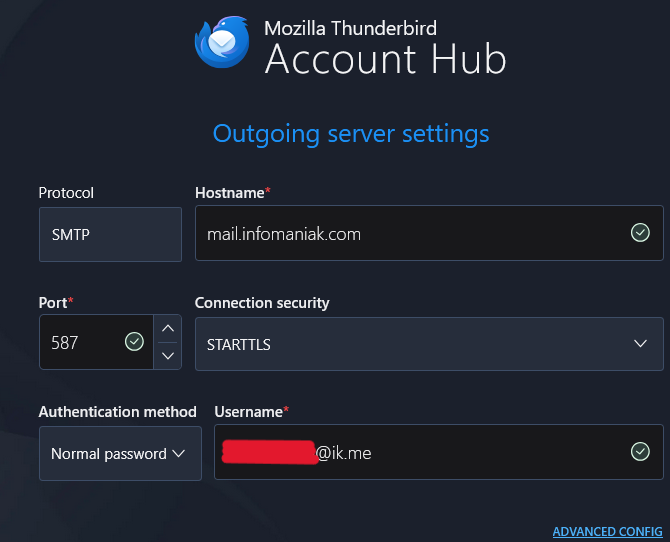
I tried to create a new account on Thunderbird with the settings that I joined, but I always have this error message : "Authentication error. Unable to log in at server. Probably wrong configuration, username or password." Is there anything I can do in the settings, or it's just impossible ?
Thank you !
All Replies (1)

Your settings look correct, according to those I found at the infomaniak help site:
https://www.infomaniak.com/en/support/faq/2430/configure-thunderbird-in-imap-mail
https://www.infomaniak.com/en/support/faq/468/understanding-mail-ports-and-protocols
Recommended IMAP settings: Username = the complete & full email address (?) Password = the one created/generated for the email address you want to access Incoming IMAP server = mail.infomaniak.com IMAP port = 993 (with SSL)
Recommended SMTP settings: Username = full & complete email address ( ? ) Password = the one created/generated for the email address you want to access Outgoing SMTP server = mail.infomaniak.com SMTP port & encryption protocol and command/method to activate this protocol:
   Prioritize the port 587 + STARTTLS: this is the official technical standard and the most compatible method with the majority of modern systems for authenticated submission.
   Tolerate the port 465 + SSL/TLS only as a compatibility option or alternative, specifying that it is implicit encryption, but that 587 remains the recommended choice.
Authentication required to send emails:
   It is activated in the SMTP settings of your application.
   Check "use the same parameters as the incoming server" or depending on the software/email clients, enter a username (= full & complete email address) and its password.
POP3 protocol not recommended (POP server = mail.infomaniak.com and POP port = 995 with SSL).
Are you using the password for your email account, rather than your master infomaniak password?
You should try turning off Thunderbird's "experimental" Account Hub feature and setting the account up manually. That setting is found (in Windows) at < Tools | Settings | General | Account Hub > - uncheck "Create accounts in the new Account Hub."