mail toolbar

i have 'lost' the 'mail toolbar' option... how do i bring it back?
All Replies (11)
press the alt key to see it. then click view>toolbars and tick it to keep it
nope that doesn't work (and had already tried)

Point your mouse cursor to the red square and then right click and move your mouse to Menu Bar
Please see picture
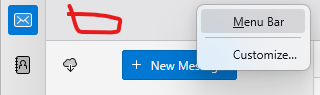
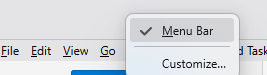
nope no 'mail toolbar' next?
we've been focusing on the wrong thing. You asked about mail toolbar, not menu bar. What feature are you looking for on the mail toolbar?
i want to add 'previous' and 'next' to commands shown on top left of INDIVIDUAL messages
Those button have been removed since unified folder concept has been introduced I think.
Here are your option :
1) While in the email : type in F ( for forward ) or B ( for backward )
2) Customize mail bar and add Next and Previous button to main bar.
R-click on main bar and choose customize and then right click on Next and choose Add to Main Bar and Click on Save button
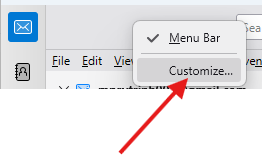
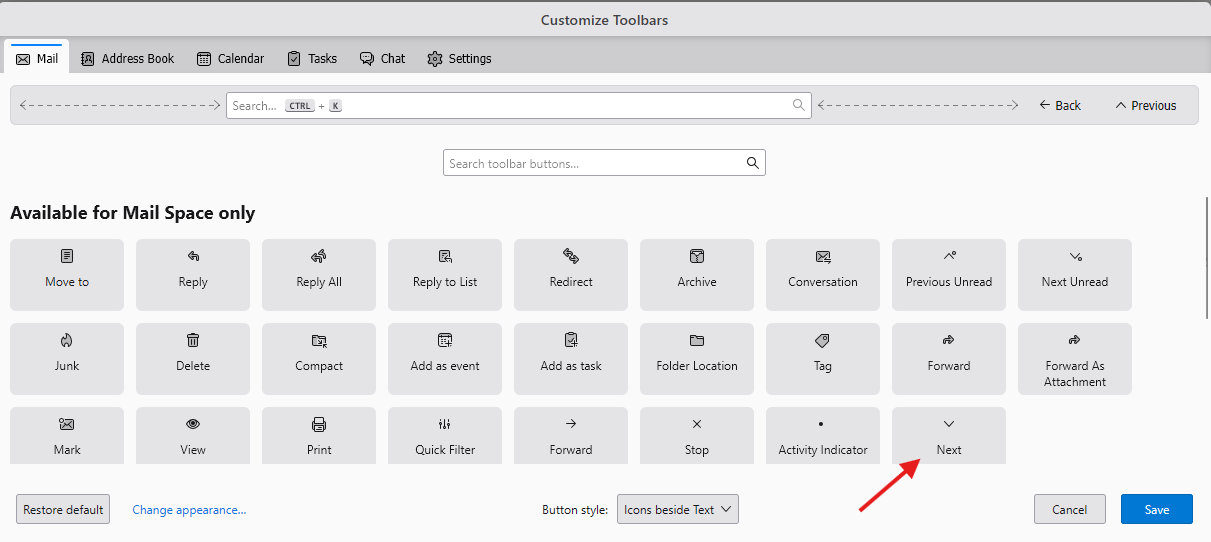

Modified by Michel T
funny... i set up t-bird on 2 new win11 computers at same time
i had no difficulty getting to 'mail toolbar' on one computer and adding 'previous' and 'next' commands to top of INDIVIDUAL emails (if i recall correctly, it involved dragging the commands from the 'mail toolbar' to the top left of the email)
so... i think we're missing something....
i certainly appreciate your efforts on this, michel and hope you will persevere a little longer i think you have a much better shot at resolving this conundrum than i do working without your help!
steve
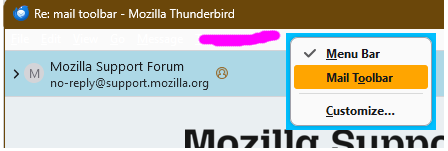
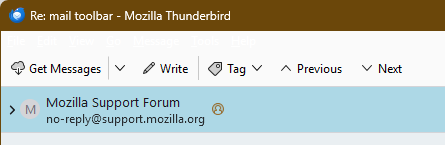
If you open messages in a window, right-click on the Mail Toolbar, Customize..., and drag the Previous and Next buttons onto the toolbar, Done. If the Mail Toolbar is hidden, right-click near the top of of the window to enable the bar.
" If the Mail Toolbar is hidden, right-click near the top of the window to enable the bar. "
nope
Nope? See the attached pictures.