Retention policy, higherarchy, propagation to sub-folders

Hello, I would like to know how the retention policy effects sub-folders. Does the Retention Policy (RP) propagate down to sub-folders?
Example: I create a folder in my EM account, call it folder1. I go into the RP tab and un-check the use global settings and choose never delete EM's. I then create folder2 as a sub-folder of folder1 and create a RP, un-check use global settings and select delete EM's older than "x" days.
Will folder1's RP take president over folder2's RP and never delete EM's or will folder2's RP override folder1's RP and delete EM's older than "x" days according to folder2's RP?
My OS is Linux Mint 22.1 Cinnamon, Cinnamon Ver. 6.4.6 Thunderbird-Nebula 128.7, 64Bit for Linux Mint-001 - 1.0
Thank you, MA
All Replies (2)
Are you talking of retention policies set by IMAP mail servers? They apply to everything in the account.
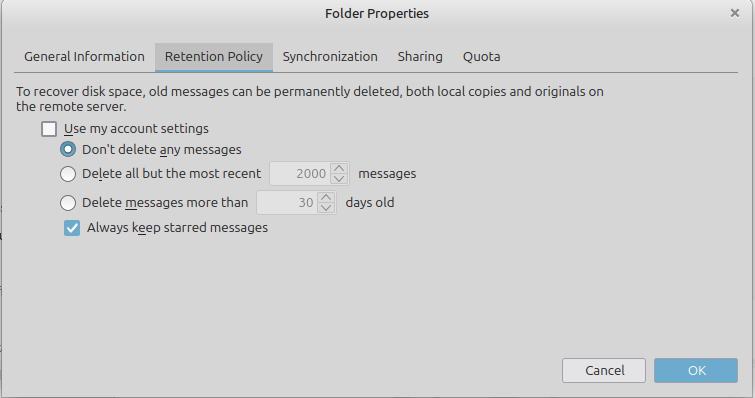
Hi Matt Thank you for replying. As you can see from the image I've attached, I've un-checked the "Use my account settings" box and am letting Thunderbird manage the retention policy.
So, from my original post: "Example: I create a folder in my EM account, call it folder1. I go into the RP tab and un-check the use global settings and choose never delete EM's. I then create folder2 as a sub-folder of folder1 and create a RP, un-check use global settings and select delete EM's older than "x" days.
Will folder1's RP take president over folder2's RP and never delete EM's or will folder2's RP override folder1's RP and delete EM's older than "x" days according to folder2's RP?"
I've attached a second image to illustrate the example.
Thanks again, MA