Avoid support scams. We will never ask you to call or text a phone number or share personal information. Please report suspicious activity using the “Report Abuse” option.

Learn More
Archived

Help needed troubleshooting automatic junk filter

webcoats

I've been using Thunderbird for years and love it! I have multiple email addresses, but I'm having problems for a good year or so with one of my gmail accounts that gets a lot of junk mail. Gmail filters suspected junk mail and places it in a folder called spam. I know how to use webmail and mark an email as not spam. I also know how to setup a filter that says, Never send to spam. Despite taking these steps, I have messages that within a minute of marking "not spam", end up moving right back to the spam folder. I've been trying everything I can think of and then I found under settings that I could uncheck Show in IMAP for the Spam folder and it wouldn't appear in Thunderbird. <see image attached> Once I did that, I could mark a message as "not spam" or just move back to my inbox through webmail and it will now stay in the inbox. But that means I can't view the spam folder through Thunderbird, which isn't ideal.

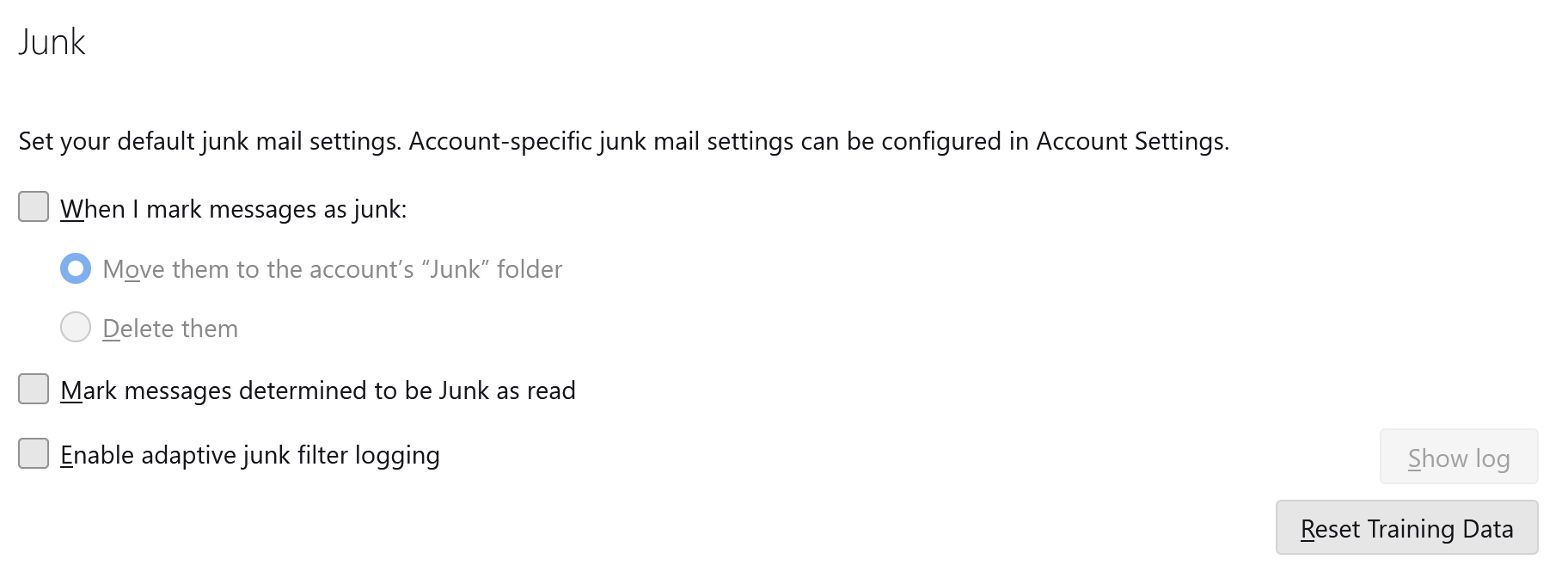
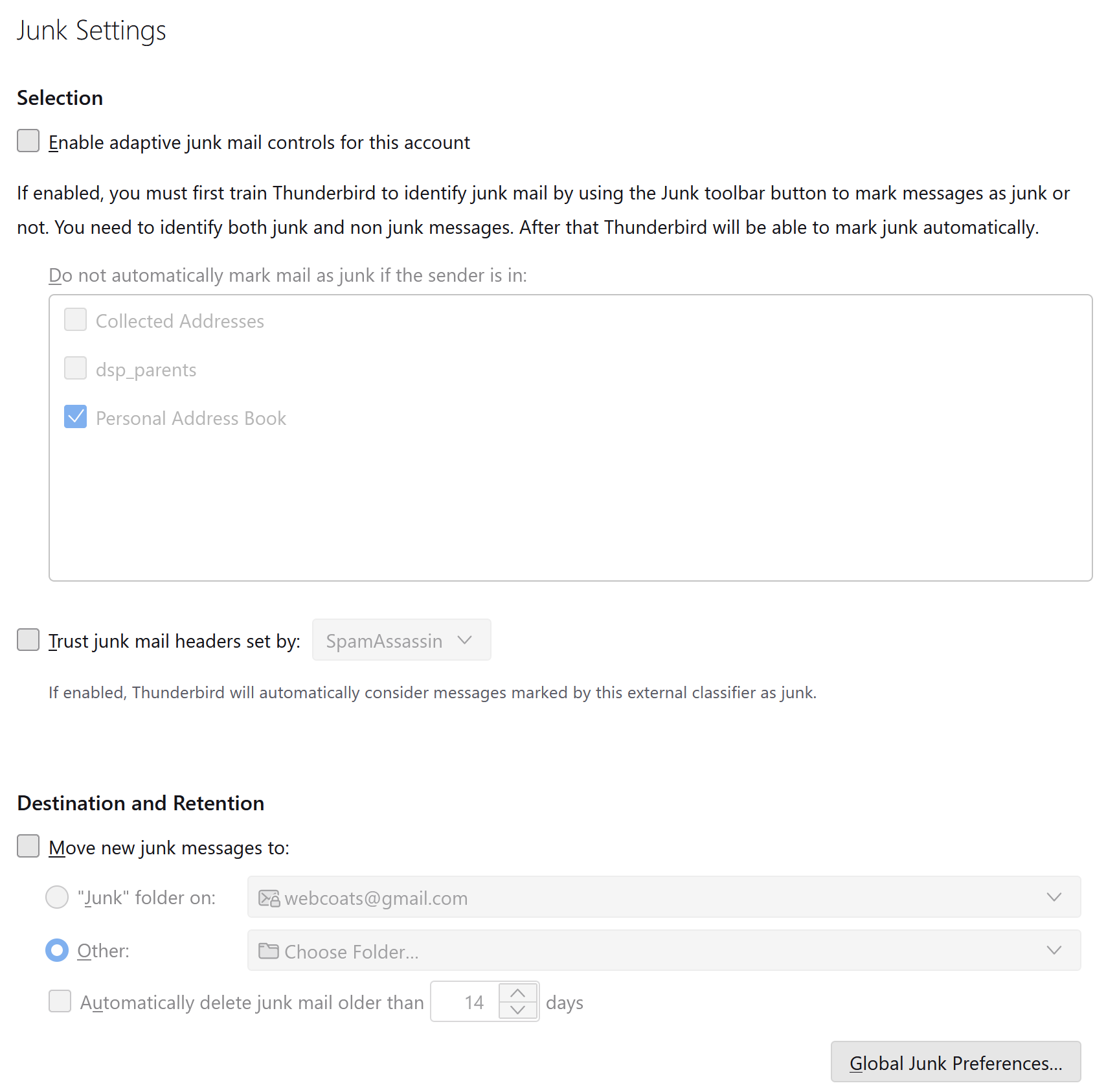
So I need help determining what is causing the emails to move from the Inbox to Spam when IMAP is turned on for the Spam folder and I open Thunderbird so that I can hopefully stop Thunderbird from moving them. I've tried unchecking adaptive junk mail, SpamAssassin, and Move new junk messages. <see images attached>

What can I do and where can I look to determine what is causing the emails to move when Spam is turned on in IMAP?

Thanks in advance for your help, Elspeth Coats
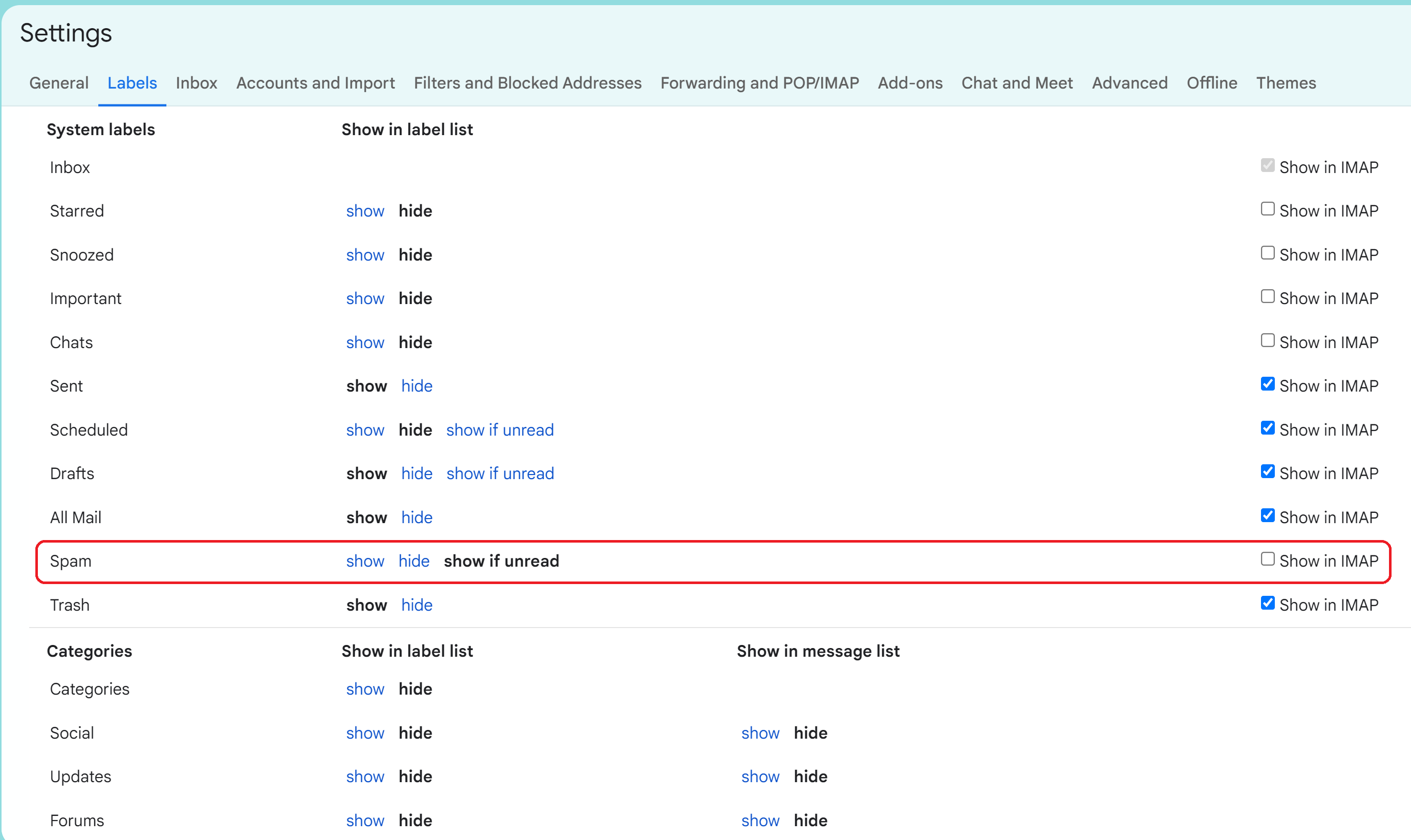
I've been using Thunderbird for years and love it! I have multiple email addresses, but I'm having problems for a good year or so with one of my gmail accounts that gets a lot of junk mail. Gmail filters suspected junk mail and places it in a folder called spam. I know how to use webmail and mark an email as not spam. I also know how to setup a filter that says, Never send to spam. Despite taking these steps, I have messages that within a minute of marking "not spam", end up moving right back to the spam folder. I've been trying everything I can think of and then I found under settings that I could uncheck '''Show in IMAP''' for the Spam folder and it wouldn't appear in Thunderbird. <see image attached> Once I did that, I could mark a message as "not spam" or just move back to my inbox through webmail and it will now stay in the inbox. But that means I can't view the spam folder through Thunderbird, which isn't ideal. So I need help determining what is causing the emails to move from the Inbox to Spam when IMAP is turned on for the Spam folder and I open Thunderbird so that I can hopefully stop Thunderbird from moving them. I've tried unchecking adaptive junk mail, SpamAssassin, and Move new junk messages. <see images attached> What can I do and where can I look to determine what is causing the emails to move when Spam is turned on in IMAP? Thanks in advance for your help, Elspeth Coats
Attached screenshots