

How to set warming for closing multiple tabs in FF4 beta 11

If I have multiple tabs opened , it doesnt warm me when I try to close firefox. I even have selected the option to warm me. It only warm me when I have two seperate firefox windows opened .... I found it weird !!
All Replies (8)
Chosen Solution
One change in Firefox 4 is to by default stop Firefox displaying the warning message, but it can be turned back on by changing some preferences.
- Type about:config into the location bar and press enter
- Accept the warning message that appears, you will be taken to a list of preferences
- Locate the preference browser.tabs.warnOnClose, if its value is set to false, double-click on it to change its value to true
- Repeat this for these 3 preferences browser.warnOnQuit, browser.warnOnRestart and browser.showQuitWarning
Thanks a lot this method solve the problem.
The value was already True....Still having same problem !!
The pref browser.showQuitWarning isn't present in beta 11 (will be in beta 12).
What is the Startup setting?
- Tools > Options > General > Startup: "When Firefox Starts"
My apology I didnt toggle the "browser.warnOnQuit" it was false...Problem is solved !! thanks
I have set all the beforementioned variables to true... but nevertheless FF never asks me whether I want to close my open tabs or not... it just quits the browser which is pretty annoying. Could it be that some other variables or settings are somehow interfering with that?
Awesome help! thank you much! was about to give up on firefox 4, but i found this! thank you sooo much! i pretty much have like 10 tabs open all the time.
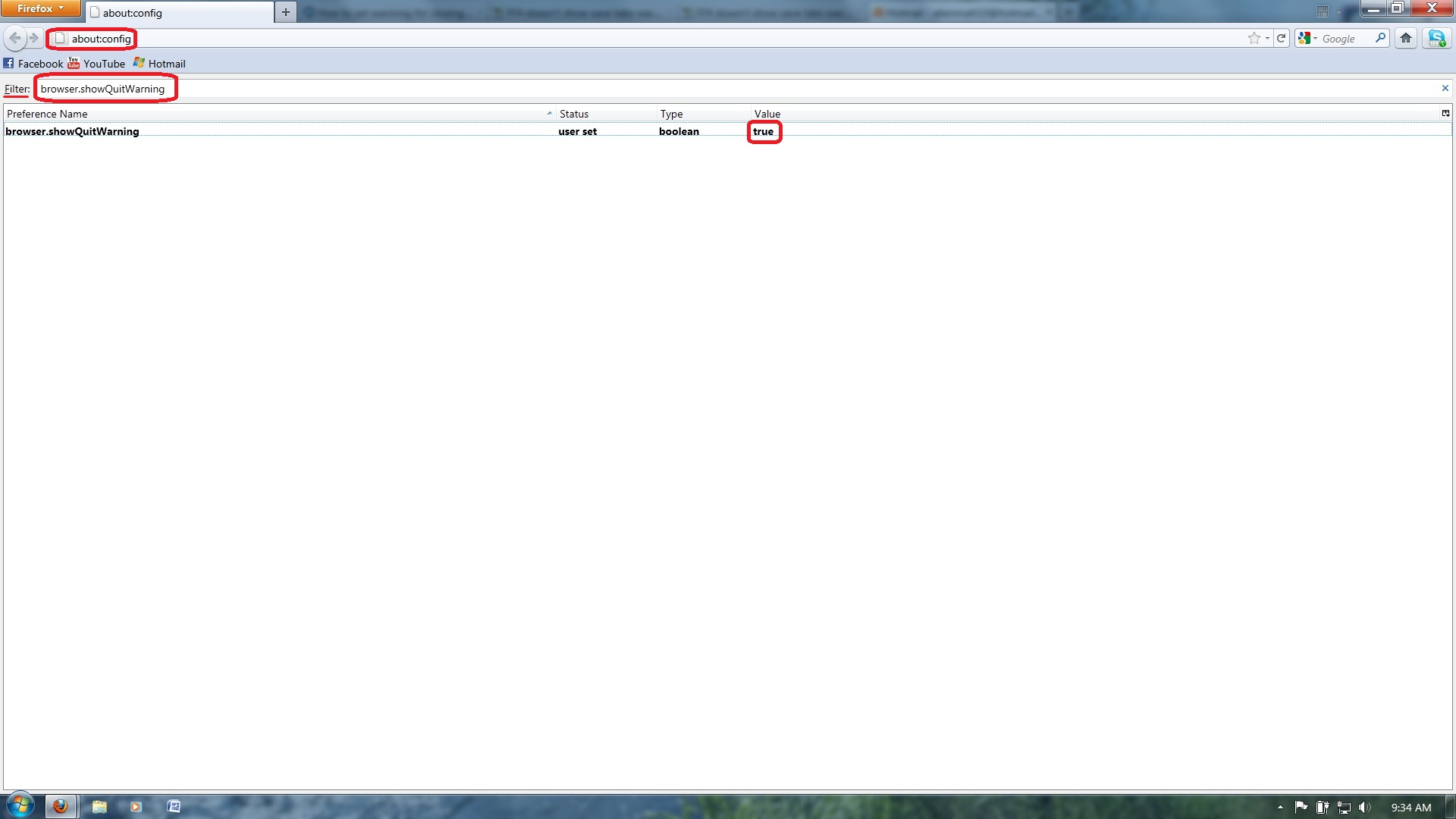
This is what did it for me! 1. Type about:config into the location bar and press enter 2. Then in the filter box type browser.showQuitWarning 3. click that to true and it fixed my problem!
all the other ones that TonyE was talking about were all ready on true, But browser.showQuitWarning Thank you TonyE for ur help !
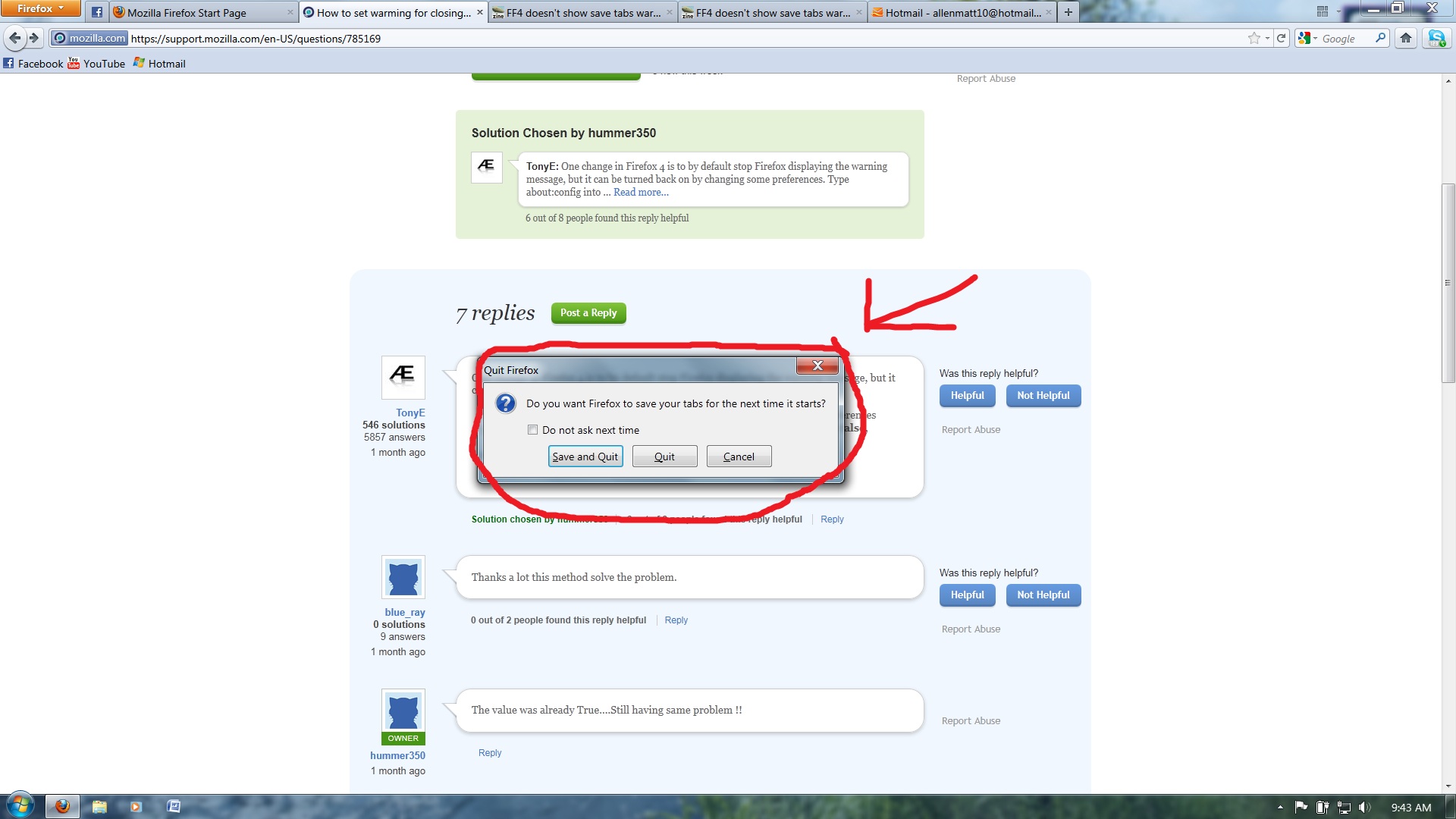
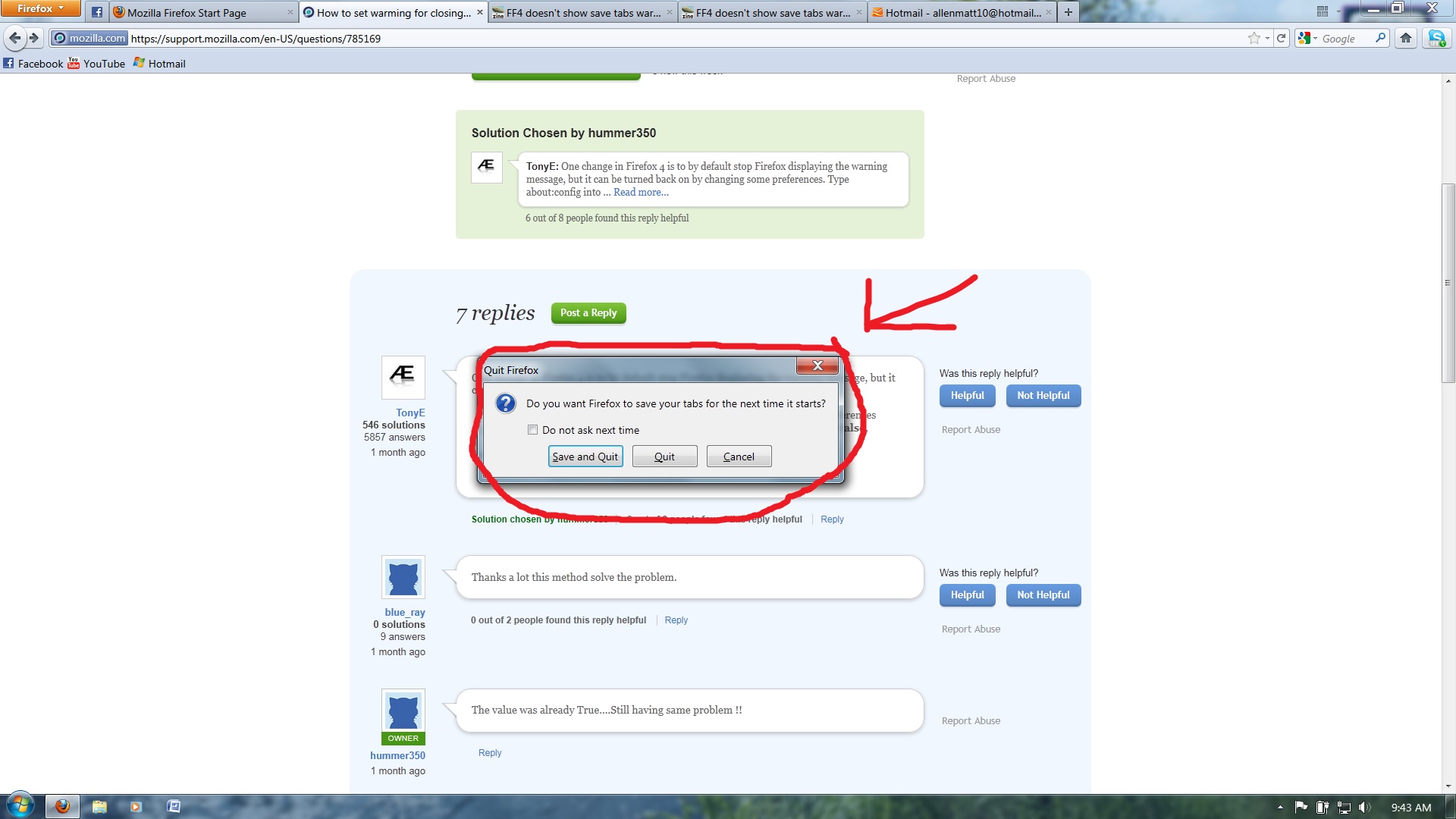
i hope this helps some one else! i posted a few pics hope they help!
Modified by Cpt.Matty