What have you done???

For a long tome Chrome use to be my go to browser, but with all the recent changes and google buckling to legislation changes, I returned to Firefox as my primary browser. You see, because proxy settings can be set within the browser instead of system wide as with others, I primarily used Firefox to access private networks I was given access to. I still use Firefox for this, but mow for everything else too.
I see that there can be multiple profiles set up, which I hope would allow me to quickly swap between proxied connections and non-proxied connections. The problem I ave found, is how hard it was to find this setting with the latest iteration of firefox. It used to be a simple matter of scrolling all the way to the bottom of the settings screen, now I've had to hunt high and low just to find it. Whilst I have mentioned multiple profiles already, if this does not allow me to quickly swap then its pointless. So, can we PLEASE have the proxy page put back where it was, nice and easily accessible,
All Replies (2)
now I've had to hunt high and low just to find it.
Yes that was my first impression, but like the majority of people, who rarely search before they post a query I did eventually notice the search bar at the top, maybe that could be in the middle of the page with flashing green lights.
So now I'm OK I just search rather that jump through various Settings > Options > More options, more options and of course more options
Who was it that was so cleaver they put a search box on there :)
For request of the browser design etc. use https://connect.mozilla.org
This forum is for help, especially for those that can't find the search text box, in settings and here on the forum lol
So as to 'What have you done' that who isn't here :)
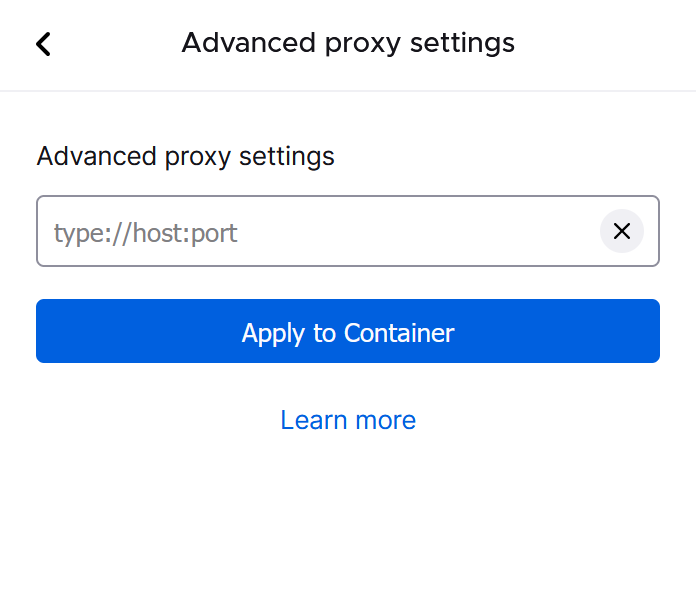
You don't need profiles for that. You need Containers with additional "Allow extension to control proxy settings" permission.
You can configure a proxy in every container and you don't have to swap anything. [image]
You can also install a separate proxy extension, for instance Foxy proxy.
If you still want to switch it in the Settings, you don't have to look for it, it's enough to type proxy into the Search field.