Hello Bernardita,
You can choose from different search providers, such as Google or Bing, when you search the web using Firefox. To change the default search engine that Firefox uses:
- Click the menu button
 and choose Settings.
- Select Search in the left pane.
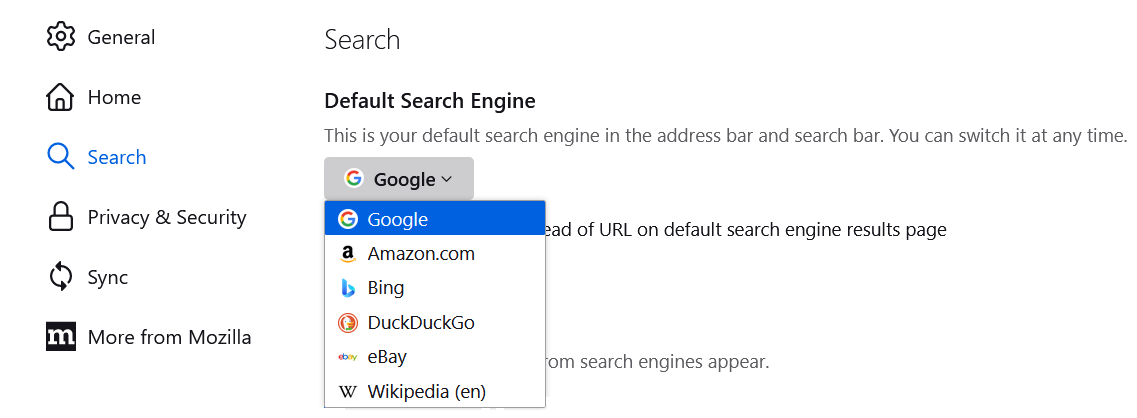
- Use the drop-down menu under Default Search Engine to choose the search engine you wish to use by default.
-
For more information, see Manage Firefox search settings.
Let us know if this helps!
Hello Bernardita,
You can choose from different search providers, such as Google or Bing, when you search the web using Firefox. To change the default search engine that Firefox uses:
# Click the menu button [[Image:Fx89menuButton]] and choose '''Settings'''.
# Select '''Search''' in the left pane.
# Use the drop-down menu under ''Default Search Engine'' to choose the search engine you wish to use by default.
#; [[Image:Fx122settings-DefaultSearchEngineDropdown]]
<!--{for not fx121}[[Image:Fx115settings-DefaultSearchEngineDropdown]]{/for}{for =fx121}[[Image:Fx121settings-DefaultSearchEngineDropdown]]{/for}{for fx122}[[Image:Fx122settings-DefaultSearchEngineDropdown]]{/for}
{note}-->
For more information, see [[Change your default search settings in Firefox]].
Let us know if this helps!


