


Solved
How do I manually give permissions for an extension?

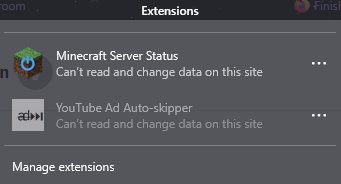
I'm trying to use an extension that requires the "Access your data for sites in the youtube.com domain" permission but the permissions pop-up isn't appearing. I've tried with several extensions and restarted the browser already.
I'm trying to use an extension that requires the "Access your data for sites in the youtube.com domain" permission but the permissions pop-up isn't appearing. I've tried with several extensions and restarted the browser already.
All Replies (1)
Chosen Solution
You don't need to do anything about it. It's just an info, the permission is granted by default.