


Unable to access links in websites.

I'm blaming the latest Firefox update from a couple of days ago, since this problem only arose yesterday. Now cut off from reading and following news that I really want to receive.
This is what I get when trying to access links within a few of the websites that I regularly access for links to articles it posts:
The site ahead may contain harmful programs
Firefox blocked this page because it might try to trick you into installing programs that harm your browsing experience (for example, by changing your homepage or showing extra ads on sites you visit).
Advisory provided by Google Safe Browsing.
All Replies (13)
No, the SafeBrowsing lists are maintained independently from browsers and come from user reports and malware scanning etc. — see support.mozilla.org/questions/1594824 if that's the same intermediary site that got blocked recently.
I'm even more confused. The warning is somehow connected to Google, which I avoid as much as possible, so it seems not to be independent of that browser. It also happens when I try to open links in more than one news publication. Since Google seems to be causing the problem, how can I get it solved? Does my e-mail server have the ability to remove the warning or communicate with Google about it preventing my use of legitimate news sites? The advice goes well beyond a warning and actually blocks me from trying to go to the site anyway. I don't see a solution offered to the other post that seems to have the same problem. I appreciate your helping with this extremely annoying matter.
Modified by nmbourne
Google the company, i.e. today Alphabet, runs this industry–wide service. (Not Google the search, neither the browser as you perhaps meant.)
Like mentioned in other threads, you might need to share the exact links here to verify. It's not about the publication, but about the vendor they use to track link traffic. That redirection got apparently blocklisted few days ago. You'd need to liaise with them why it got there and when it's gonna be removed after they clean up any malware etc.
Please see How does built-in Phishing and Malware Protection work? for detail.
If you share the blocked links, there might be a way to skip the redirection, as shown in the other thread, if the destination is legible.
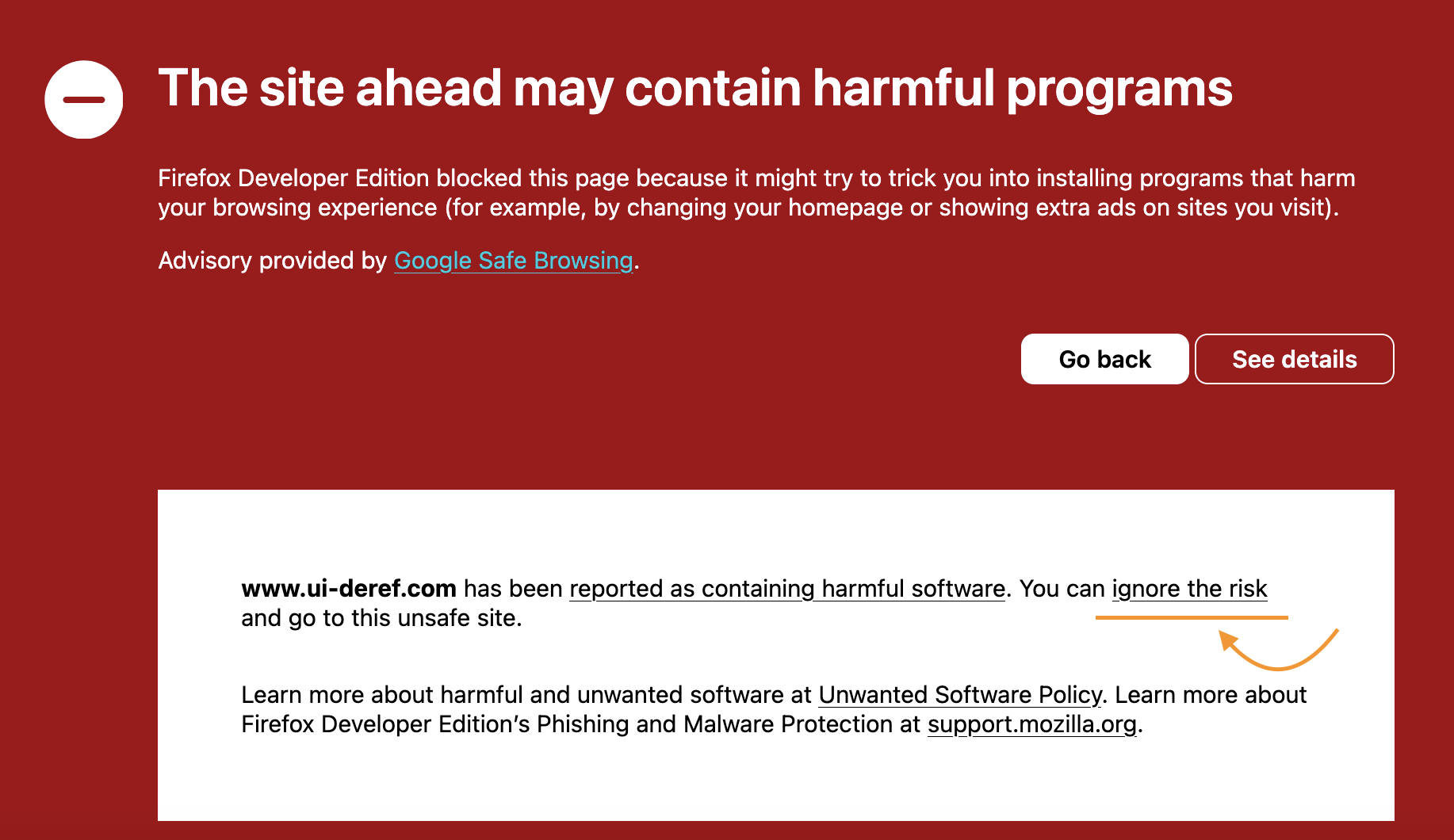
Otherwise, pending your own trust in sites reported as malware (again, not your news outlet, but perhaps a marketing vendor they use to track their traffic), if your read the warning card properly there's the skip link:
I am still no closer to resolving my problem, so please bear with me. The message I got says Firefox is doing the blocking: "The site ahead may contain harmful programs. Firefox blocked this page because it might try to trick you into installing programs that harm your browsing experience (for example, by changing your homepage or showing extra ads on sites you visit)." So my first question is, f Firefox is doing the blocking, why can't it unblock?
I have now tried to get more information but it seems only Firefox can fix the problem by dealing with https://developers.google.com/safe-browsing/v4/advisory, which says "A Google Developer Program account is required to access this feature."
Finally (for the moment, at least), there is the instruction that "Advisory provided by Google Safe Browsing. www.ui-deref.com has been reported as containing harmful software. You can ignore the risk and go to this unsafe site." I have occasionally experienced a warning about a risk and being to ignore it and visit the site. Your image shows that as available, but it is not in the message I receive. .
This is a huge problem for me! If Firefox is doing the blocking at the behest of Alphabet (which is where the search has led me) surely it can communicate with whoever is censoring news media?
Nicola
Modified by nmbourne
No. Mozilla does not maintain the list. The owners of "Deref" or whatever service that uses need to reach out. Or your newspaper stop using them if they're infected.
If you mean to skip over that protection, see what I posted before (1. settings link; 2. attachment showing the location of the skip link in the advanced panel).
If you want to step over that blocked site manually, remove the beginning of the URL up until ?to= and keep only the destination to avoid the blocked site.
My entire response questions was somehow deleted! First, while the pictured warning you provided does contain the option to skip the warning, the one I get doesn't. The blocking is absolute.
Second, I'm confused about why the warning clearly states that Firefox is blocking links on www.ui-deref.com on the instruction of of Google's safe browsing program. Here's what I get when I try to find out how to deal with that: "https://developers.google.com/safe-browsing/v4/advisory A Google Developer Program account is required to access this feature." Does Firefox have an account with that program? If not, how is anyone supposed to get around it?
This kind of blocking by a Google spin-off is extremely worrisome. Please help me figure out how to get it stopped.
Nicola
Please do tell your newspaper they have to tell their marketing partner to tell Alphabet they've taken measures against malware reported, and to unblock them.
If you don't want malware protection from SafeBrowsing, please read the article linked earlier.
If you mean how to stop SafeBrowsing as a service, globally, I think that's beyond the scope of topics here, but if you research online you might find like–minded folks and liaise with them about any plans of destructive nature etc. — or setting up a competing service.

The site ahead may contain harmful programs
Firefox blocked this page because it might try to trick you into installing programs that harm your browsing experience (for example, by changing your homepage or showing extra ads on sites you visit).
Advisory provided by Google Safe Browsing.
jbr You have given me a lot of information that I'm going to have to try to get help with solving the problem. I'm still very confused by you saying Firefox has nothing to do with it because the actual warning states "Firefox blocked this page because..." and goes on to say it's because of actions taken by Google Safe Browsing. I haven't seen anything from you about the "settings" link so I don't know what to do with that (Firefox settings? my laptop settings? And, as I noted, the warning I get does not give me the option of opening the page.
At this point, from all you've been kind enough to take the trouble to provide, it seems the two best places for me to head to are the websites posting in my e-mail account and the e-mail service provider. Unfortunately, trying to deal with this situation has already wasted a few hours of my time and I anticipate having to waste even more trying to find out how and why Alphabet's program is interfering with my news feeds. I've been using those services for many years now without a single problem.
Hoping not to have to bother you anymore, I send thanks for your help.
Nicola
jbr - A breakthough! After my last post, I logged on and got the following message when trying to access a news article: You’re about to leave the service. You’re about to leave the service and to open a website which contains unknown content. Due to that, you are not being redirected automatically. https://click1.news.thegatewaypundit.com/t.do?id=170391:49774:65953EDC-3E05-4CDF-AE35-FC09FBE7B46A:1785026058&a=5293 Further information about risks on the internet can be found in our help section.
Yes, I clicked on the link. And yes, it took me to the news article. I've now tried it on other articles and get the same option. Interesting, no? I just hope the system will go back to doing their work in the background rather than interfere unnecessarily with users.
Nicola
I'm sorry we're unable to help with unrelated site operators' matters that are only in the hands of the parties concerned. Aren't you by any chance using Mail.com service? (You'd have to liaise with them then.)
Firefox only generates the cryptographic representation of the link to verify its security, to compare it with the SafeBrowsing service. (Details in the article linked earlier.)
The settings I mentioned are described incl. images on the previously linked How does built-in Phishing and Malware Protection work? that will show the correct location for your system.
Since you've seemed to be completely disregarding the safety effects of all of that functionality, it might be better to just leave the settings the way they are.
As you can see in cases where users were able to proceed accepting the risk, the malfunctioning site still failed to redirect them anywhere, so trying to circumvent this made no difference. Manual steps mentioned e.g. in support.mozilla.org/en-US/questions/1595063#answer-1834687