


Massive issues since most recent Firefox update.
Hello! Since the latest update to Firefox (153, I believe) my Firefox has not worked. It starts up perfectly fine, but quickly freezes, becomes non-responsive, and needs to be closed. No matter how many times I attempt to open it, the same thing occurs. There’s been been occasions where it hasn’t frozen immediately so I have been able to turn off hardware acceleration as well as remove my theme and disable all my add-ons/extensions, but this has done nothing. Creating a new profile does not help, nor does trying Safe Mode: the same thing happens no matter what. I tried to reinstall the update, but this also did nothing. I haven’t yet tried to uninstall & reinstall or do a Firefox refresh as those are my last resorts and I won’t do them unless I’m sure they’ll make a difference. I haven’t downloaded any new extensions recently, and this only started happening after the most recent update. I’m not sure what else I can try at this point, and am very frustrated.
All Replies (55)
We're sorry to hear that Firefox is crashing. In order to assist you better, please follow the steps below to provide us crash IDs to help us learn more about your crash.
The crash report is several pages of data. We need the report numbers to see the whole report.
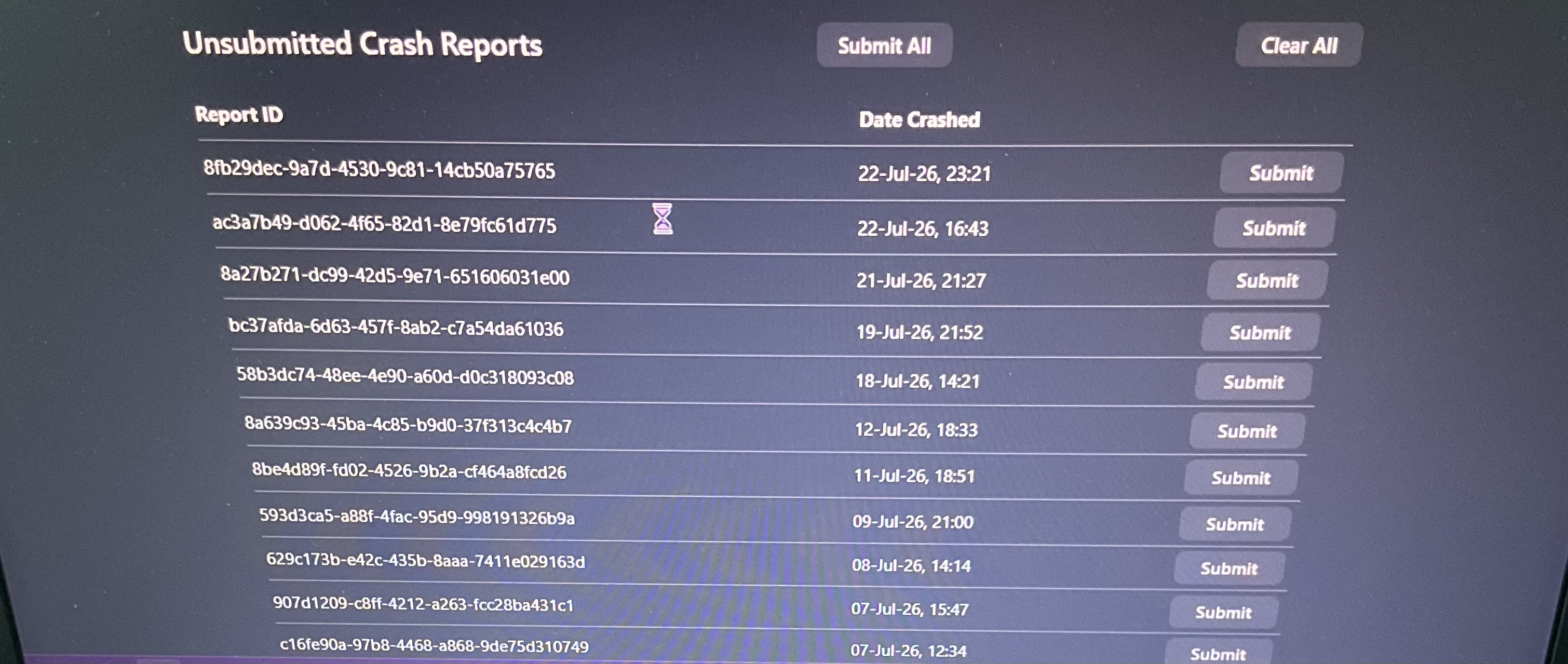
- Enter about:crashes in the Firefox address bar and press Enter. A list of Submitted (and Unsubmitted, if any) Crash Reports will appear, similar to the one shown below.
- Copy the 5 most recent Submitted Report IDs that start with bp- and then go back to your forum question and paste those IDs into the "Post a Reply" box.
Note: If a recent Report ID does not start with bp- click on it to submit the report.
(Please don't take a screenshot of your crashes, just copy and paste the IDs. The below image is just an example of what your Firefox screen should look like.)

Thank you for your help!
More information and further troubleshooting steps can be found in the Troubleshoot Firefox crashes (closing or quitting unexpectedly) article.
Hello! Unfortunately, I don’t think I’ll be able to do this as my Firefox only works as long as opening the about:crash page; any longer, and it freezes completely. I have been able to open it, but that’s as far as I’ve gotten, but besides that none of the crashes start with bp, nor do they seem to be from the affected time of my issue. The last crash report seems to be from just before my issues started. I know you said not to screenshot my crashes, but that’s all I can do at the moment.
Hi Maddie, could you try to download a standalone installer from firefox.com using another browser, and running it over your existing setup to have it update all of its own components in case something got corrupted during the past update? Thanks.
I’ve already done this: it was one of first things I’ve tried, and it didn’t change anything. I even tried it again, and got an error saying it couldn’t complete the installation.
There's something wrong when even the installer can't install things. Aren't you running some security software like an antivirus or similar that would have kept the Firefox files locked?
What is you operating system and CPU architecture? (e.g. 64bit, or ARM/Aarch64?)

I am also having a similar issue (I think). As with the OP, everything starts fine. But after a while, when I try to navigate to some page (on an open tab or a new one, pinned or not) it just shows a blank page and shows the loading symbol on the tab for a while until it finally just stops. From then on, any new navigation will cause this. I have to close FF, then wait for the various processes to actually close, which usually takes about 15-20s, otherwise I get a warning that FF is already running and asking to close it.
I tried switching hardware acceleration and DNS over HTTPS settings but it didn't do anything. Problems started when FF updated yesterday (153.0, says it's up to date).
I'm using Win10 64-bit and I have no recent crashes, because the browser doesn't actually crash, just stops loading pages.
Even as I'm writing this I was checking a different topic on the forums and it happened again. So I don't know if this will actually be posted at this point.
jbr said
There's something wrong when even the installer can't install things. Aren't you running some security software like an antivirus or similar that would have kept the Firefox files locked? What is you operating system and CPU architecture? (e.g. 64bit, or ARM/Aarch64?)
I use Microsoft Defender; I’m not sure what you mean by keeping the files locked? My OS is Windows 11, and is 64bit. My laptop is, admittedly, quite old and slow, but I’ve never had an issue like this Firefox in the past. I also downloaded Librewolf last night so I could have a browser to use while I figure out what the issue is here, but that doesn’t work for me either and I think it might be because it’s simply a Firefox fork so the update issue persists even with a different browser.
DJSamhein said
I am also having a similar issue (I think). As with the OP, everything starts fine. But after a while, when I try to navigate to some page (on an open tab or a new one, pinned or not) it just shows a blank page and shows the loading symbol on the tab for a while until it finally just stops. From then on, any new navigation will cause this. I have to close FF, then wait for the various processes to actually close, which usually takes about 15-20s, otherwise I get a warning that FF is already running and asking to close it. I tried switching hardware acceleration and DNS over HTTPS settings but it didn't do anything. Problems started when FF updated yesterday (153.0, says it's up to date). I'm using Win10 64-bit and I have no recent crashes, because the browser doesn't actually crash, just stops loading pages. Even as I'm writing this I was checking a different topic on the forums and it happened again. So I don't know if this will actually be posted at this point.
Yes, exactly. It’s not so much a ‘crash’ as it is the browser just not starting properly and needing to be manually closed/terminated. In the past I’ve gotten crash reports by having to force it closed, but that’s never been the case with this issue.
OK so if it's more of a content/connection hanging that might be something else completely.
Why I asked for platform — let's try run a separate Firefox Nightly that comes with its own isolated profile etc. and if you had no issues on v152 let's grab an older v152–era nightlies, randomly picking e.g.:
Does that install and run?
It does install and run! It was slow at first, but I think that’s more the fault of my laptop than anything. Now, there was an alert that appeared under my address bar that says I have 12 unsent crash reports, and in going to that page I see that there are also 2 sent crash reports that start with bp-, as was mentioned by someone else earlier in this thread. Not sure if they’ll help as they were both before I began having this problem (the first is from July 14 and the second is from July 21), but they are the following:
bp-5734cdd3-5d22-47a1-85cf-eeaba0260715 bp-f3833de0-e0fd-45ac-a093-1ed0f0260722
Also, when I had Nightly open it closed itself (why, I’m not sure) and automatically updated itself, and when I reopened it I believe it said it was on v155, and the same issue persisted so I re-downloaded it to v152 and the issue is still not there while using this version.
Hello,
Try disabling graphics hardware acceleration in Firefox Turn off hardware acceleration
- You should check for updates for your graphics driver
- And if you can, upgrade your memory RAM (recommended)
Your system only has 4GB of RAM, which is very tight for Windows 11
More info
- Troubleshoot extensions, themes and hardware acceleration issues to solve common Firefox problems
- Upgrade your graphics drivers to use hardware acceleration and WebGL
Thank you.
George Kitsoukakis said
Hello, Try disabling graphics hardware acceleration in Firefox Turn off hardware accelerationYour system only has 4GB of RAM, which is very tight for Windows 11 More info Thank you.
- You should check for updates for your graphics driver
- And if you can, upgrade your memory RAM (recommended)
That doesn't help. As I've said before, I already tried disabling it, and also changing the DNS over HTTPS, just in case, but the issue persists. And I have 32GB on my PC, so it's not that.
EDIT: I also have updated graphics drivers.
Modified by DJSamhein
George Kitsoukakis said
Hello, Try disabling graphics hardware acceleration in Firefox Turn off hardware accelerationYour system only has 4GB of RAM, which is very tight for Windows 11 More info Thank you.
- You should check for updates for your graphics driver
- And if you can, upgrade your memory RAM (recommended)
I did manage to turn off hardware acceleration, but that didn’t appear to fix anything. I think there might be a graphics update for my driver, and I guess I’ll look into it more if that could potentially fix anything.
In the crash report you uploaded it says 4 GB of memory.
George Kitsoukakis said
In the crash report you uploaded it says 4 GB of memory.
There are 2 people with the same issue replying in this thread. Maddie is the one that posted the crash report, not me. They have 4GB on a Win11. I have 32GB on a Win10 with latest nvidia drivers. Same issue.
I tried disabling hardware acceleration and switching between the 3 options of DNS over HTTPS. Doesn't change anything. Ultimately, I think the latest update broke something and we'll have to wait for a new patch. The only thing that might help would be to be able to revert to the previous version until that happens.
DJSamhein said
George Kitsoukakis said
In the crash report you uploaded it says 4 GB of memory.There are 2 people with the same issue replying in this thread. Maddie is the one that posted the crash report, not me. They have 4GB on a Win11. I have 32GB on a Win10 with latest nvidia drivers. Same issue.
I tried disabling hardware acceleration and switching between the 3 options of DNS over HTTPS. Doesn't change anything. Ultimately, I think the latest update broke something and we'll have to wait for a new patch. The only thing that might help would be to be able to revert to the previous version until that happens.
Just curious, but how old is the device that you’re using? When I first ran into this problem, I looked around on Reddit and saw someone mention that it might be the age of their device that was an issue. My laptop is around 7 years old (manufactured in 2019, but I bought it in 2020), so I was wondering if that was a common factor.
Hi DJSamhein,
My apologies for the mix-up! With multiple users replying in the same thread, I multi-tasked and misread who the crash report belonged to.
Since your system configuration is completely different from Maddie's, i suggest you open a new thread to get better help just for you by uploading your own crash reports.
maddie said
Just curious, but how old is the device that you’re using? When I first ran into this problem, I looked around on Reddit and saw someone mention that it might be the age of their device that was an issue. My laptop is around 7 years old (manufactured in 2019, but I bought it in 2020), so I was wondering if that was a common factor. </blockquote>
I think mine is a bit older than that, probbly 8-9 years old now. It wasn't top of the line but it was pretty high up there at the time. It's always possible it's some issue with the chipset or some other component, but the fact is that the previous version(s) worked absolutely fine and this broke something. Nightly working fine on a previous version and having the same issue with the latest one also shows that.
I really don't feel like customizing a previous Nightly version with all my preferences all over again (and disabling updates), so I guess I'll have to suck it up and wait for a fix.
But I'm available for further debugging if anyone from their dev team needs it.
George Kitsoukakis said
Hi DJSamhein, My apologies for the mix-up! With multiple users replying in the same thread, I multi-tasked and misread who the crash report belonged to. Since your system configuration is completely different from Maddie's, i suggest you open a new thread to get better help just for you by uploading your own crash reports.
No worries, but as I explained above, I don't have crash reports. The browser never crashes. It just stops working. I try to load a page (or reload a loaded one, or navigate within one) and I just get a blank page. No error, no connection issues. It just stops working.
FF is using 1.5GB usually at this point, so nothing abnormal there (less than 50% RAM being used by everything, so plenty left), no CPU spikes, nothing. I close FF and have to wait 15-20s for all the several threads to close. After that I open FF and it works fine for a while again (even though a few times it immediately does the same) until it goes back to the same after some random time.
DJSamhein said
maddie said
Just curious, but how old is the device that you’re using? When I first ran into this problem, I looked around on Reddit and saw someone mention that it might be the age of their device that was an issue. My laptop is around 7 years old (manufactured in 2019, but I bought it in 2020), so I was wondering if that was a common factor.
I think mine is a bit older than that, probbly 8-9 years old now. It wasn't top of the line but it was pretty high up there at the time. It's always possible it's some issue with the chipset or some other component, but the fact is that the previous version(s) worked absolutely fine and this broke something. Nightly working fine on a previous version and having the same issue with the latest one also shows that.
I really don't feel like customizing a previous Nightly version with all my preferences all over again (and disabling updates), so I guess I'll have to suck it up and wait for a fix.
But I'm available for further debugging if anyone from their dev team needs it. </blockquote>
That is interesting. I wonder if they maybe optimized some things to make Firefox faster on newer machines that broke something for older ones, or ones running older software? My device was never exceedingly fast but I’ve certainly never had an issue like this with any updates in the past so I am definitely thinking it’s just something with this update in particular.