


I get the " Firefox no longer supported" even after I installed the ESR version.

I downloaded the Firefox ESR for my High Siera OS, but I still get the message that Firefox is no longer supported, Why??? Just let me know what I need to do so I can use the browser without worry.
I have a MacPro 2012, updated to the max. I'm retired, and by budget does not allow for a new computer.
Thanks. Doina Paraschiv
All Replies (11)
Hello
Maybe, if you wish to try User Agent Switcher https://addons.mozilla.org/firefox/addon/uaswitcher
macOS High Sierrais the old EOL macOS 10.13.6
Firefox 116.0 and later including the current Fx 151.0.2 and Fx 140.11.0esr requires macOS 10.15 (ten.fifteen) or later to run.
The most current version you can run is Fx 115.36.0esr which is based on the old Firefox 115.0 Release but with security/stability fixes since. https://support.mozilla.org/en-US/kb/firefox-users-macos-1012-1013-1014-moving-to-extended-support
The site you are seeing the message on is likely saying the Firefox 115 itself is no longer supported and not Firefox in general.
To complement
These similar discussions
https://support.mozilla.org/en-US/questions/1574028
Firefox support for Windows 7, 8 and 8.1 https://support.mozilla.org/en-US/kb/firefox-users-windows-7-8-and-81-moving-extended-support
Below, a test
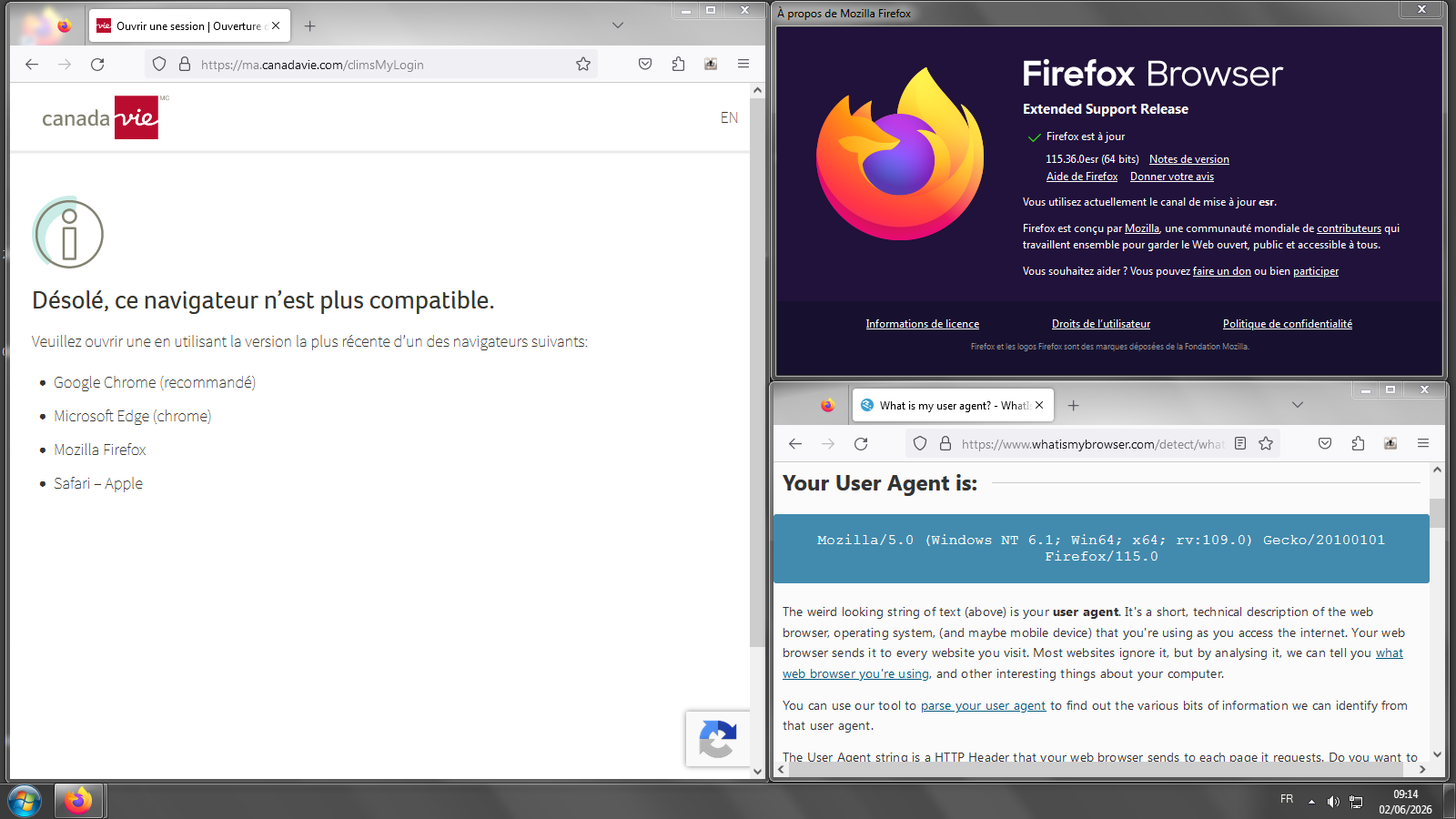
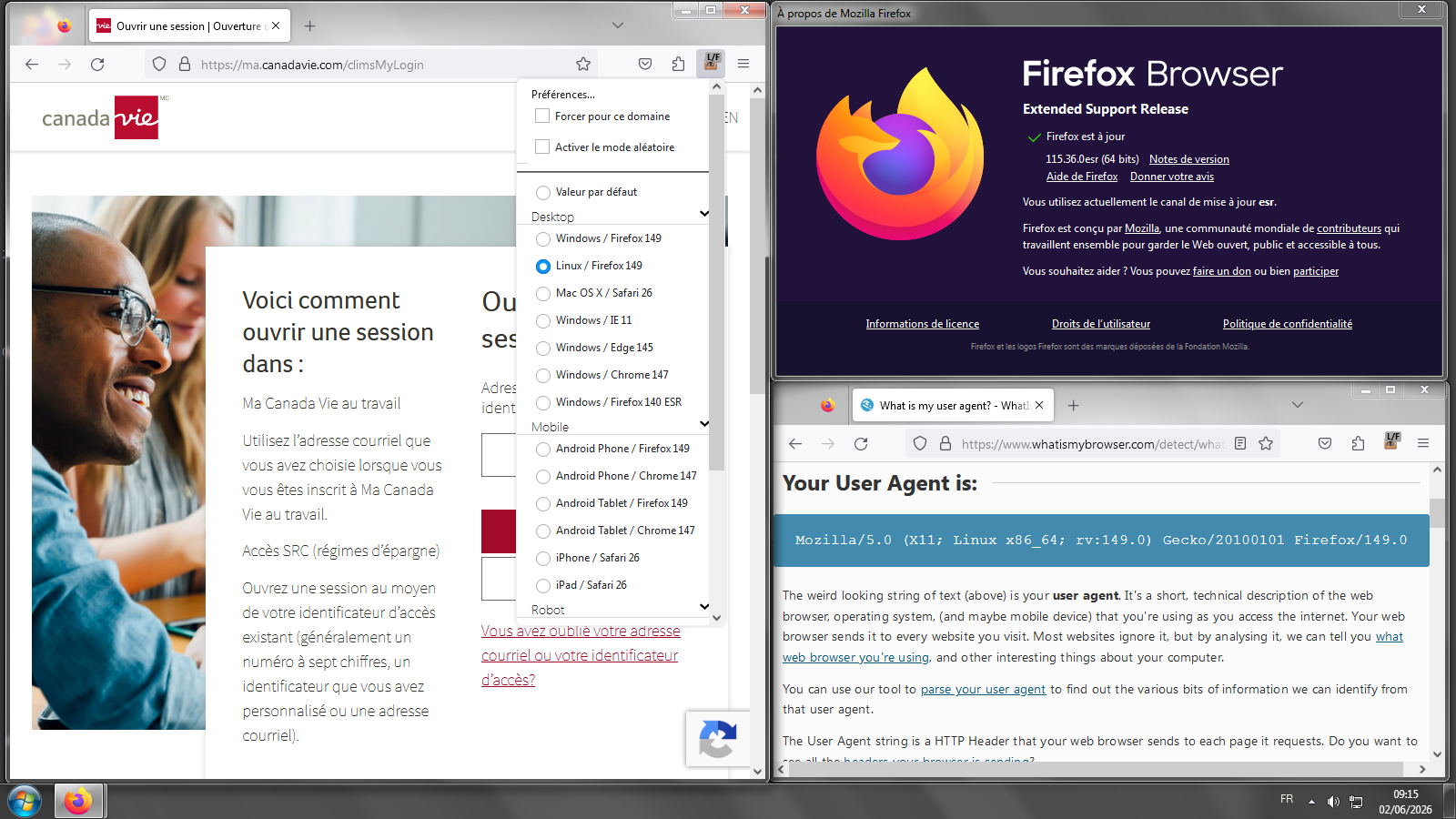
You can use the 115 ESR without worry, it's getting security updates and is still supported by Mozilla even on that older end–of–life version of macOS.
That does not mean however that some sites you visit deem that macOS as safe or modern enough — and that's the kind of issues you might be seeing. Please post which sites you see errors on, or search the older questions here for some sites that might already be tracked.
In general, there are "tricks" linked above that might help concealing your real browser and system versions, that however does not guarantee whatever protections those site operators use would let you use their services anyway.

I am running Win7 Pro x64 and Firefox version 115.37.0esr 64bit. Yes, I know Windows 7 is no longer supported by Microsoft or Firefox, for that matter.
But there are literally thousands of posts all over the internet about such users now getting "access denied" and "something went wrong" errors when surfing... primarily on vendor websites... Home Depot, Lowe's, Casio, etc. I've seen a lot of "try this" and "try that" suggestions, none of which seem to work. I can't believe that someone, somewhere hasn't identified a specific reason this is happening. Is it a Windows 7 issue? Is it a Firefox ESR issue? Have these websites "colluded" together to now deny access if cookies, trackers, etc. are blocked?
I guess the specific question is: Has a specific issue been identified for these issues and is there a possible solution from Firefox?
Thanks for any assistance!
Hello
Of course, that's not the expected answer https://support.mozilla.org/en-US/questions/1582286#answer-1829253
Have you tried, the potential workaround, User Agent Switcher
Firefox release notes https://www.firefox.com/en-US/releases
Firefox Release Calendar https://whattrainisitnow.com/calendar
As for me, i installed Linux, in dual-boot with Windows7
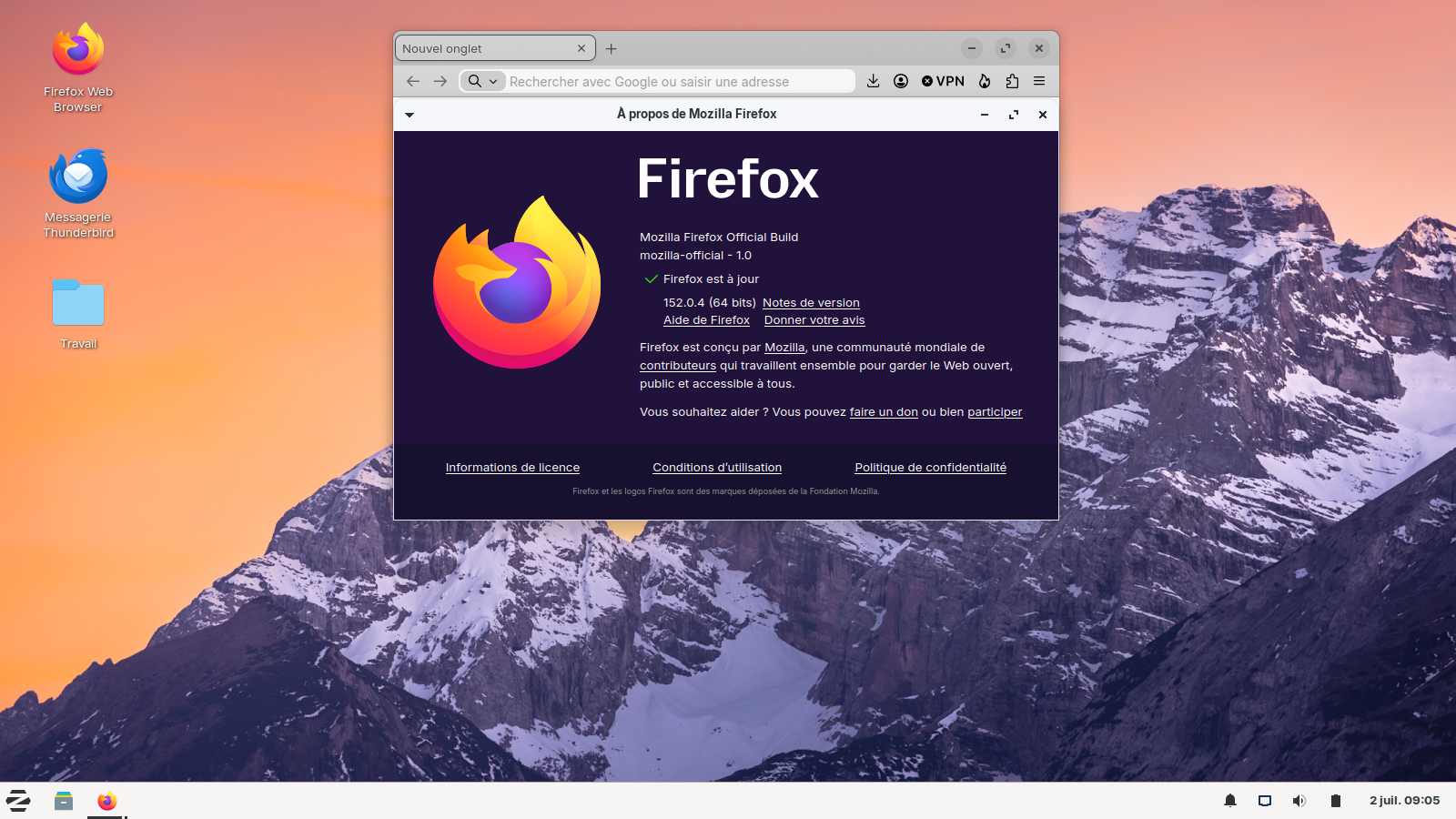
Install Firefox on Linux https://support.mozilla.org/en-US/kb/install-firefox-linux As for me, System Firefox installation (for advanced users) that's my installation
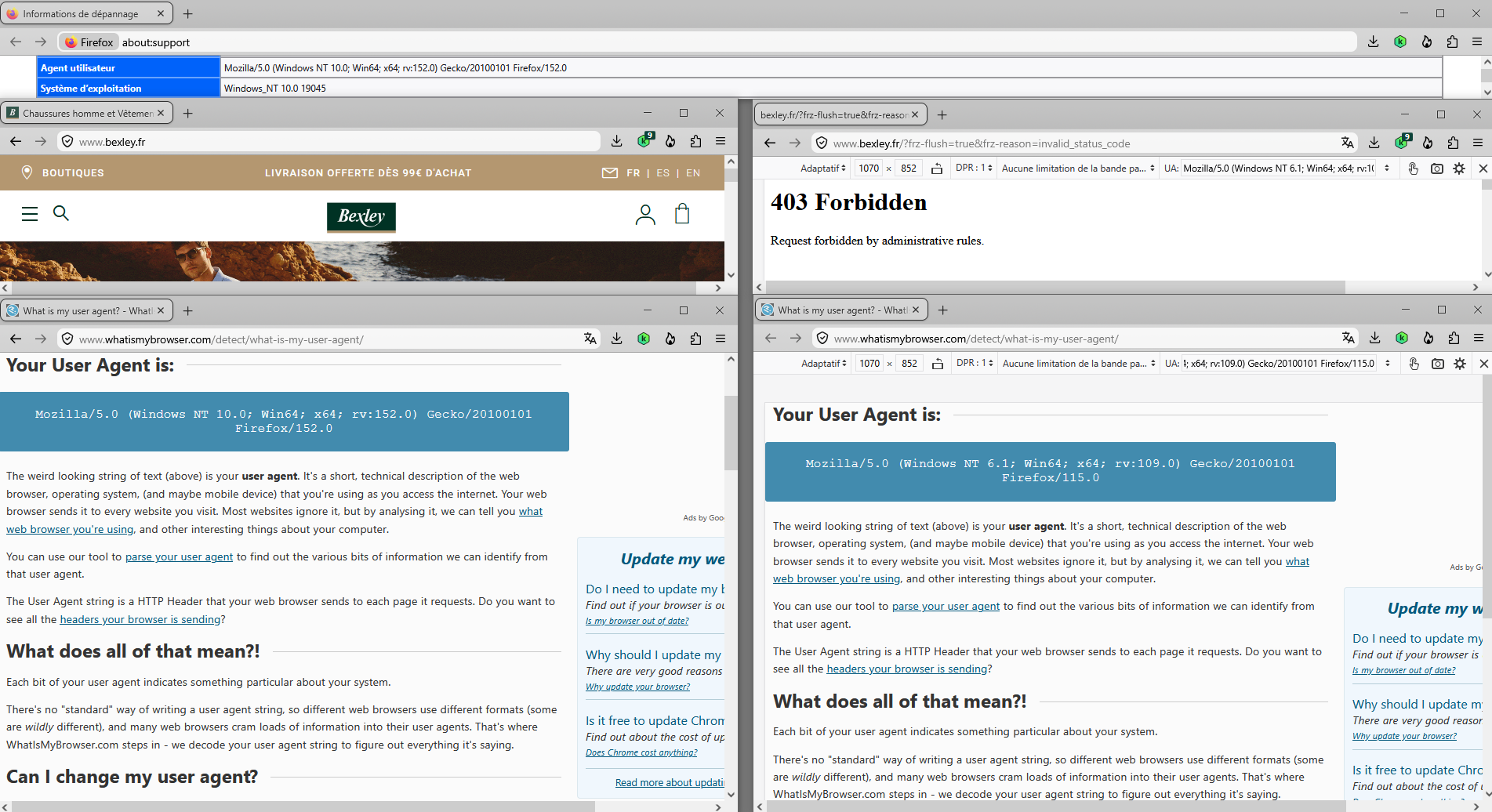
website access problem "error 403 forbidden" https://support.mozilla.org/en-US/questions/1579576
An experience performed with the help of Responsive Design Mode https://firefox-source-docs.mozilla.org/devtools-user/responsive_design_mode
User Agent String on the right
Mozilla/5.0 (Windows NT 6.1; Win64; x64; rv:109.0) Gecko/20100101 Firefox/115.0
The retailers and their cloud providers have the answers. For others it's only inferring things based on the effects. (Security through obscurity.)
But there are literally thousands of posts all over the internet about such users now getting "access denied" […] I can't believe that someone, somewhere hasn't identified a specific reason this is happening.
Akamai/Edgesuite blocks based on whatever security assessment they run, potentially scored badly due to outdated operating system used to access:
https://support.mozilla.org/en-US/questions/1566664#answer-1801619 https://support.mozilla.org/en-US/questions/1579167
Is it a Windows 7 issue?
In terms of is end–of–life operating system use now blocking you from access? Yes, to some extent. However it's the site operators that decide that (via the cloud provider's rating, or defaults blindly followed perhaps?), and also not reflecting that 115 ESR is still being maintained. They just consider it years old now. (Similar to e.g. iOS 15 would be treated EOL by many and not supported, even though it's been receiving security patches actively even in the recent months.)
Have these websites "colluded" together to now deny access
Not necessarily, but they end up scoring the outdated operating systems in a similar way.
If you're asking what's the common denominator, it's their CDN/WAF provider: Akamai (I posted some screens earlier that show where to look for their edgekey.net host in DNS records, but usually getting some online domain info will show the website's terminated in "Akamai" IP/network range close to your location.)
Has a specific issue been identified for these issues and is there a possible solution from Firefox?
No, this is in the hands of the retailers and their service provider. The specific issue is a policy or configuration on their site, or the signals in the data provided by their vendor.
The browser/OS identification could in theory be faked in ESR code, but the mismatch from reality might cause even worse security scores — and you can achieve the same with the linked addons to see for yourself how such spoofing works for your use case. (Might work for a shopping site before logins & payments, but won't work for a bank or an airline checkin etc. …)
wdunwoody said
Is it a Windows 7 issue? Is it a Firefox ESR issue?
The older Firefox 115 ESR is not new in that it is based on the old Firefox 115 Release but with security/stability fixes since. Mozilla has been updating the older Firefox 115 ESR to give Windows 7, 8, 8.1 and macOS 10.12, 10.13, 10.14 OS users a secure web browser to use in meantime as Chrome/Chromium based web browsers dropped support back in early 2023.
The current ESR is based on the Firefox 140.0 Release and is currently at 140.12.0esr and will be updated til 140.15.0esr. The next ESR will be based on the Firefox 153.0 Release on July 21. However you need Windows 10, 11 or Linux to use these Firefox versions.
Modified by James