


Need to disable VPN in Firefox on Mac via MDM

We need to disable the VPN functionality in Firefox for macOS in our environment using a configuration profile deployed via our Jamf Pro VPN. I have done internet searches and found suggestions to use either a custom upload or external application configuration profile payload to disable the VPN functionality but have not been able to find a configuration that works.
Can you advise
All Replies (5)
This is this config, that has been introduced in version 149.0.2:
   "IPProtectionAvailable": {
     "type": "boolean"
   },
I added this schema to a config profile and pushed it to the device with the boolean set to false. The VPN option is still available and still allows enable and disable of VPN.
Please advise.
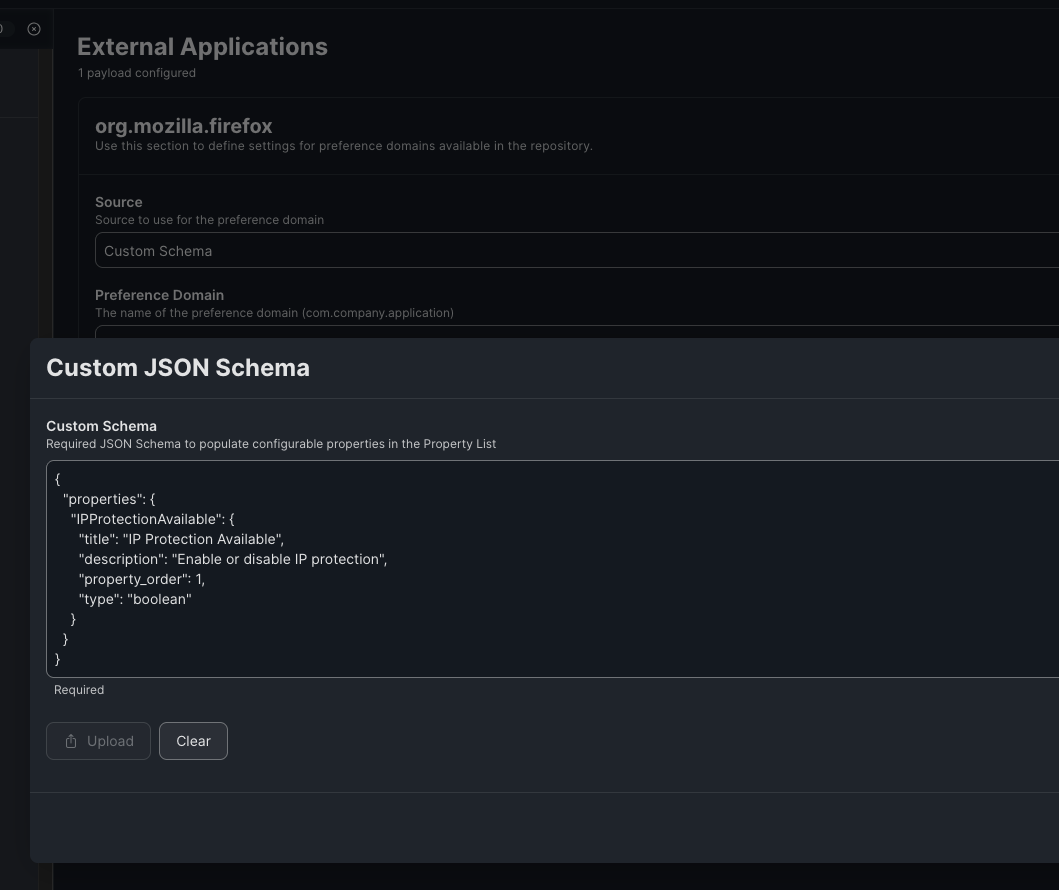
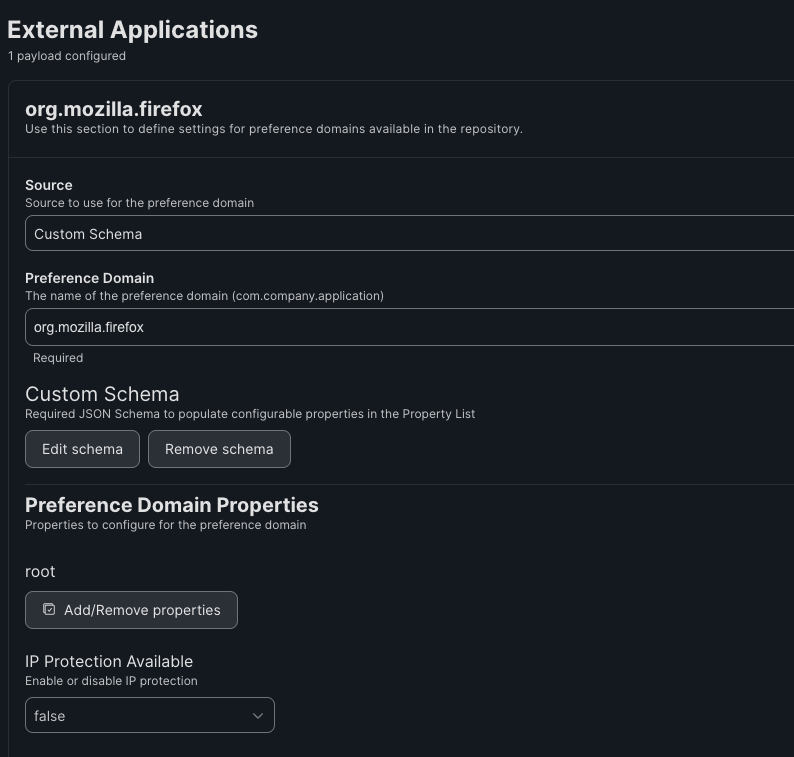

Were you using any enterprise policy before? VPN shouldn't show up for any machine that's using policy.
We apply several configuration profiles and policies to the Macs we deploy. However, we don't apply any other Mozilla/Firefox-related policies nor configuration profiles. What type of policy are you referring to?
> We apply several configuration profiles and policies to the Macs we deploy. However, we don't apply any other Mozilla/Firefox-related policies nor configuration profiles. What type of policy are you referring to?
I was referring to setting any Firefox specific enterprise policy.
If you have never set any policies in Firefox before this, you're probably missing the EnterprisePoliciesEnabled policy for mac.
https://firefox-admin-docs.mozilla.org/reference/policies/enterprisepoliciesenabled/