


Thunderbird/K-9 Mail font size bug

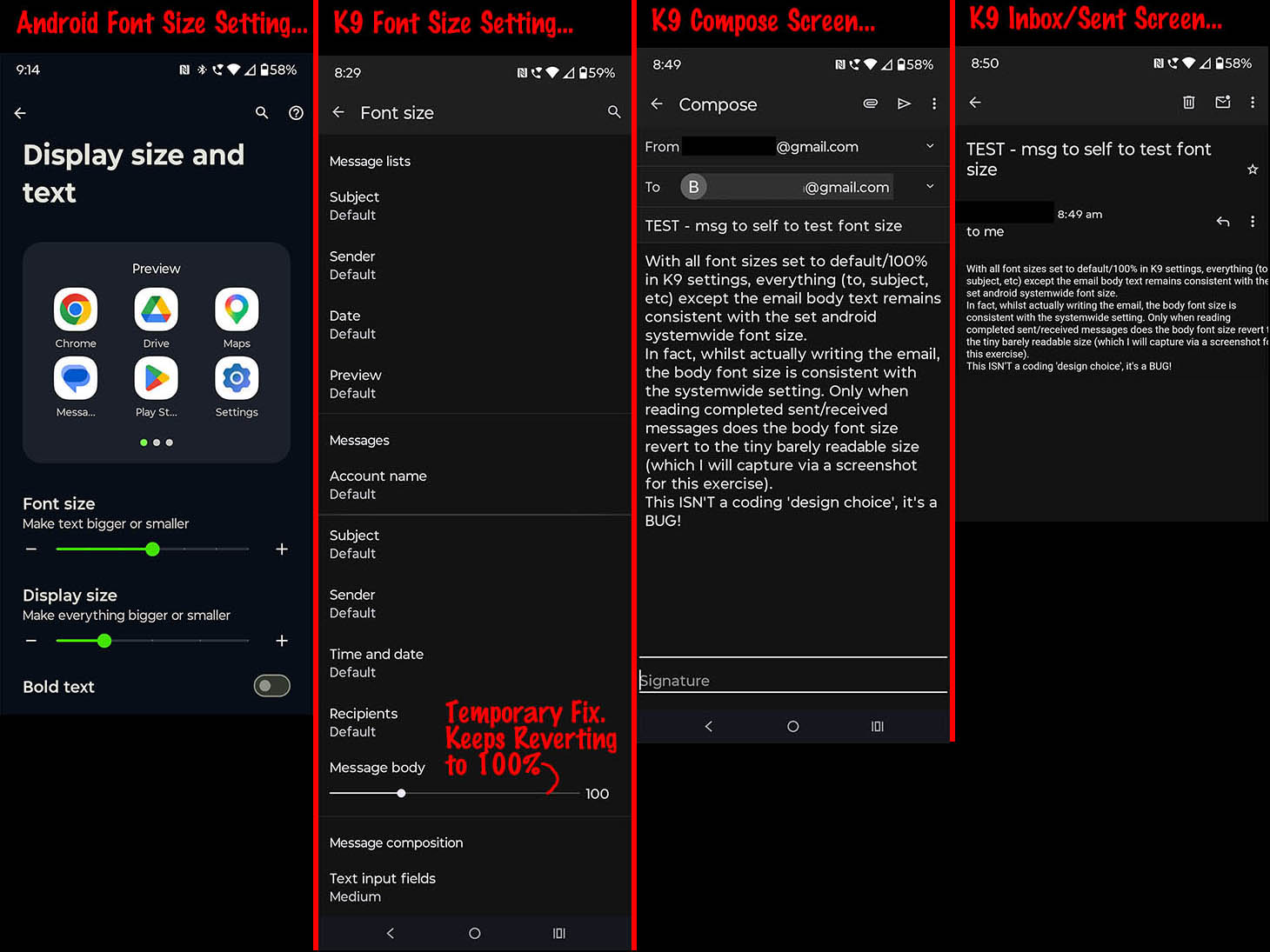
See attached screen shot
All Replies (3)

Font controls were deliberately removed from the app. The bug is that they didn't go far enough, with access to the old settings still being reachable via the search field.
The message list user interface is undergoing a significant redesign. The font controls were removed to facilitate this work. Font controls will be reviewed and made available with the new user interface upon released.
You can the developers response about this linked below. https://github.com/thunderbird/thunderbird-android/issues/9709#issuecomment-3249281014
We’ve removed these settings as part of the ongoing UI redesign, since the previous way of changing font sizes no longer works with the new design system. We’re working on alternative options to bring back some customization in a future update.
Makes no sense! Why remove a useful feature from the current version because it won't work with some new future version still under development?! Remove it from the new version if absolutely necessary, but why alienate users of the current version. They're not gunna wait around for some promised new version if the current version is unusable!
Downgrading to v10 where font controls are fully functional is an alternative option available.
All prior versions are available for download from the github link below. V10 is on page 5 https://github.com/thunderbird/thunderbird-android/releases
To downgrade
- Export your settings to file.
- Uninstall your current version.
- install version 10.
- Restore your settings from the export file.
- Complete the account authentication.
You can find more information about the plans for the app in the blog and youtube communication linked below.
https://blog.thunderbird.net/2026/02/mobile-progress-report-february-2026/ https://www.youtube.com/watch?v=j3j96-y-93I