


Windows 10 reached EOS (end of support) on October 14, 2025. If you are on Windows 10, see this article.

Search Support

Avoid support scams. We will never ask you to call or text a phone number or share personal information. Please report suspicious activity using the “Report Abuse” option.

Learn More

In mac, when i open firefox the window is about 3/4 sized, i use the arrows to expand to fill my screen, i don't want "full screen" mode but I just want it to fill the screen in general when i open it.

  • No replies
  • 0 have this problem

I have a mac mini, and i use firefox, when i open the app the window fills about 3/4 of the screen i use the arrows to expand the side and bottom to fill the screen (not full screen mode) just wanting firefox to open and fill the screen in general.

Once i expand the sides and bottom to fill screen i close and reopen fireox but it wont retain that size, so i see my desktop on the right and bottom areas. I thought by resizing closing it would retain that upon re opening, but it doesn't.

I dont want to be in full screen mode i just want when i open firefox for it to fill the screen and keep my top bar and whatnot in tact, is there something in settings or with key strokes via mac that I can do once i manually adjust the screen size so that it retains that size?

My current display settings are 1920x1080 if that matters and mac os tahoe with firefox 148 installed.
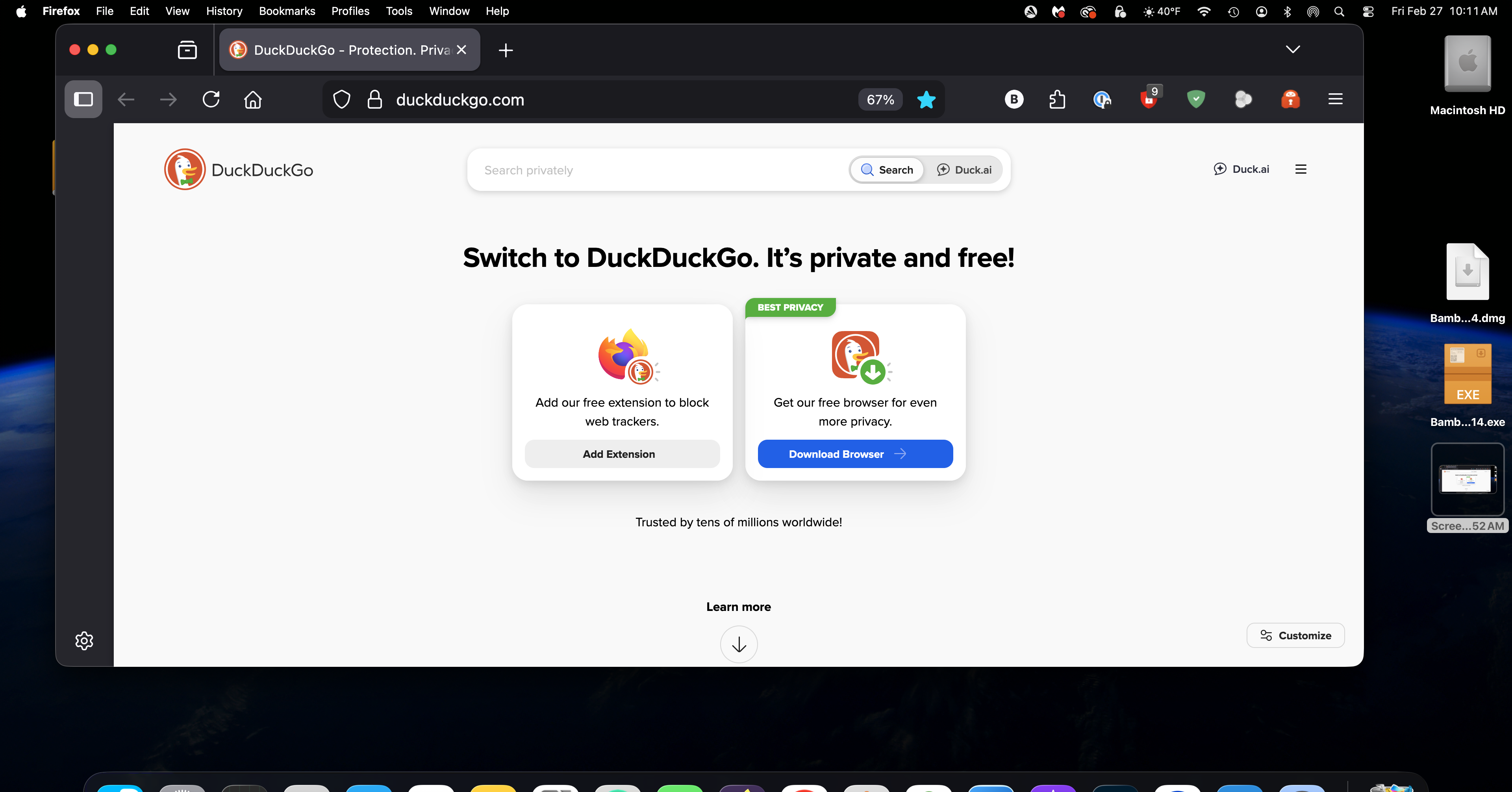
I have a mac mini, and i use firefox, when i open the app the window fills about 3/4 of the screen i use the arrows to expand the side and bottom to fill the screen (not full screen mode) just wanting firefox to open and fill the screen in general. Once i expand the sides and bottom to fill screen i close and reopen fireox but it wont retain that size, so i see my desktop on the right and bottom areas. I thought by resizing closing it would retain that upon re opening, but it doesn't. I dont want to be in full screen mode i just want when i open firefox for it to fill the screen and keep my top bar and whatnot in tact, is there something in settings or with key strokes via mac that I can do once i manually adjust the screen size so that it retains that size? My current display settings are 1920x1080 if that matters and mac os tahoe with firefox 148 installed.
Attached screenshots

You must log in to your account to reply to posts. Please start a new question, if you do not have an account yet.