


How to get rid of the uglyass "This time search with:"

As the title says I want to get rid of the useless and ugly "This time search with" thing. I never use it and it looks horrible every time i search

All Replies (5)
Hello
Apparently, you use, the Search bar to your Firefox toolbar. https://support.mozilla.org/en-US/kb/add-search-bar-firefox-toolbar
Below, an test, with the help of userChrome.css, you can find tutorials on the web.
[data-l10n-id="search-one-offs-with-title"]{display:none!important;}
WARNING from the moderator team: This script is not provided by Mozilla and is not officially supported.
Firefox is a work in progress and, to allow for continuous innovation, Mozilla cannot guarantee future updates won’t impact your customizations. For this reason, Mozilla does not officially support style rules customization.
Please read Firefox advanced customization and configuration options to learn more.

Modified by Paul
According to your screenshot, sorry. Apparently, you have touched, modified, the preference, browser.urlbar.scotchBonnet.enableOverride. https://connect.mozilla.org/t5/discussions/address-bar-updates-now-live-in-firefox-nightly/m-p/76176
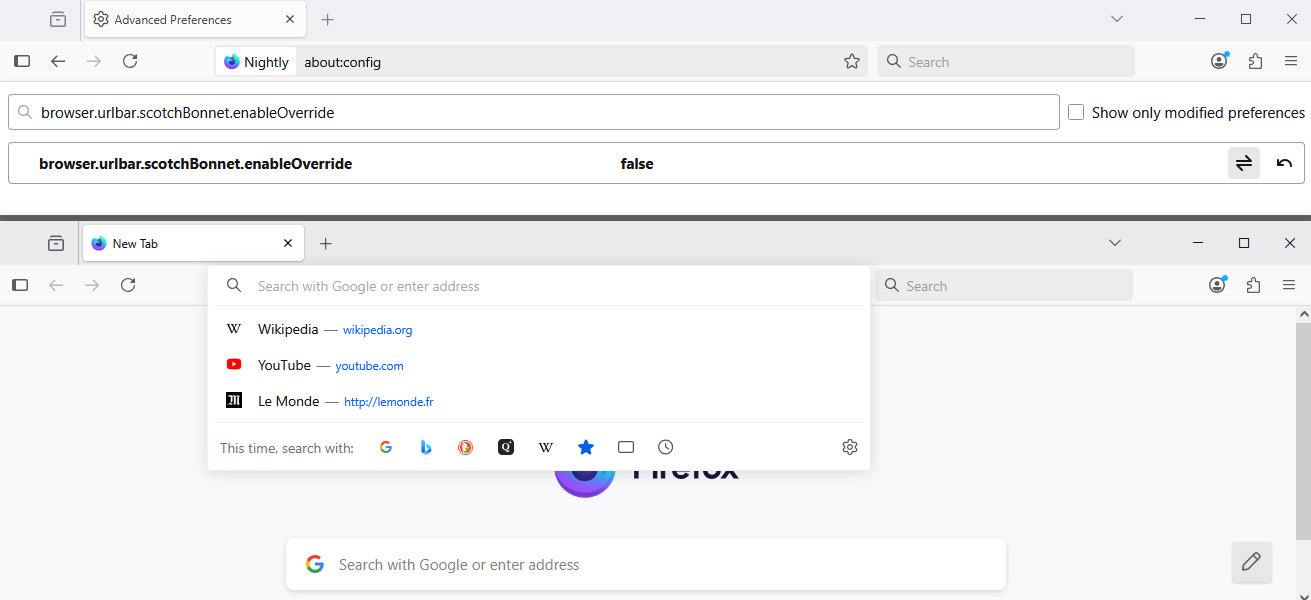
[data-l10n-id="search-one-offs-with-title"]{display:none!important;}
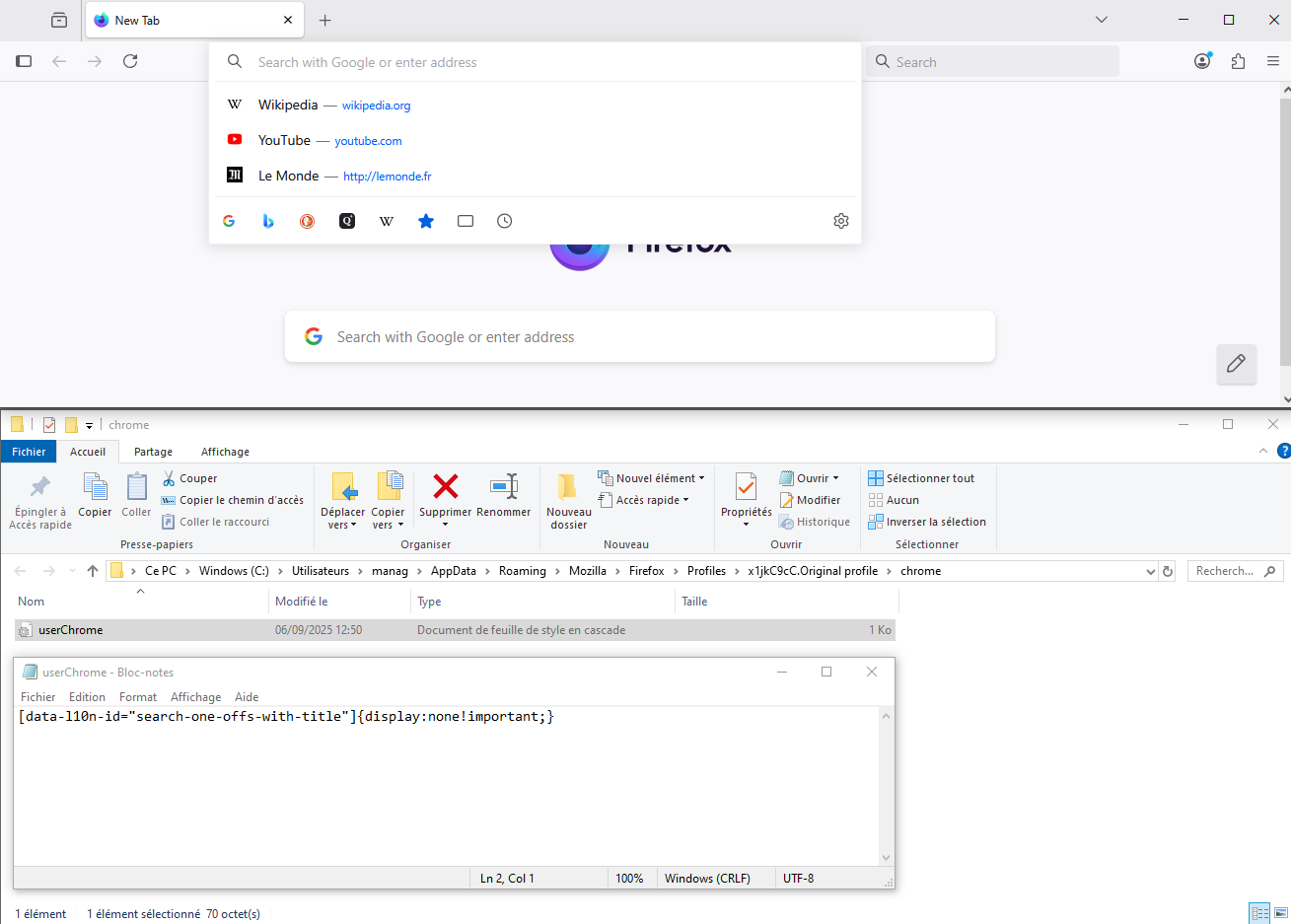
Hello
WARNING from the moderator team: This script is not provided by Mozilla and is not officially supported.
To complement, this discussion.
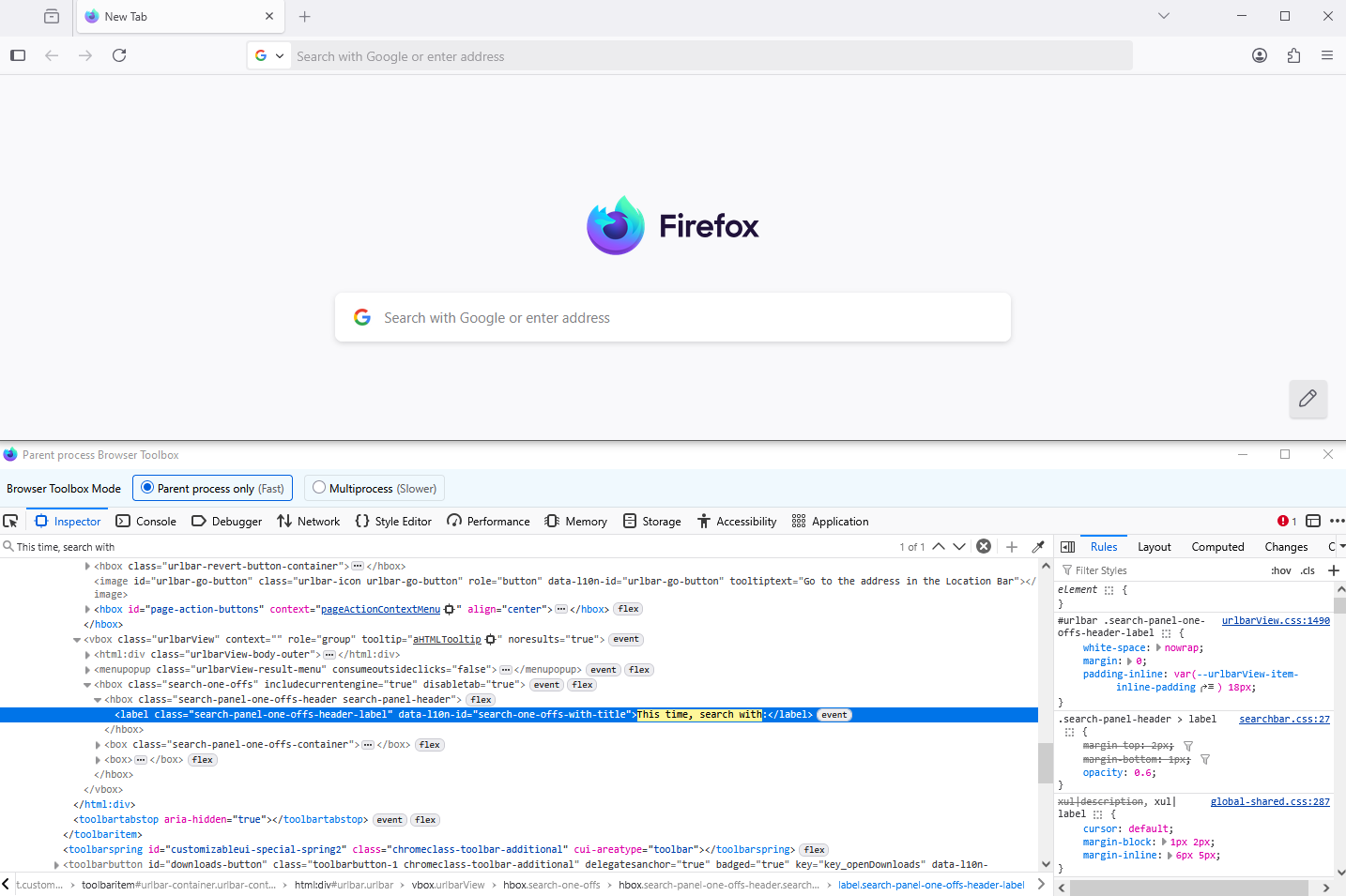
Additional information.
This time, search with: with the help of, Browser Toolbox.
Modified by Agent virtuel
allay atlas, according to your screenshot, apparently, you have touched, modified, the preference, browser.urlbar.scotchBonnet.enableOverride.
About, browser.urlbar.scotchBonnet.enableOverride.
Unless i have misunderstood, take a look at https://bugzilla.mozilla.org/show_bug.cgi?id=1949207#c4