


Windows 10 reached EOS (end of support) on October 14, 2025. For more information, see this article.

Search Support

Avoid support scams. We will never ask you to call or text a phone number or share personal information. Please report suspicious activity using the “Report Abuse” option.

Learn More

signNow not functioning properly after Firefox update

  • No replies
  • 0 have this problem
  • 17 views
more options

After installing a Firefox updated on Tuesday, I've been having multiple issues. The first issue I ran into was being unable to log into a work account that I have been using daily for 2 years. I was able to fix that issue by disabling the Enhanced Tracking Protection for that specific page. I tried that same fix for my other issue, but it is not correcting it.

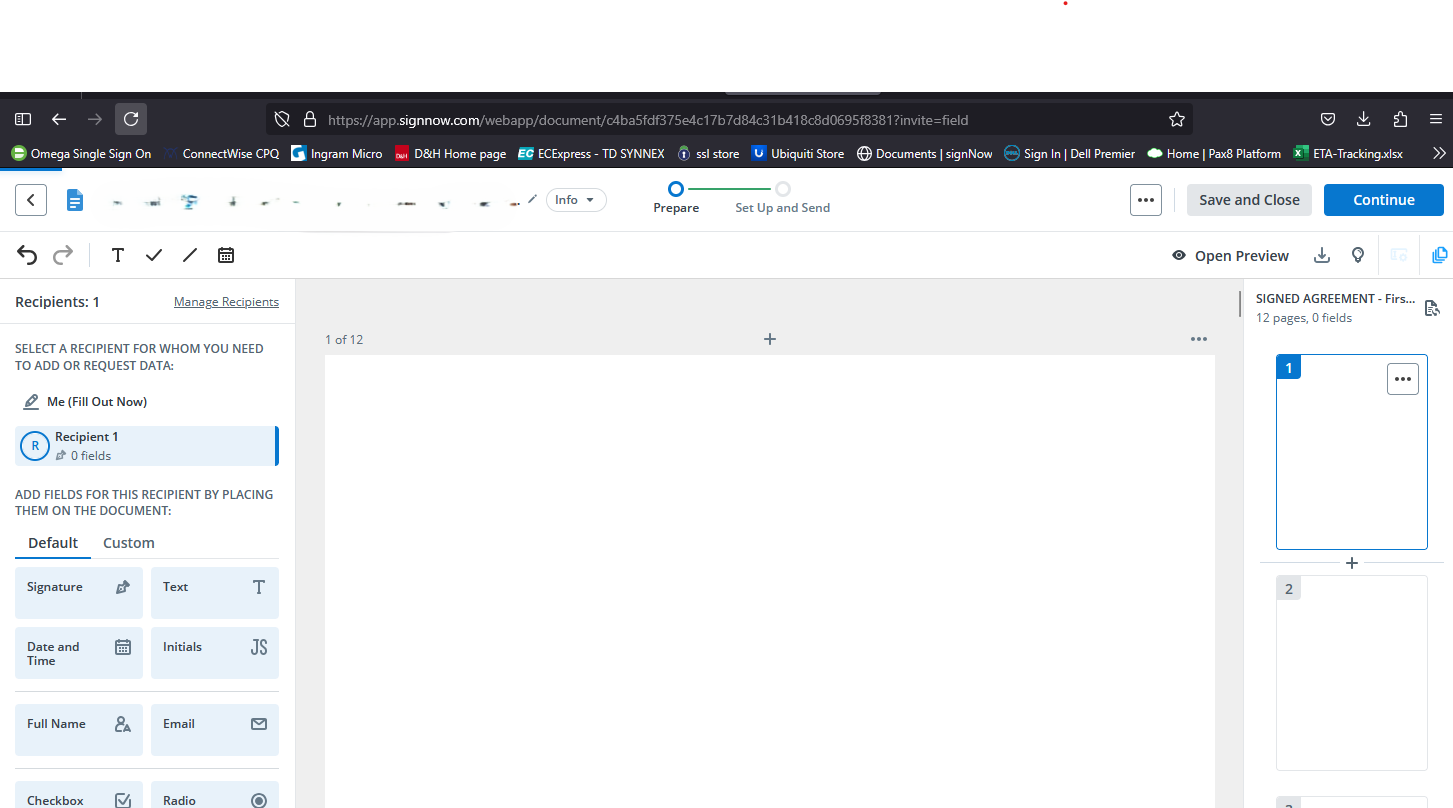
I use a program called signNow to upload documents and send to people to sign/countersign. Since this update, it's not working on Firefox. I tried it on Edge and it works fine. When I upload a document, it's just blank. No text, pictures or anything at all. See attached screenshot. I've tried several documents and none have worked, but all of them have worked in Edge. How do I fix this so I can continue to use Firefox?
After installing a Firefox updated on Tuesday, I've been having multiple issues. The first issue I ran into was being unable to log into a work account that I have been using daily for 2 years. I was able to fix that issue by disabling the Enhanced Tracking Protection for that specific page. I tried that same fix for my other issue, but it is not correcting it. I use a program called signNow to upload documents and send to people to sign/countersign. Since this update, it's not working on Firefox. I tried it on Edge and it works fine. When I upload a document, it's just blank. No text, pictures or anything at all. See attached screenshot. I've tried several documents and none have worked, but all of them have worked in Edge. How do I fix this so I can continue to use Firefox?
Attached screenshots