Computer Processes

Hello, I am running win 7. Yes and Old computer. When the system is running slow I do a task manager to see what might be causing it.
I have noticed multiple Firefox processes running with 0 CPU usage. What are all those for and do I need them? Can I disable them?
On a separate issue I am getting this rendering error. This may be a Microsoft question, but I thought I'd ask. Error in rendering player Error Code: 400-404 Session Id: k6x4392p (Pls: 35a725dd-3aac-4813-8431-159ebc196c01)
Lastly I did contact support about uninstalling two Firefox programs. I deleted the one you said.
Thanks again for all the help, Irv


All Replies (1)
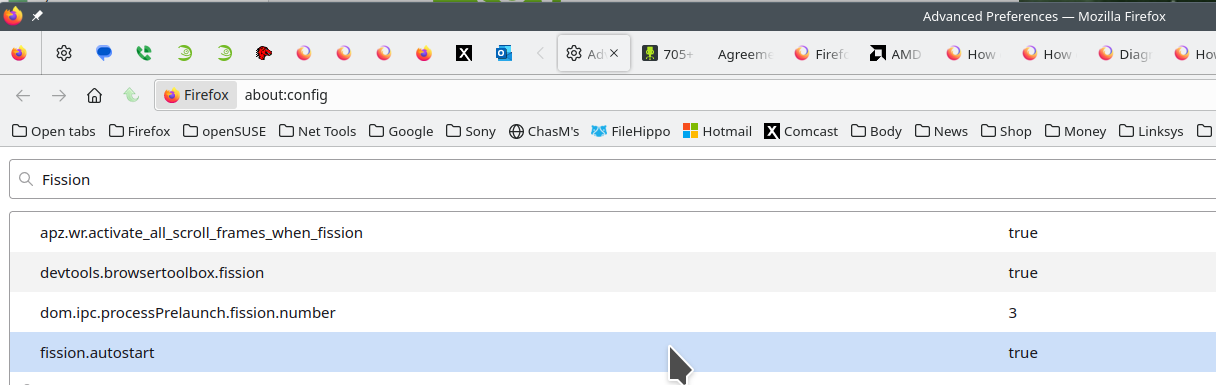
Firefox's Project Fission:
Introducing Firefox’s new Site Isolation Security Architecture https://hacks.mozilla.org/2021/05/introducing-firefox-new-site-isolation-security-architecture/
Firefox's Project Fission: better security and more processes https://www.ghacks.net/2019/02/07/firefoxs-project-fission-better-security-and-more-processes/
Enable Fission in Firefox https://www.ghacks.net/2020/09/20/you-can-try-firefoxs-site-isolation-feature-fission-in-nightly-now/
Change how many processes multi-process Firefox uses https://www.ghacks.net/2016/02/15/change-how-many-processes-multi-process-firefox-uses/