


I cannot get dropdown submenus to work on various web pages

For example, when I go to Realtor.com, I search in a particular zipcode. Then I would like to search the listings from, say, lowest price to highest price. When the listings initially come up, they are listed "recent listings" first. I can click on the window showing the other options, displaying them, but Firefox will not allow me to select a different listing. I also have this problem on the Fidelity.com site. Explorer allows me to do what I want.
Tất cả các câu trả lời (2)
Try Firefox Safe Mode to see if the problem goes away. Firefox Safe Mode is a troubleshooting mode that turns off some settings, disables most add-ons (extensions and themes).
If Firefox is open, you can restart in Firefox Safe Mode from the Help menu:
- In Firefox 29.0 and above, click the menu button
 , click Help
  and select Restart with Add-ons Disabled.
- In previous Firefox versions, click on the Firefox button at the top left of the Firefox window and click on Help (or click on Help in the Menu bar, if you don't have a Firefox button) then click on Restart with Add-ons Disabled.
If Firefox is not running, you can start Firefox in Safe Mode as follows:
- On Windows: Hold the Shift key when you open the Firefox desktop or Start menu shortcut.
- On Mac: Hold the option key while starting Firefox.
- On Linux: Quit Firefox, go to your Terminal and run firefox -safe-mode
(you may need to specify the Firefox installation path e.g. /usr/lib/firefox)
When the Firefox Safe Mode window appears, select "Start in Safe Mode".
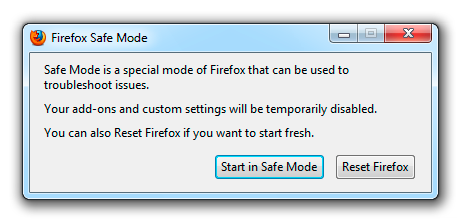
If the issue is not present in Firefox Safe Mode, your problem is probably caused by an extension, and you need to figure out which one. Please follow the Troubleshoot extensions, themes and hardware acceleration issues to solve common Firefox problems article to find the cause.
To exit Firefox Safe Mode, just close Firefox and wait a few seconds before opening Firefox for normal use again.
When you figure out what's causing your issues, please let us know. It might help others with the same problem.
There are other things that need your attention.
Your System Details list shows that you have a user.js file in the profile folder to initialize prefs each time Firefox starts.
The user.js file is only present if you or other software has created this file and normally it wouldn't be there. You can check its content with a plain text editor (right-click: Open with) if you didn't create this file yourself.
The user.js file is read each time Firefox is started and initializes preferences to the value specified in this file, so preferences set via user.js can only be changed temporarily for the current session.
You can use this button to go to the currently used Firefox profile folder:
- Help > Troubleshooting Information > Profile Directory: Show Folder (Linux: Open Directory; Mac: Show in Finder)
Delete a possible user.js file and numbered prefs-##.js files and rename (or delete) the prefs.js file to reset all prefs to the default value including prefs set via user.js and prefs that are no longer supported in the current Firefox release.