


FireFoxSync - FF Nightly
Hi, Can anyone tel me how I can edit the about:config from FireFox Nightly on my Andoid, so that it connects to my server?
Yesterday my "old" firefox updated to the newest 79, I believe and with it override the setting to connect to my sync server. The new FF do not support inputs into the config, so I have to switch to nightly. If I follow this setup, I don't finde any entries to change https://mozilla-services.readthedocs.io/en/latest/howtos/run-sync-1.5.html
Would be nice to get some advices
All Replies (6)
Chosen Solution
No, I think that it should work in the release version. And you don't have to edit config.
Just go to Settings -> About Firefox and touch the Firefox name 5 times. Sync server settings should appear on top of the Settings page.
Wow thanks a lot! It work fine! Thanks :-)
Thanks for the info on enabling custom sync server on android. Only resource I could find online regarding it.
I'm having problems though in 80.0.1-beta.2 when using only a Custom Sync server with the Mozilla's account server. Not tried release until I know I can use it with a custom sync server and a lot of the other UI issues are resolved.
Should the "Custom Sync Server" uri be exactly the same as "identity.sync.tokenserver.uri" that we used to enter in about:config? I don't see this variable in the about:config anymore.
I ask as I get the following error with a blank "Custom Firefox Account server" and my own "Custom Sync server" URI that works fine on the desktop and in Firefox for android version 69 when using about:config:
08-26 11:52:48.151 15703 15873 I FirefoxAccountStateMachine: Processing event Event$RecoveredFromAuthenticationProblem for state AuthenticationProblem. Next state is AuthenticatedNoProfile 08-26 11:52:48.151 15703 15873 I FirefoxAccountStateMachine: Registering persistence callback 08-26 11:52:48.151 15703 15873 I FirefoxAccountStateMachine: Registering device constellation observer 08-26 11:52:48.351 15703 15734 D FxaStatePersistenceCallback: Persisting account state into mozilla.components.service.fxa.SharedPrefAccountStorage@896b830 08-26 11:52:48.377 15703 15873 I FirefoxAccountStateMachine: Ran 'Event$RecoveredFromAuthenticationProblem' side-effects for state AuthenticatedNoProfile, got successive event Event$FetchProfile 08-26 11:52:48.377 15703 15873 I FirefoxAccountStateMachine: Processing event Event$FetchProfile for state AuthenticatedNoProfile. Next state is AuthenticatedNoProfile 08-26 11:52:48.377 15703 15873 I FirefoxAccountStateMachine: Fetching profile... 08-26 11:52:48.387 15703 15734 D FxaStatePersistenceCallback: Persisting account state into mozilla.components.service.fxa.SharedPrefAccountStorage@4fffbc7 08-26 11:52:48.393 15703 15873 I FirefoxAccountStateMachine: Ran 'Event$FetchProfile' side-effects for state AuthenticatedNoProfile, got successive event Event$FetchedProfile 08-26 11:52:48.393 15703 15873 I FirefoxAccountStateMachine: Processing event Event$FetchedProfile for state AuthenticatedNoProfile. Next state is AuthenticatedWithProfile 08-26 11:52:48.502 15703 15873 I FirefoxAccountStateMachine: Processing event Event$AuthenticationError - RustSyncManager.sync for state AuthenticatedWithProfile. Next state is AuthenticationProblem 08-26 11:52:48.502 15703 15873 I FirefoxAccountStateMachine: Hit auth problem. Trying to recover. 08-26 11:52:48.696 15703 15734 D FxaStatePersistenceCallback: Persisting account state into mozilla.components.service.fxa.SharedPrefAccountStorage@af4183e 08-26 11:52:48.702 15703 15873 I FirefoxAccountStateMachine: Able to recover from an auth problem. 08-26 11:52:48.702 15703 15873 I FirefoxAccountStateMachine: Ran 'Event$AuthenticationError - RustSyncManager.sync' side-effects for state AuthenticationProblem, got successive event Event$RecoveredFromAuthenticationProblem 08-26 11:52:48.702 15703 15873 I FirefoxAccountStateMachine: Processing event Event$RecoveredFromAuthenticationProblem for state AuthenticationProblem. Next state is AuthenticatedNoProfile 08-26 11:52:48.702 15703 15873 I FirefoxAccountStateMachine: Registering persistence callback 08-26 11:52:48.702 15703 15873 I FirefoxAccountStateMachine: Registering device constellation observer 08-26 11:52:48.887 15703 15734 D FxaStatePersistenceCallback: Persisting account state into mozilla.components.service.fxa.SharedPrefAccountStorage@bcb53ec 08-26 11:52:48.906 15703 15873 I FirefoxAccountStateMachine: Ran 'Event$RecoveredFromAuthenticationProblem' side-effects for state AuthenticatedNoProfile, got successive event Event$FetchProfile 08-26 11:52:48.907 15703 15873 I FirefoxAccountStateMachine: Processing event Event$FetchProfile for state AuthenticatedNoProfile. Next state is AuthenticatedNoProfile 08-26 11:52:48.907 15703 15873 I FirefoxAccountStateMachine: Fetching profile... 08-26 11:52:48.916 15703 15734 D FxaStatePersistenceCallback: Persisting account state into mozilla.components.service.fxa.SharedPrefAccountStorage@f750cee 08-26 11:52:48.924 15703 15873 I FirefoxAccountStateMachine: Ran 'Event$FetchProfile' side-effects for state AuthenticatedNoProfile, got successive event Event$FetchedProfile 08-26 11:52:48.924 15703 15873 I FirefoxAccountStateMachine: Processing event Event$FetchedProfile for state AuthenticatedNoProfile. Next state is AuthenticatedWithProfile 08-26 11:52:49.034 15703 15873 I FirefoxAccountStateMachine: Processing event Event$AuthenticationError - RustSyncManager.sync for state AuthenticatedWithProfile. Next state is AuthenticationProblem 08-26 11:52:49.035 15703 15873 I FirefoxAccountStateMachine: Hit auth problem. Trying to recover. 08-26 11:52:49.035 15703 15873 W FirefoxAccountStateMachine: Unable to recover from an auth problem, triggered a circuit breaker. 08-26 11:53:41.887 15703 15873 W FirefoxAccountStateMachine: Got invalid event Event$Init for state AuthenticationProblem.
The Auth error loops until it gives up. When I look in the "Devices & apps" on accounts.firefox.com I see the device as listed but the android icon is missing. If I remove "/token/1.0/sync/1.5" from the URI I can login fine get an android icon in accounts.firefox.com but sync doesn't work and I get no info in adb with:
adb setprop log.tag.FxSync VERBOSE adb setprop log.tag.FxAccounts VERBOSE adb setprop log.tag.FxAccountSyncAdapter VERBOSE
when pressing "Synchronise now" which displays "Last syncronised: never".
Any help would be greatly appreciated.
"Should the "Custom Sync Server" uri be exactly the same as "identity.sync.tokenserver.uri" that we used to enter in about:config? I don't see this variable in the about:config anymore."
If i get you right: I have similar trouble. Since updating from 79 to 80 FF (PC) dosn't work with my own Syncserver (on a Raspberry Pi) anymore. But my own config is still here in the about:config.
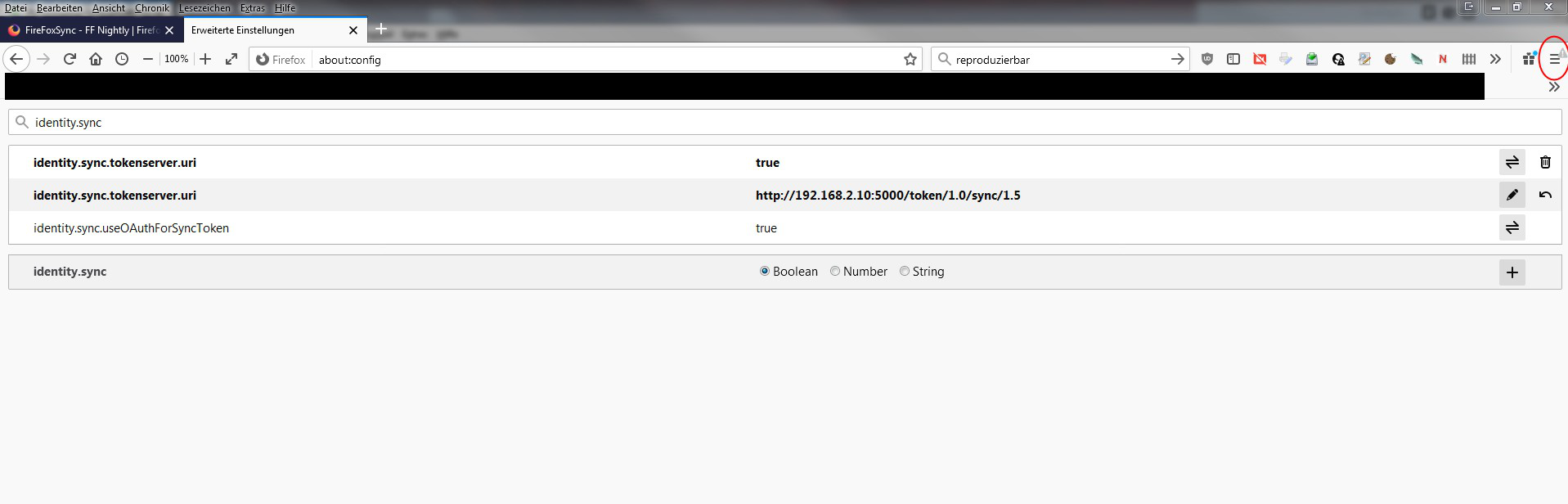
I have a similar problem with Firefox 80 and an own syncserver. Some years ago I set up an own firefox sync serven on a Rasperry Pi. Yesterday Firefox updated to Version 80 and now i can't sync anymore. There is a message "Connect with your account (again)" or similar - german version)) but after connecting (enter mailadress and password) the same message pops up again. And i am unable to sync :((( Any ideas how to fix this problem? I really want my own sync server instead of cloud services. "My data belongs to me" - you know.
Firefox is installed here (my home) on two computers. Laptop and PC. On PC I still had version 79. Everything worked fine. But after updating - the trouble started. Same on the laptop yesterday after updating from 79 to 80.
BTW: I read something about docker solution? Someone here tried it on a Rasperry Pi/Docker Combo? And if yo - is there a manual how to setup ? (For german readers I used this manual for setup: https://jankarres.de/2014/07/raspberry-pi-firefox-sync-server-installieren/#comment-8641
That was "helter skelter" enough.
I don't understand why mozilla is not offering an easy solution (Small server application for PC). It took me hours and some days until averthing worked fine. And i do not really want to do all this again. I have a clue about computing but I am not a Crack. So it was very hard to me to set it up all. (And my english isn't the best).
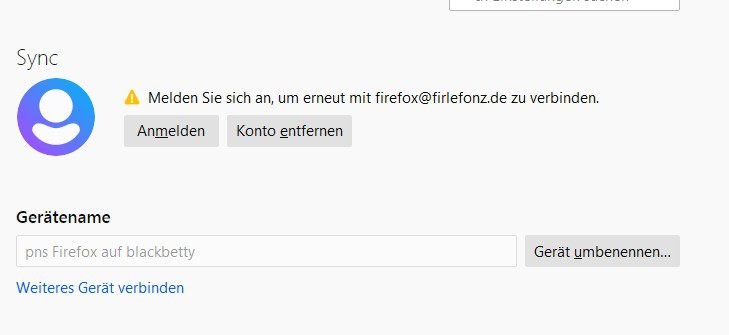
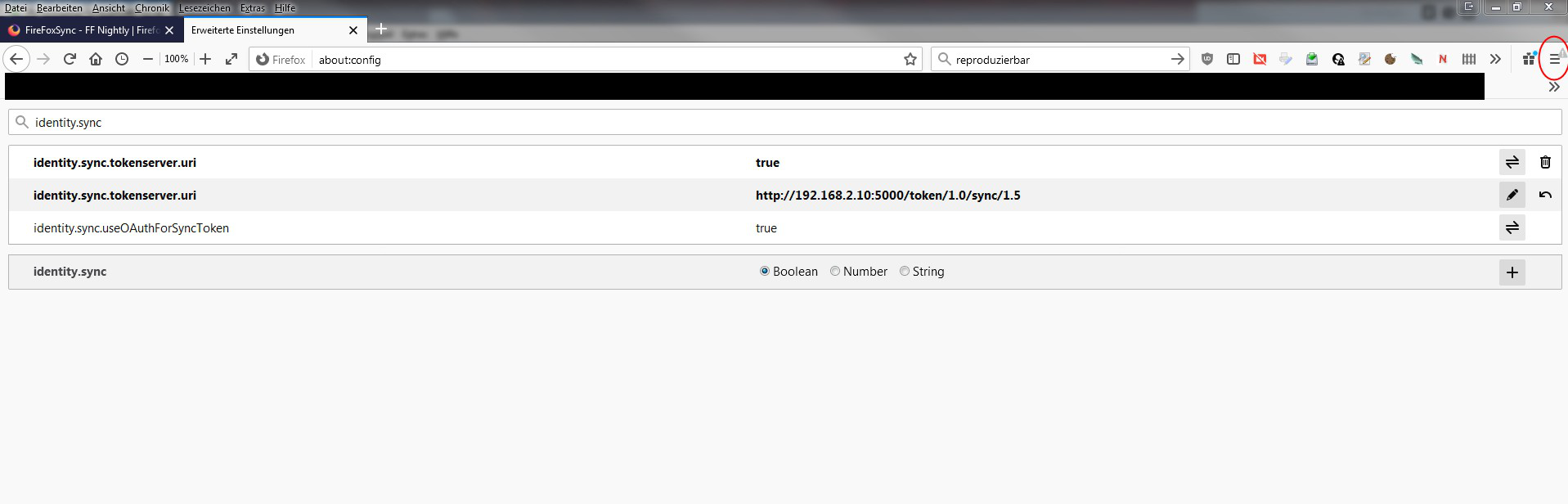
t seems mozilla is not able to make things easy :( I tried to make a dowgrade back to 79. But a warning message pops up that i need to create a new profile. Thanks a lot!
After adding an -p -allow-downgrade to the command line i was able to start a firefox 79 again. And I can sync again. So it seems really there is a problem with v80.
And there is no easy way to block updates like a checkbox "no autoimatic updates". No. You need to hack the regestry or need to write a policy file :(
Workaround: "Ask before install update" is working now. But I guess it will not work very long.
Mozilla is really not able to make things easy :(
No "Backup" fuction to roll back. No "I really do not want updates" button. No simple server program for PC/Desktop version. "Why easy when you can things make hard", hu?