Open
Please add a way to enable/disable "show keyboard" upon opening a new tab.
When I open a new tab it's usually to perform a new search, so I want the keyboard to automatically be displayed. It seems that with os update 157 that I now have to touch the search bar for the keyboard to be displayed.
A simple option to enable or disable the keyboard in the settings menu like there is on touchscreen PC would be beneficial.
As witnessed by the various posts I've found, I know there are others who don't want the keyboard displayed. You can't have half of Firefox users constantly upset with you over a simple additional menu setting. Unless of course, that's too difficult for your developers to implement.
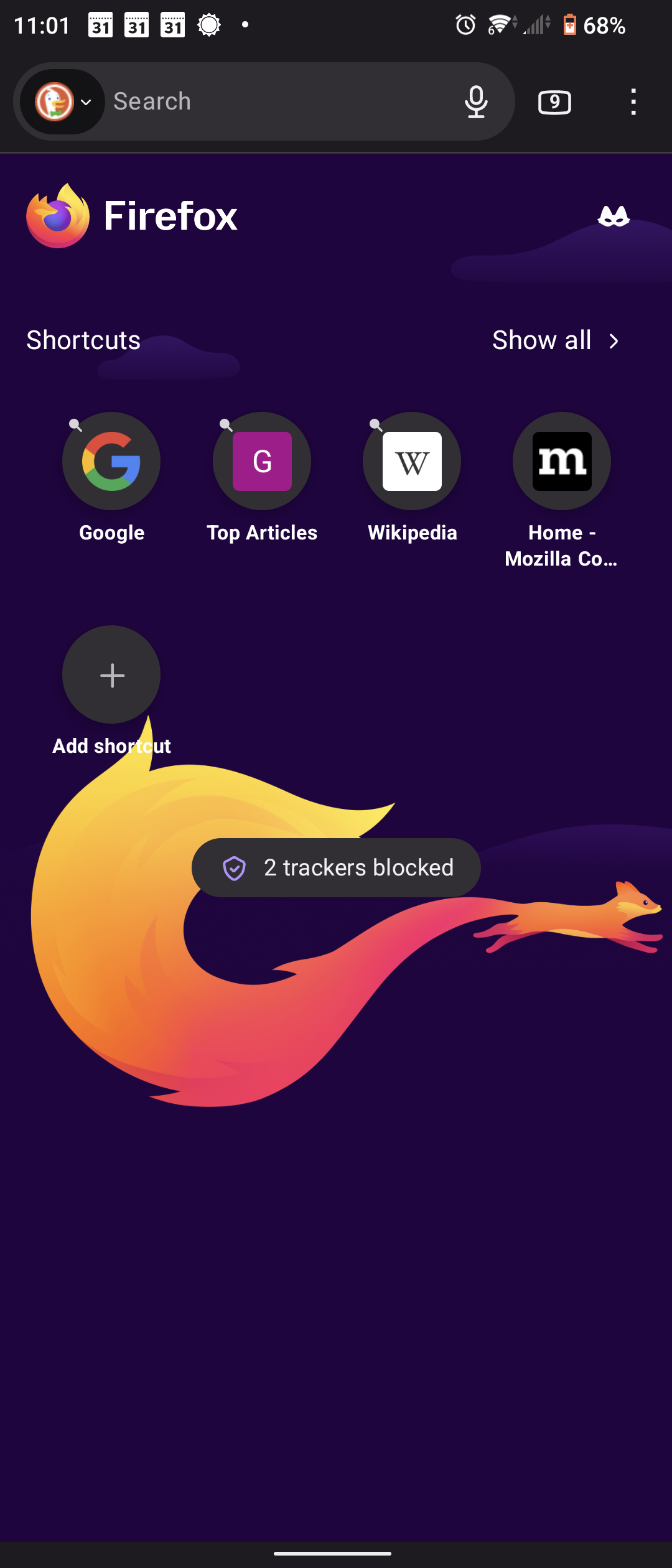
The attachment shows what appears when I opened a new tab. Note there is no keyboard.
When I open a new tab it's usually to perform a new search, so I want the keyboard to automatically be displayed. It seems that with os update 157 that I now have to touch the search bar for the keyboard to be displayed.
A simple option to enable or disable the keyboard in the settings menu like there is on touchscreen PC would be beneficial.
As witnessed by the various posts I've found, I know there are others who don't want the keyboard displayed. You can't have half of Firefox users constantly upset with you over a simple additional menu setting. Unless of course, that's too difficult for your developers to implement.
The attachment shows what appears when I opened a new tab. Note there is no keyboard.