


Can't save to specific bookmark folders

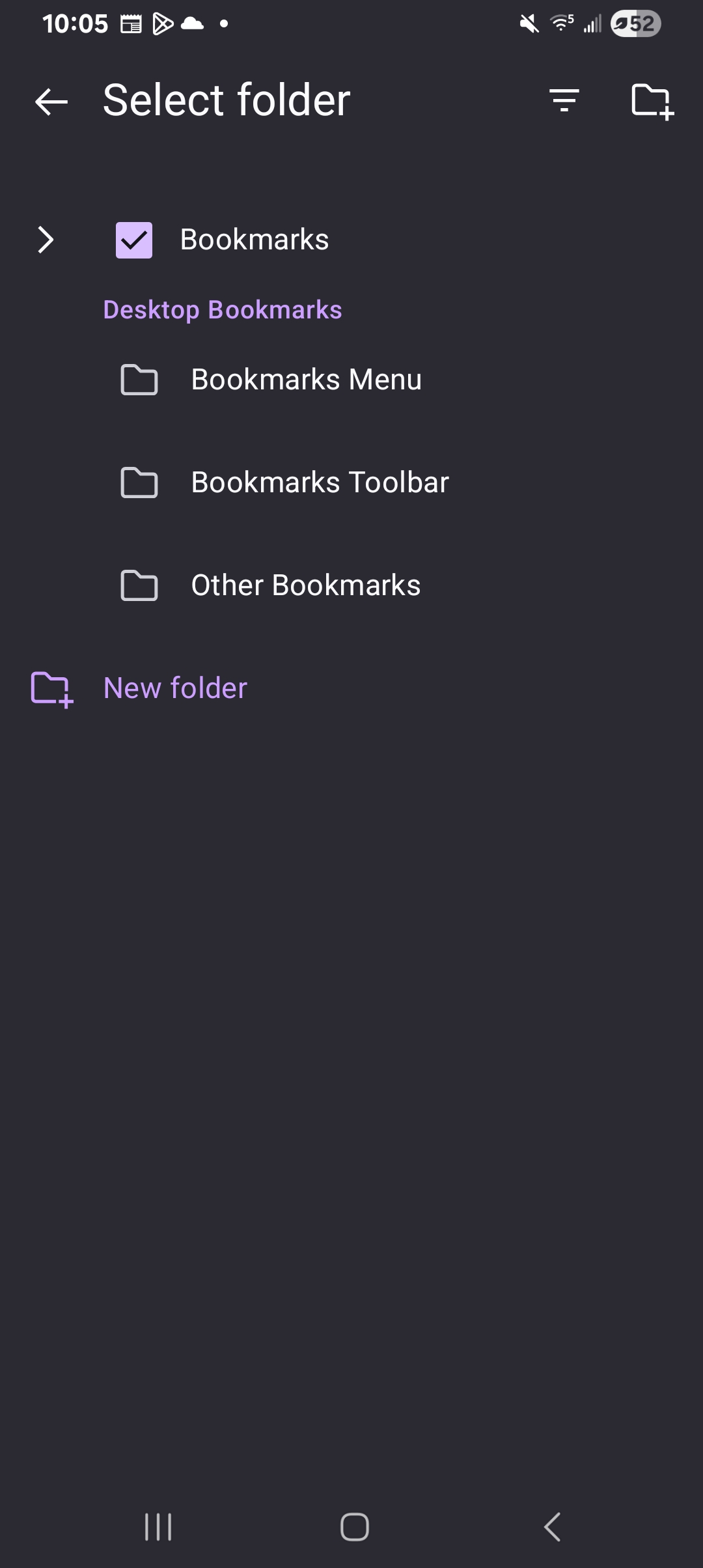
For some reason I can now no longer save my bookmarks to a specific folder anymore it's not giving me the option. As is shown in the image below, this is the only thing that pops up when I try to save my bookmarks now, even when I click on the arrow next to bookmarks it does not expand out to show me all the folders that I have in my bookmarks so I was wondering if there's a way to get it to work properly.
For some reason I can now no longer save my bookmarks to a specific folder anymore it's not giving me the option. As is shown in the image below, this is the only thing that pops up when I try to save my bookmarks now, even when I click on the arrow next to bookmarks it does not expand out to show me all the folders that I have in my bookmarks so I was wondering if there's a way to get it to work properly.
Modified by Tory