


Windows 10 reached EOS (end of support) on October 14, 2025. If you are on Windows 10, see this article.

Search Support

Avoid support scams. We will never ask you to call or text a phone number or share personal information. Please report suspicious activity using the “Report Abuse” option.

Learn More

"Clipboard" Option In "Contextual Text Selection Toolbar" Missing in Latest Android Firefox Update

  • No replies
  • 0 have this problem

The text selection toolbar (often just called the text selection menu or contextual selection toolbar) is used throughout my Android/Samsung phone. It appears whenever you long-press text, a textbox, or URL bar, and shows actions like Paste, Copy, Select all, and sometimes Extract text depending on your keyboard/OEM.

In the lastest Android Firefox app update, the "Clipboard" option is no longer present in the app on the contextual selection toolbar.

This is a major inconvenience. I'm a longtime Firefox user and this missing feature is a huge inefficiency problem. This means I cannot easily use text copied or cut from elsewhere on my phone and easily access it without individually and tediously copying and pasting individual text content.

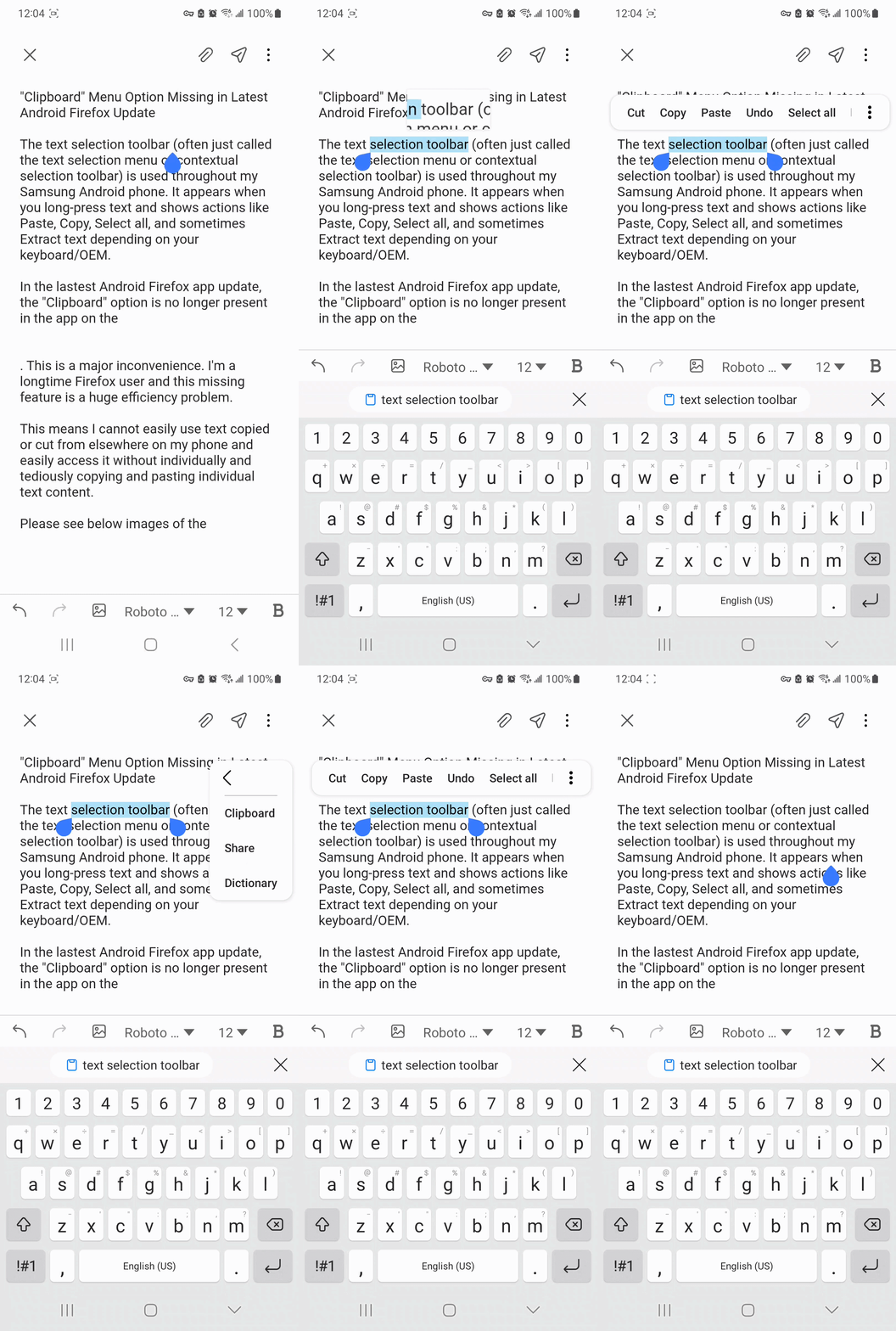
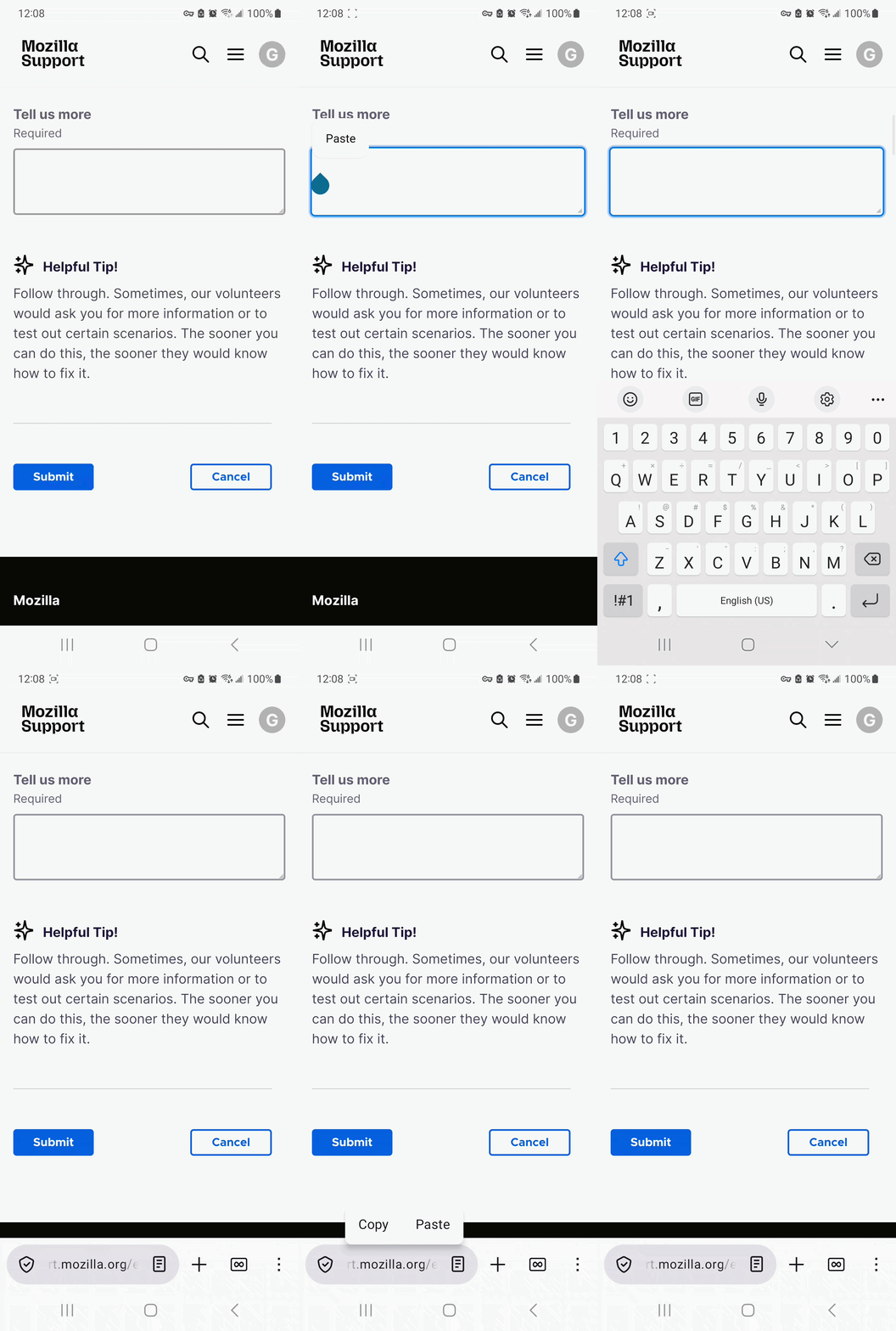
Please see the attached image and gifs showing contextual selection toolbars with and without the "clipboard" option.

The text selection toolbar (often just called the text selection menu or contextual selection toolbar) is used throughout my Android/Samsung phone. It appears whenever you long-press text, a textbox, or URL bar, and shows actions like Paste, Copy, Select all, and sometimes Extract text depending on your keyboard/OEM. In the lastest Android Firefox app update, the "Clipboard" option is no longer present in the app on the contextual selection toolbar. This is a major inconvenience. I'm a longtime Firefox user and this missing feature is a huge inefficiency problem. This means I cannot easily use text copied or cut from elsewhere on my phone and easily access it without individually and tediously copying and pasting individual text content. Please see the attached image and gifs showing contextual selection toolbars with and without the "clipboard" option.
Attached screenshots

You must log in to your account to reply to posts. Please start a new question, if you do not have an account yet.