Manage Bookmarks appears in a language script I do not know.

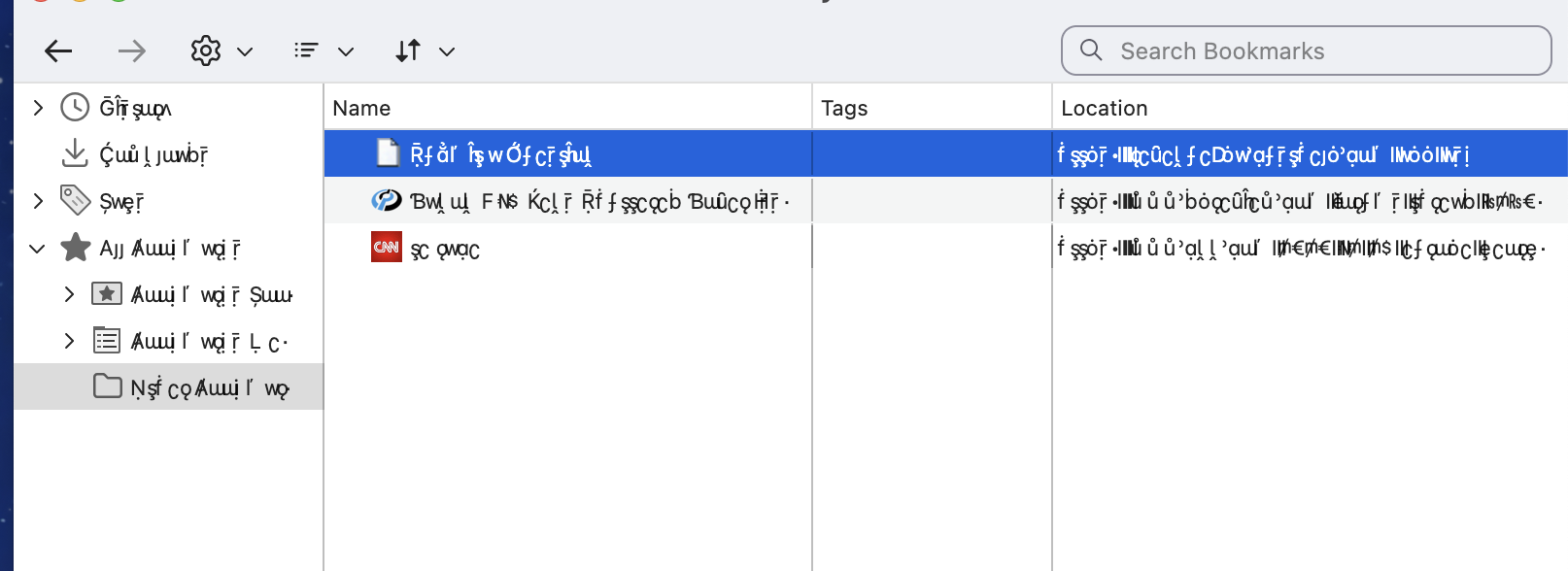
This is my second try - after over a week! - to get this resolved. When I click "manage bookmarks" they appear in a language script I do not know. I have already tried troubleshooting mode, and done a reset. Then I deleted my copy of firefox and installed a copy I just downloaded. The problem persists. My language settings are set for English.
This is my second try - after over a week! - to get this resolved. When I click "manage bookmarks" they appear in a language script I do not know. I have already tried troubleshooting mode, and done a reset. Then I deleted my copy of firefox and installed a copy I just downloaded. The problem persists. My language settings are set for English.