Firefox prints whole documents only on the top left
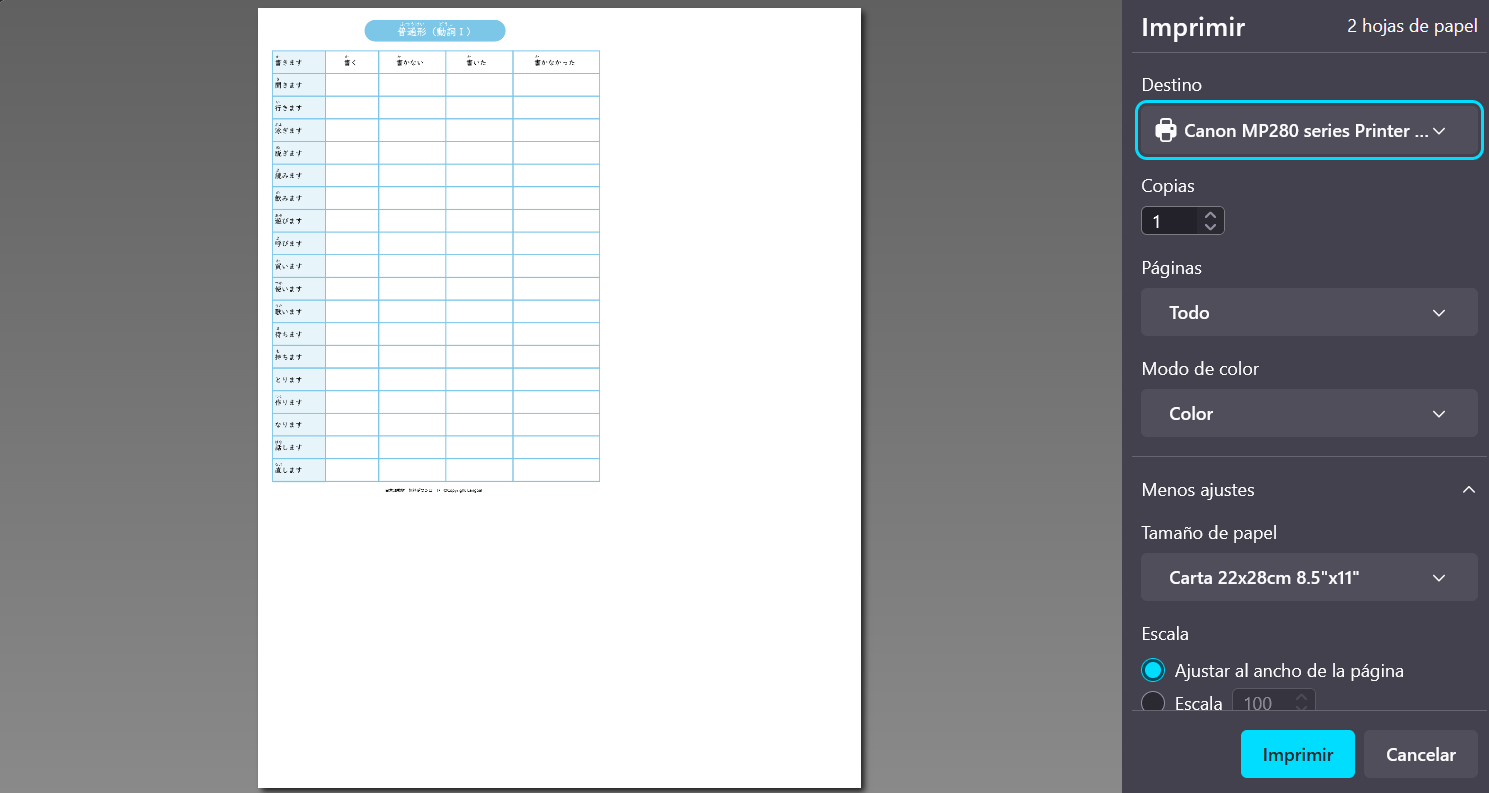
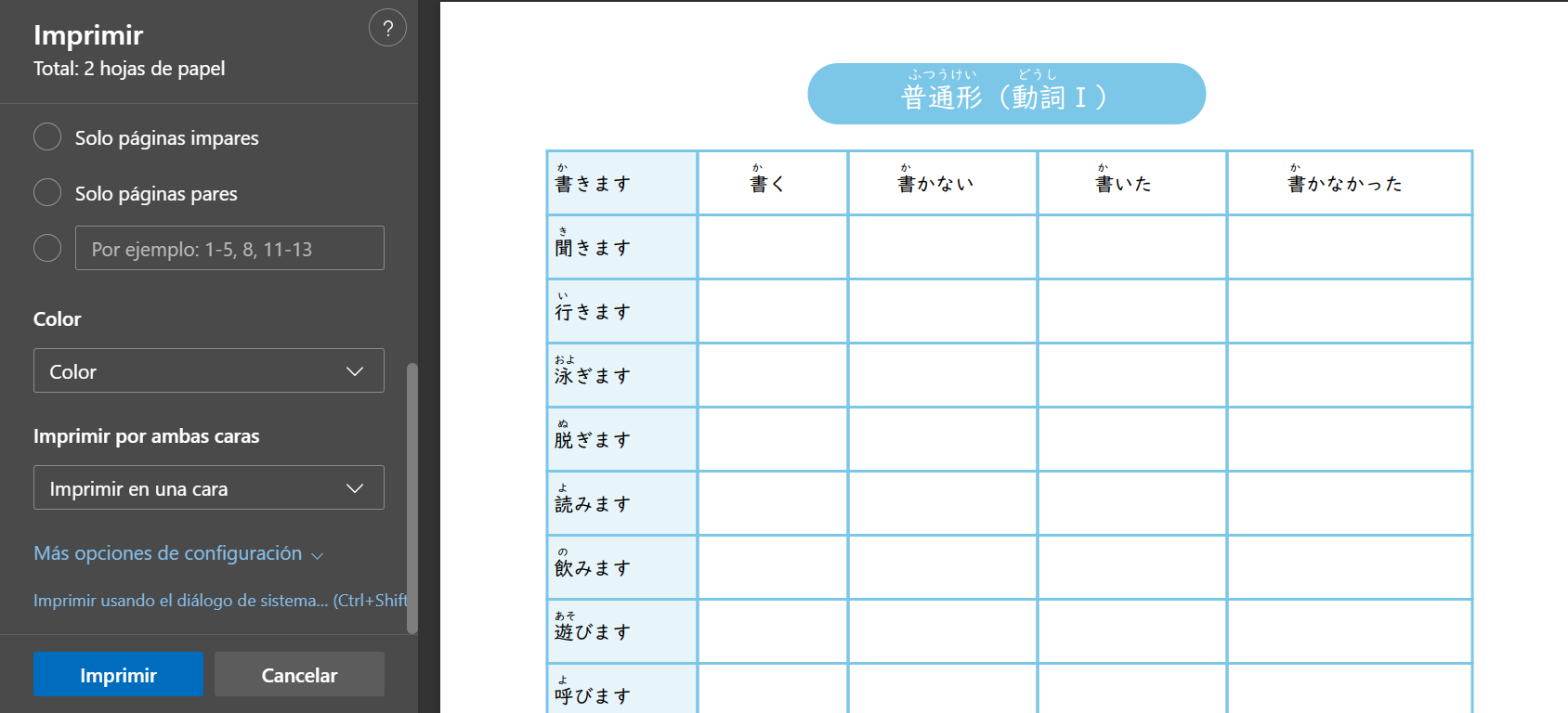
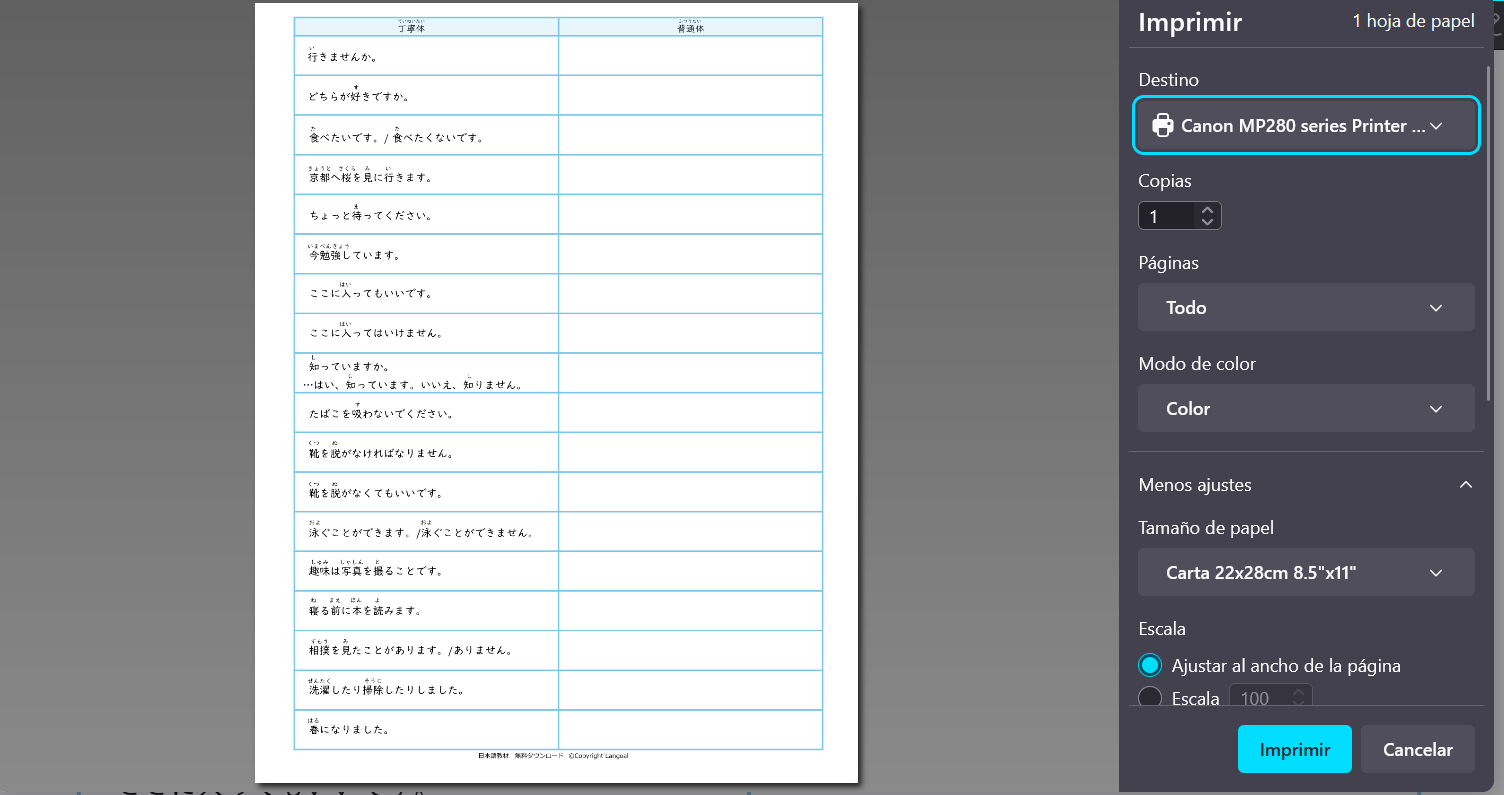
As the first screen capture shows (sorry it's in spanish), my PDF documents tend to not print on the full page, but rather only on the top left corner of it, i've already fiddled with the scaling and fit to page, i have cleared the printer settings from mozilla, still the same, ive gone into the about:config menu and changed paper_height, paper_width, shrink_to_fit, and scaling nothing works. The document prints fine on Edge (screenshot 2), no problems with fit, and what's even crazier is that some PDF files work just fine (Screenshot 3). Honestly i have no clue what else to do.
As the first screen capture shows (sorry it's in spanish), my PDF documents tend to not print on the full page, but rather only on the top left corner of it, i've already fiddled with the scaling and fit to page, i have cleared the printer settings from mozilla, still the same, ive gone into the about:config menu and changed paper_height, paper_width, shrink_to_fit, and scaling nothing works. The document prints fine on Edge (screenshot 2), no problems with fit, and what's even crazier is that some PDF files work just fine (Screenshot 3). Honestly i have no clue what else to do.