


Unable to use 4chan (blocked by site) with Firefox for Windows for many months. Specific problem listed.

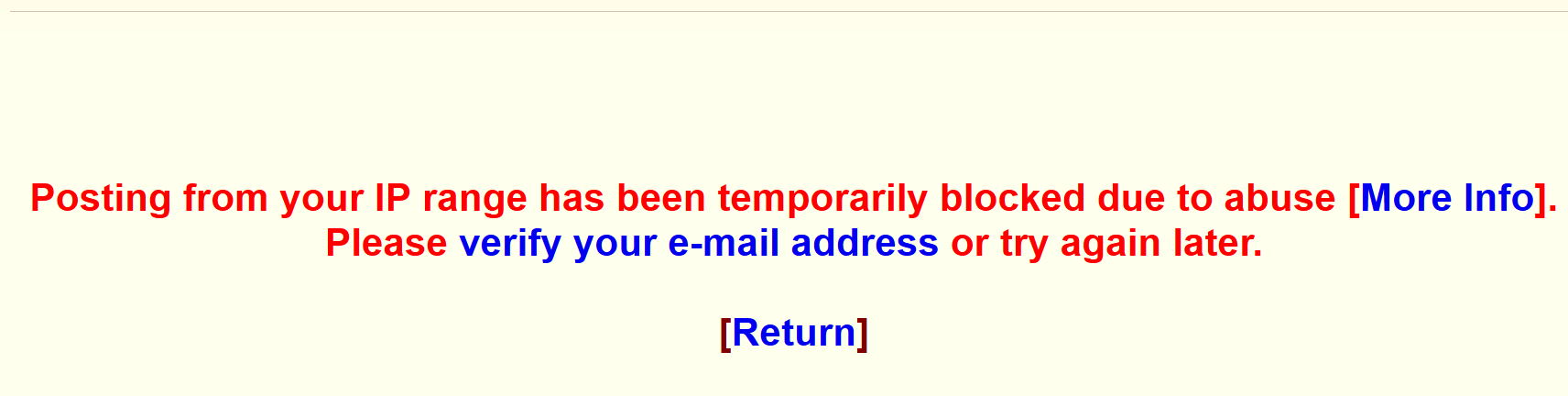
I've not been able to use that site for a long time on Firefox. There's something particular about Firefox. Chrome works fine. Reinstalled a few times, made sure no VPN is active in the browser (I dont use one). And posting results in "Posting from your IP range has been temporarily blocked due to abuse [More Info]. Please verify your e-mail address or try again later. ". Every single time. Rather than stop using Firefox I hoped someone here would know what's going on.
Tất cả các câu trả lời (2)
Giải pháp được chọn
Hi Christopher,
The message in your screenshot indicates that 4chan has temporarily blocked posting from your IP range because of suspected abuse. This is a restriction imposed by 4chan, rather than a Firefox error.
Since you can use the site in Chrome, could you try opening it in a Firefox Troubleshoot Mode window? This temporarily disables extensions and some customisations, which can help identify whether something in Firefox is contributing to the problem.
https://support.mozilla.org/en-US/kb/diagnose-firefox-issues-using-troubleshoot-mode
If the same message appears there, could you check whether you are using the same internet connection in both browsers? Also, does the problem affect browsing 4chan, or only posting? The distinction may help narrow down whether this is a site-side posting restriction or a browser-specific issue.
So, thanks for the reply. I used Troubleshoot Mode in Firefox and again received the 'IP range blocked' message. Same IP address shows using both browsers. Cleared cookies/temp/downloaded data prior. Neither browser has IPv6 set up. Browsing 4chan is fine in Firefox. I am able to receive and solve Google Captcha challenges and click 'send, upon which I get that denial message. I reinstalled Firefox a couple days ago, due to this issue. So there's something, somewhere, that's different between my version of Firefox and my version of Chrome, on my computer. What that is, obviously I have no idea. Not the end of the world. Appreciate the troubleshooting information. I think i'm going to leave it at this.
Được chỉnh sửa bởi Christopher Crackers vào