Please instruct me how to permanently disable the PW Manager in all Mozilla software.

I do not wish any of my passwords to be stored anywhere it isn't absolutely necessary. My own highly secure method I've been using for many years is listing them all on a removable drive that is encrypted and only in my PC's when necessary. Therefore, I wish to disable any and all PW Managers in the software I use. Please instruct me how to permanently disable the PW Manager in all Mozilla software.
Everything is stated above with an explanation of the reason.
Thanks for your help. TJS
Tất cả các câu trả lời (2)
Hello
Is it your question
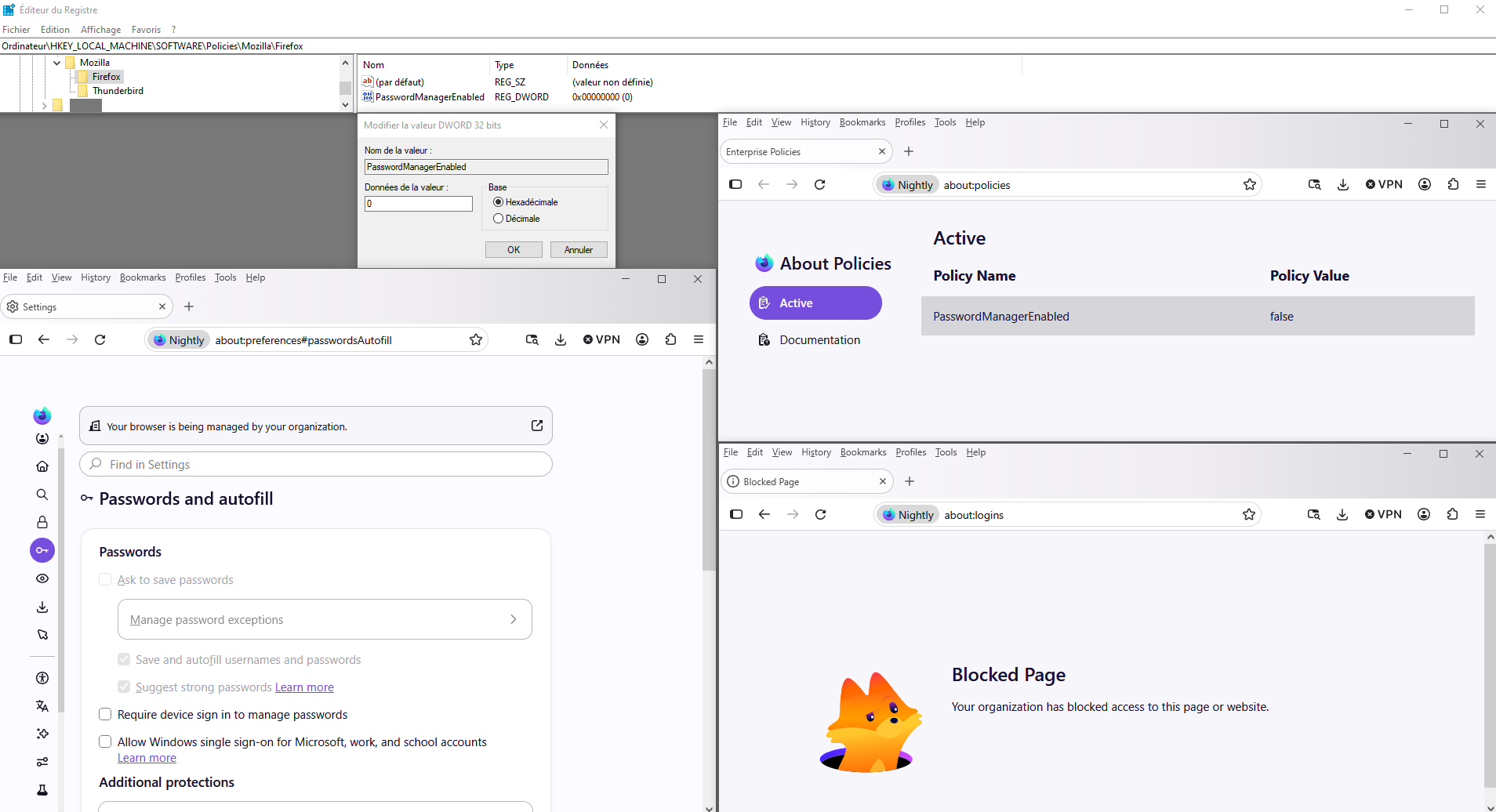
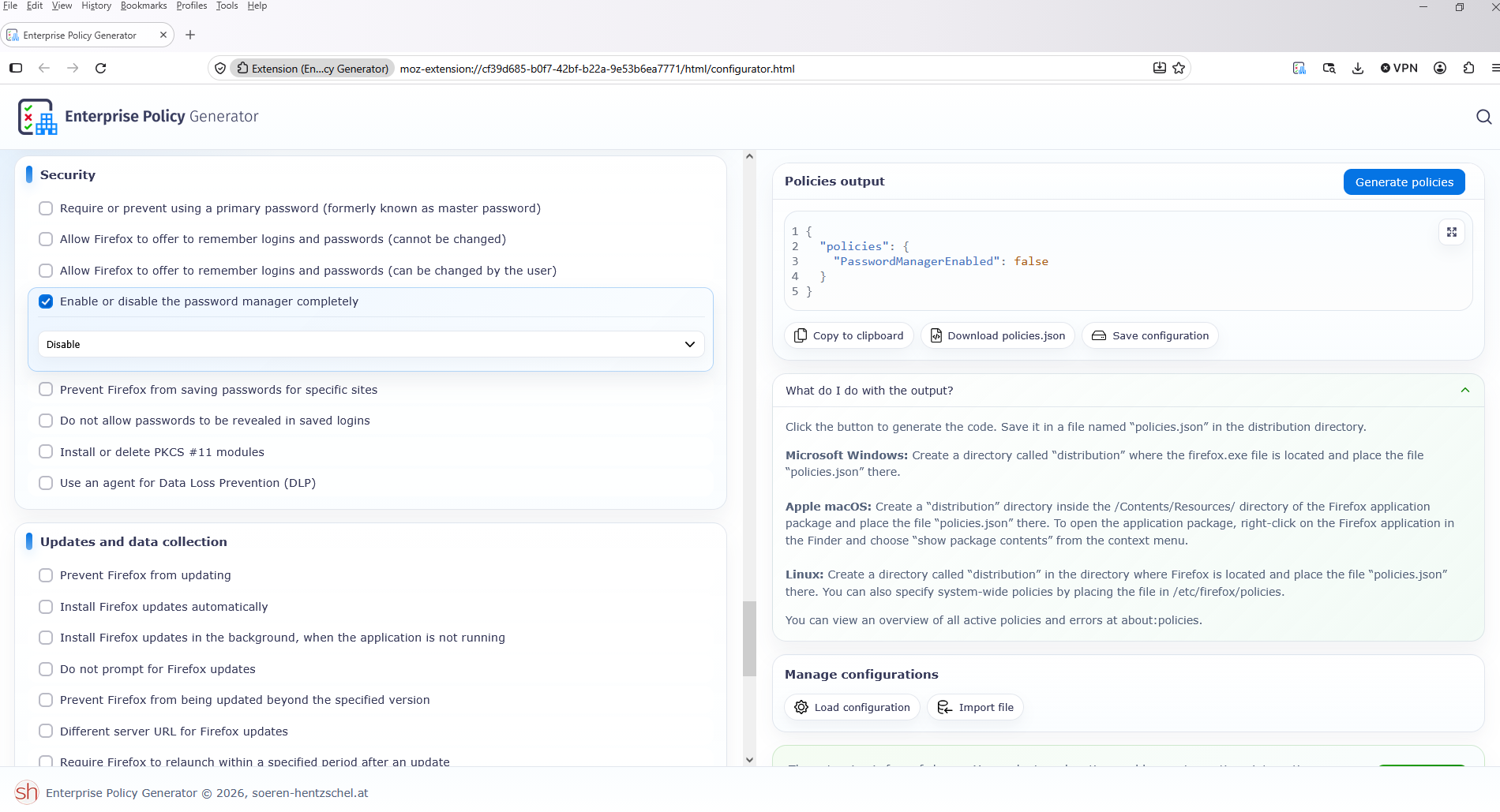
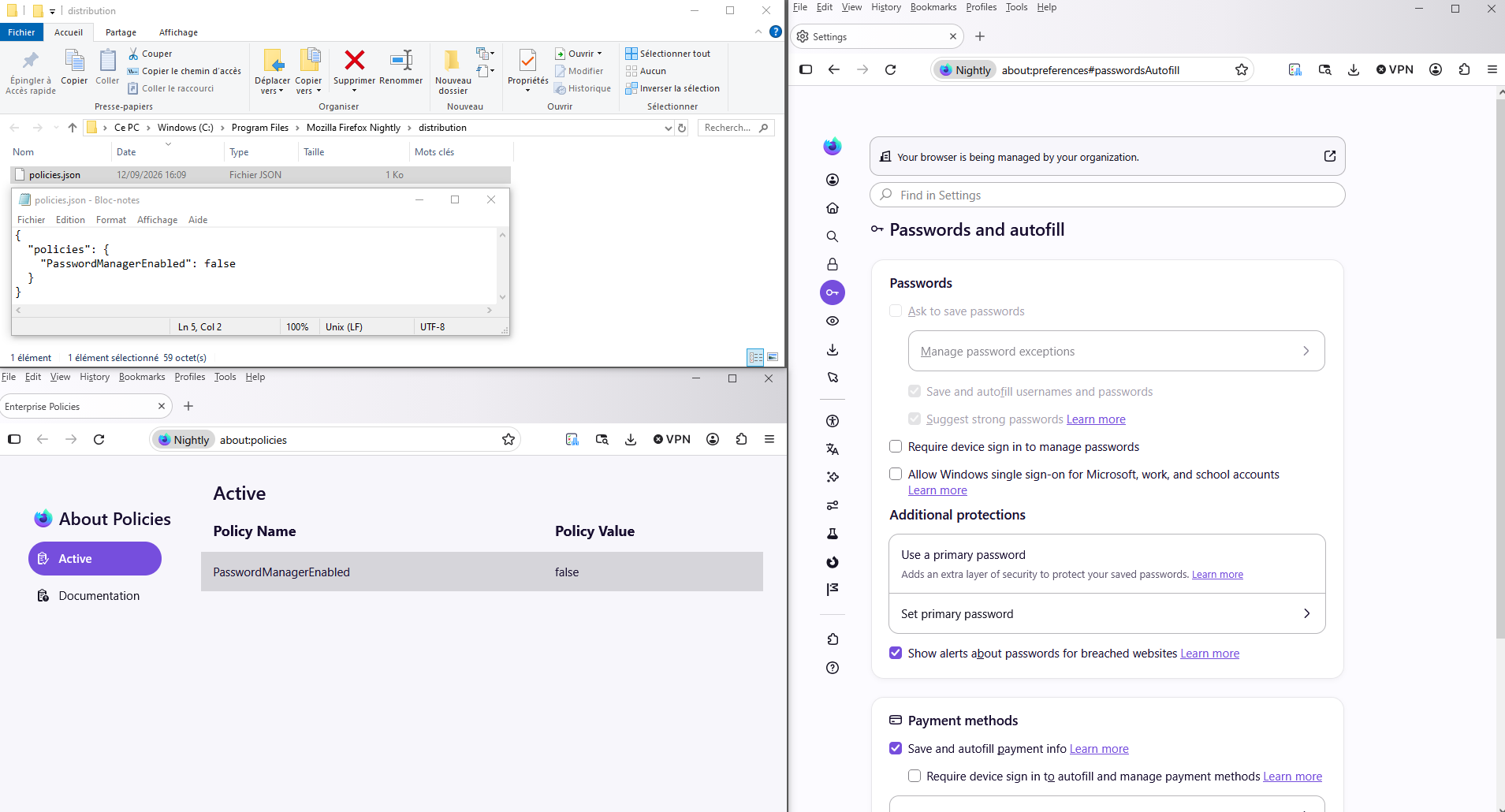
Policies illustration
PasswordManagerEnabled https://firefox-admin-docs.mozilla.org/reference/policies/passwordmanagerenabled/
For information If you want to study, Enterprise Policy Generator https://addons.mozilla.org/firefox/addon/enterprise-policy-generator https://connect.mozilla.org/t5/discussions/enterprise-policy-generator-an-open-source-browser-based/td-p/127768
policies affect all profiles

Giải pháp được chọn
Your browser is being managed by your organization
Another way to do it
HKEY_CURRENT_USER\SOFTWARE\Policies\Mozilla\Firefox\PasswordManagerEnabled Or KEY_LOCAL_MACHINE\SOFTWARE\Policies\Mozilla\Firefox\PasswordManagerEnabled