


Couldn't see password page

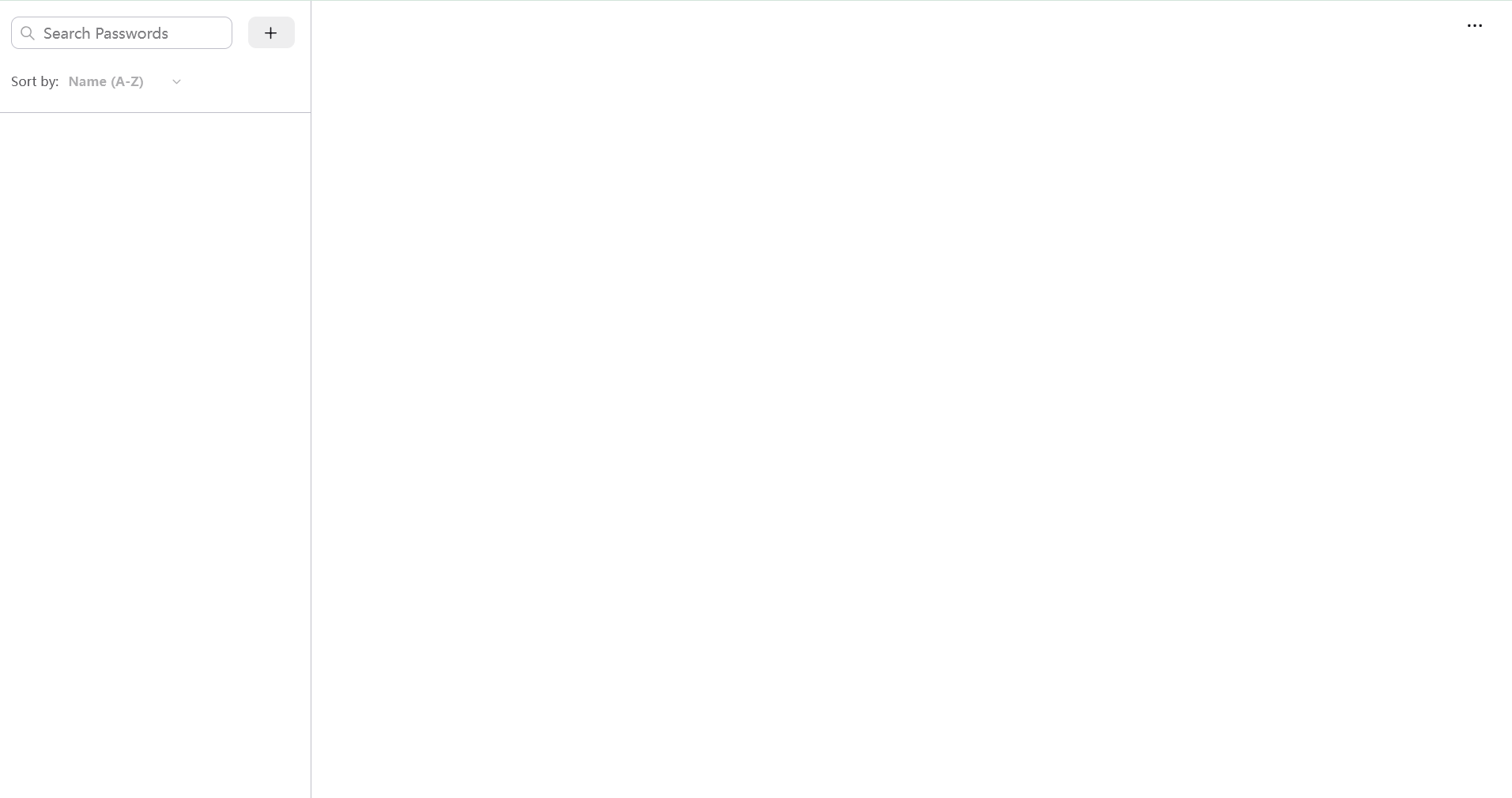
I couldn't see password management page. To be specific, I click the "password" option in the top right corner lists. Normally it will show all the website that firefox saved, but now I couldn't see anything except frame. I will upload the interfance that I see. this problem happend since an update. And problem contines after several patches. The firefox version that I use is "153.0.3(64-bit)" please help!
Tất cả các câu trả lời (15)
If Firefox starts up after an update without your bookmarks and other settings, check whether your data is available in a different profile:
Inside Firefox, type or paste about:profiles in the address bar and press Enter/Return to load it. The About Profiles page will open. This page should list at least one profile and could list many.
The profile that Firefox is currently using will show:
This is the profile in use and it cannot be deleted.
Please do not delete anything here; don't use any Remove buttons.
Do you have another profile named default or default-longnumber listed on this page? If so, you can check whether it is the one you were using recently by clicking its Launch profile in new browser button.
If it isn't what you want, simply close that new window.
If it IS what you want, click the Set as default profile button for that profile on the about:profiles page. Firefox will use it automatically at the next startup.
For more information see Recover user data missing after Firefox update or reinstall.
Note: If your bookmarks are not available in another Firefox profile, see Recover lost or missing Bookmarks for other solutions.
Paul said
If Firefox starts up after an update without your bookmarks and other settings, check whether your data is available in a different profile: Inside Firefox, type or paste about:profiles in the address bar and press Enter/Return to load it. The About Profiles page will open. This page should list at least one profile and could list many. The profile that Firefox is currently using will show:
This is the profile in use and it cannot be deleted. Please do not delete anything here; don't use any Remove buttons. Do you have another profile named default or default-longnumber listed on this page? If so, you can check whether it is the one you were using recently by clicking its Launch profile in new browser button. If it isn't what you want, simply close that new window. If it IS what you want, click the Set as default profile button for that profile on the about:profiles page. Firefox will use it automatically at the next startup. For more information see Recover user data missing after Firefox update or reinstall. Note: If your bookmarks are not available in another Firefox profile, see Recover lost or missing Bookmarks for other solutions.
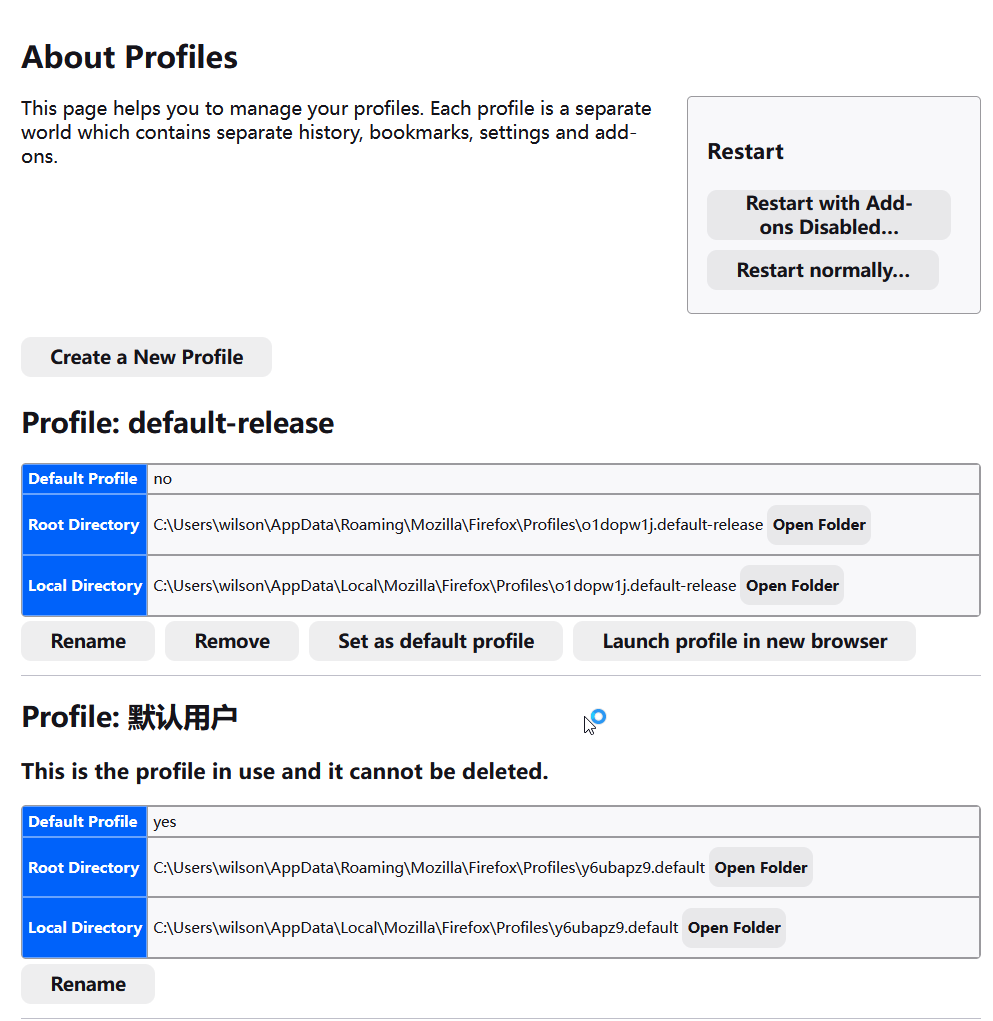
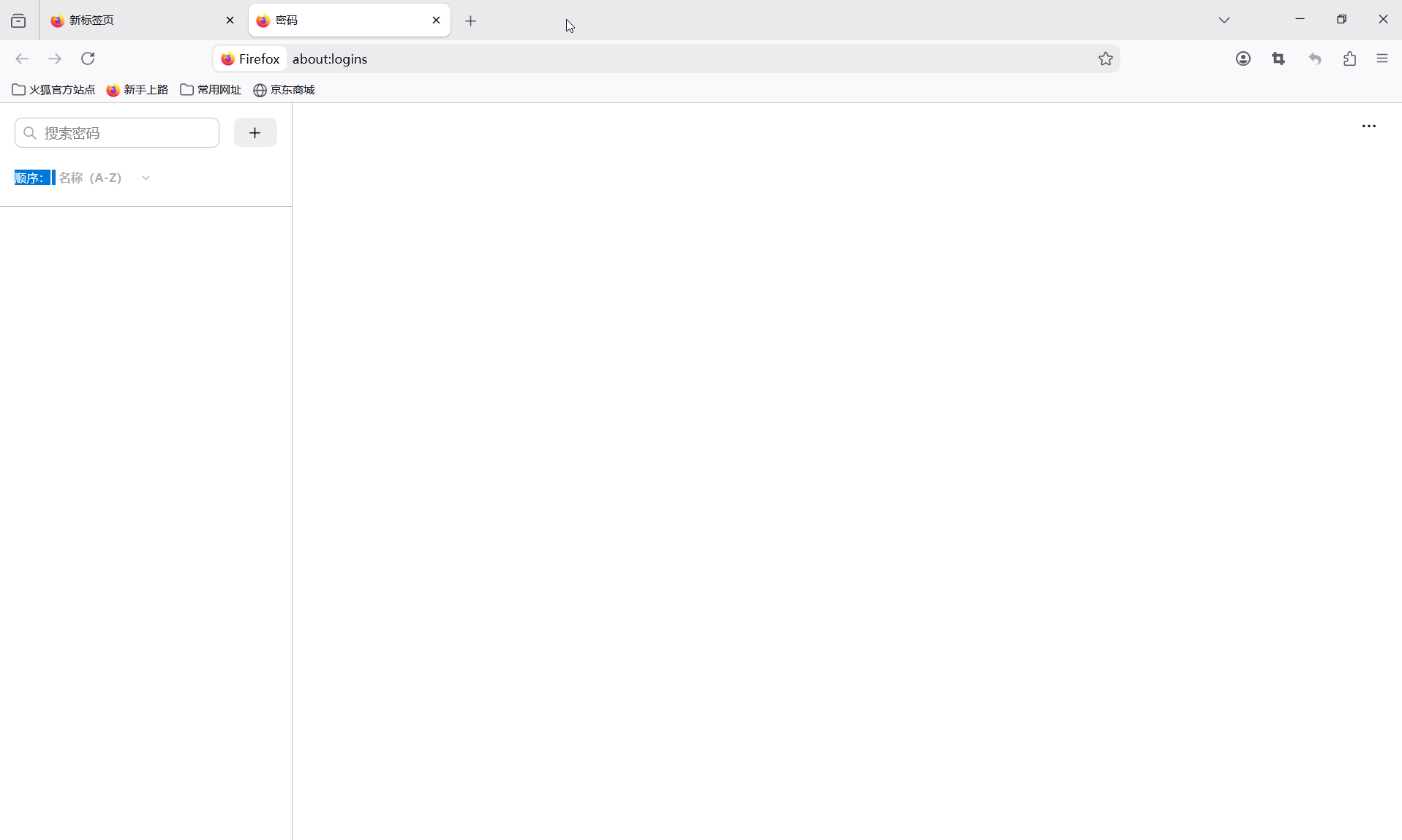
This is the profile page and what I see after I click on "Launch profile in new browser" The password page stay blank. Have you deal with this kind of issue before?
May be a bug, for instance bug 1924704. Please check your Browser Console for errors.
TyDraniu said
May be a bug, for instance bug 1924704. Please check your Browser Console for errors.
I see nothing in the console..... Where should I report this situation?
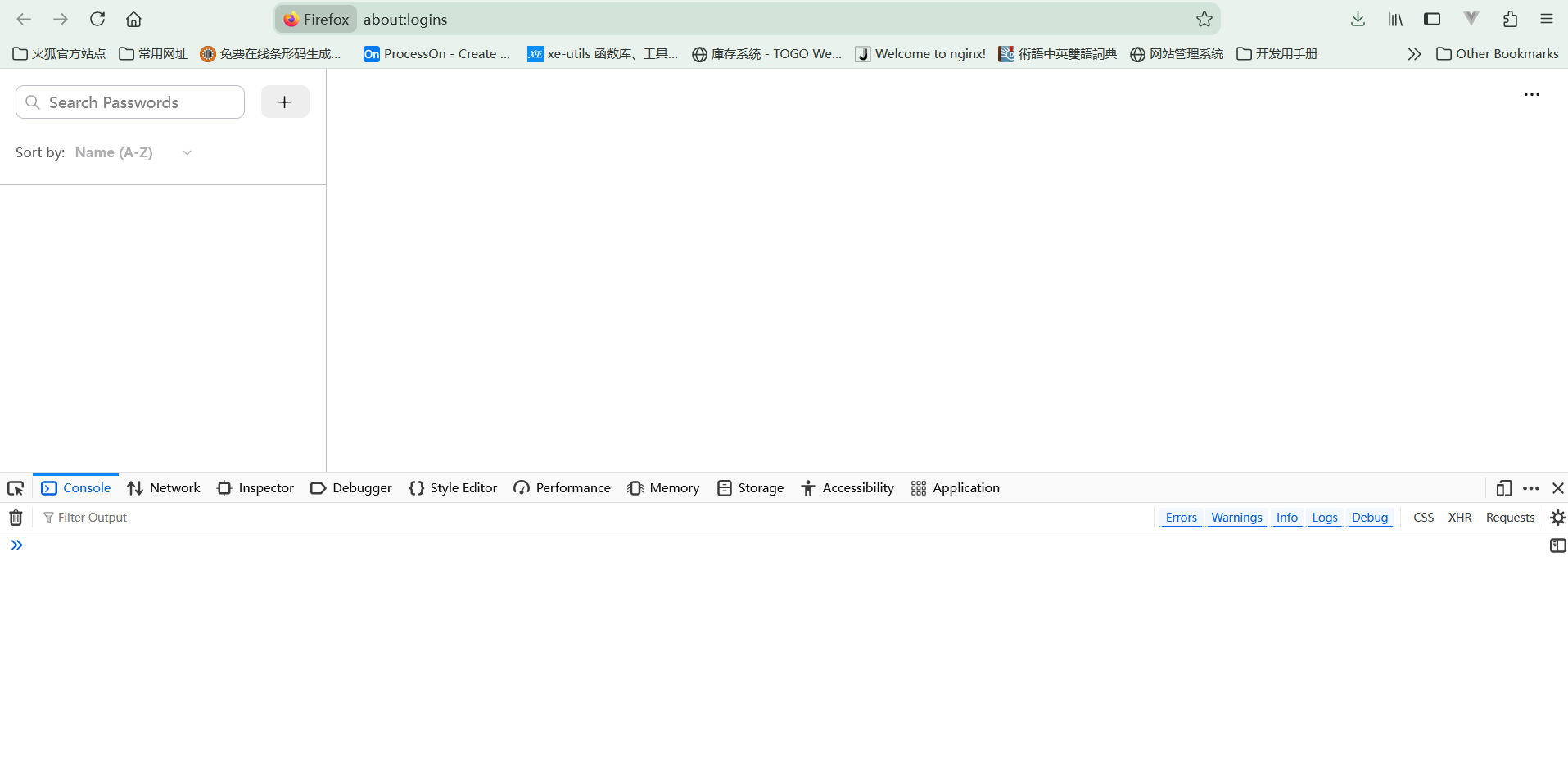
Yyyyy, not this Console. This is menu -> More Tools -> Browser Console.
TyDraniu said
Yyyyy, not this Console. This is menu -> More Tools -> Browser Console.
I do see the error. Where should I report it?
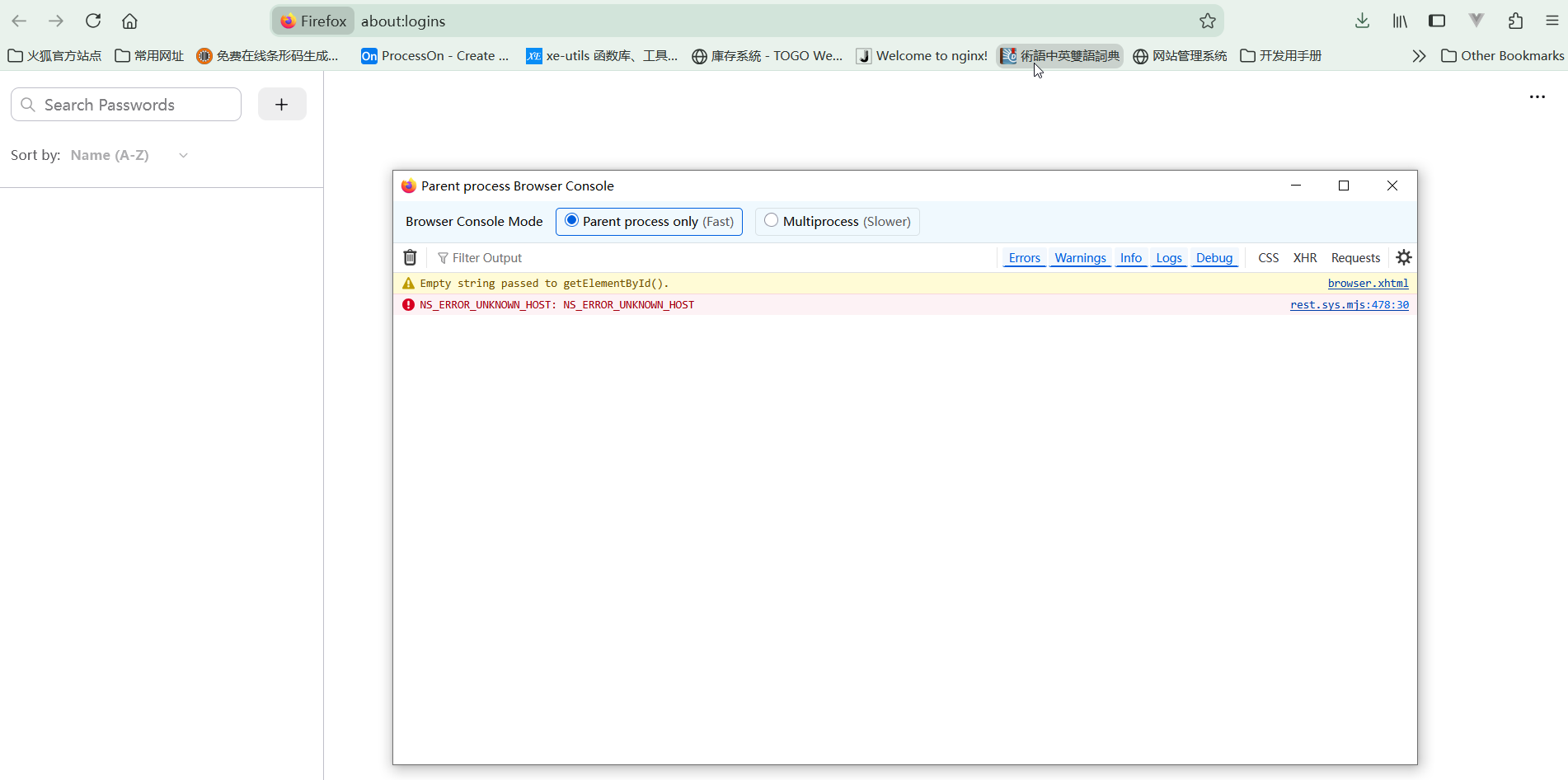
Yes, that's exactly it. Before reporting it, go to about:config and check the value of the identity.fxaccounts.remote.root preference. Previously, the Chinese locale had a separate account server, but it's no longer there, so something isn't right here.
I don't know what to do about it off hand, so please report it at https://bugzilla.mozilla.org.
TyDraniu said
Yes, that's exactly it. Before reporting it, go to about:config and check the value of the identity.fxaccounts.remote.root preference. Previously, the Chinese locale had a separate account server, but it's no longer there, so something isn't right here. I don't know what to do about it off hand, so please report it at https://bugzilla.mozilla.org.
I see the webaddress are different. I could not report the bug. The new account registration is closed. Interestingly, if I use the side bar. The password showed up. I have no Idea how it work. Could you please help me report this situation?
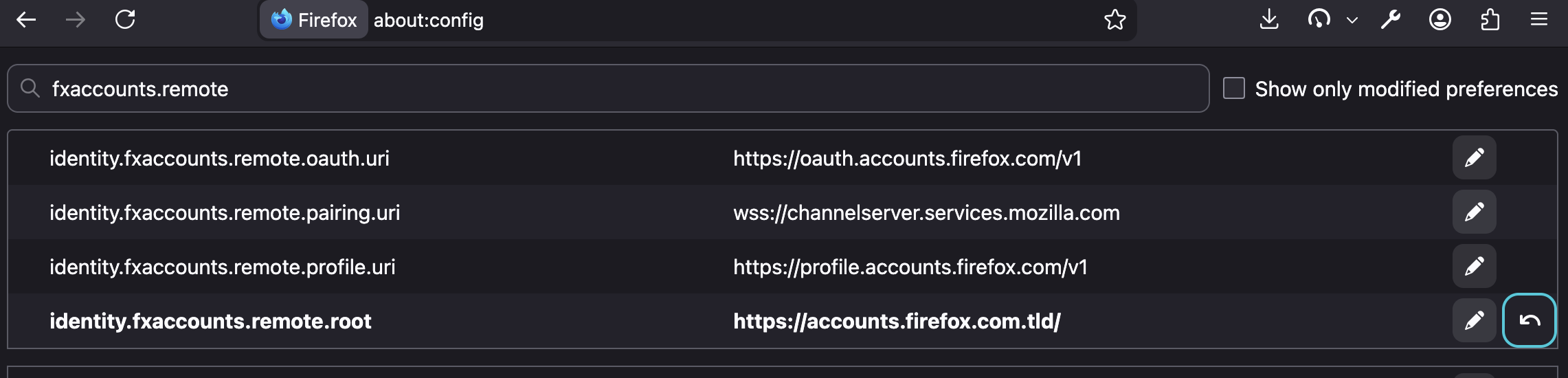
It would help to list your actual endpoint values for the various fxaccounts.remote keys.
And also if they're highlighted in bold meaning it's a non–default value, there would be a reset arrow to set their values to the in–tree defaults that should generally unblock you.
(Make sure to back up your local profile first, to avoid any potential data loss, whatever happens when you switch endpoints…)
jbr said
It would help to list your actual endpoint values for the various fxaccounts.remote keys. And also if they're highlighted in bold meaning it's a non–default value, there would be a reset arrow to set their values to the in–tree defaults that should generally unblock you. (Make sure to back up your local profile first, to avoid any potential data loss, whatever happens when you switch endpoints…)
It is bold. And I reset it. But that doesn't fix my promblem. Thx anyway.
And after restarting, the console still says NS_ERROR_UNKNOWN_HOST ?
jbr said
And after restarting, the console still says NS_ERROR_UNKNOWN_HOST ?
yes it does says "NS_ERROR_UNKNOWN_HOST"
While the referenced line searchfox.org/firefox-main/source/services/common/rest.sys.mjs#478 should log the exact URL in debug, and the console is showing not filtering out debug, not having the actual request is quite unfortunate.
You might be able to see the attempted host connection in about:networking or when run from about:logging — as I don't believe the global endpoint now would be unresolvable, since it was needed to sign in here to post this thread.
Where did this installation originally come from? Does the "About" dialog show any partner sources (like the one e.g. in github.com/mozilla-partners/mozillaonline/blob/master/desktop/mainOther/distribution/distribution.ini and the other repo folders…)?