


Free vpn

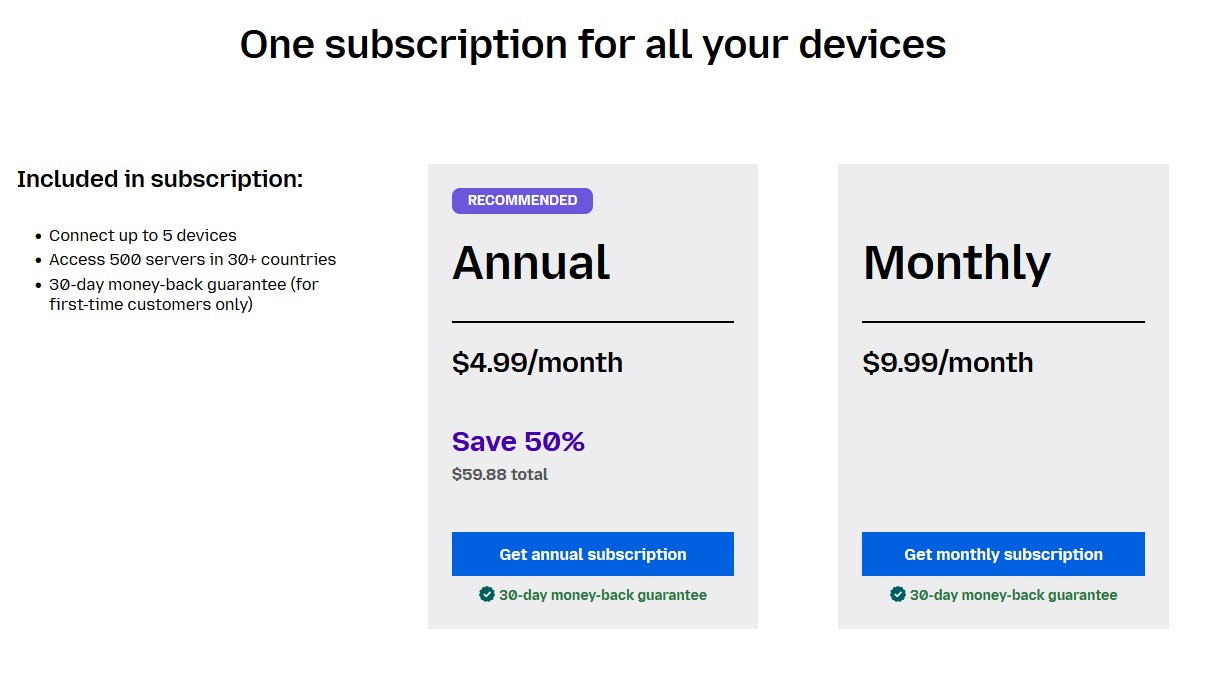
I got a message to try FREE vpn but when i download and install I have to pay
Giải pháp được chọn
Hi philliptg01, the free VPN is build into Firefox, you don't have to download anything else. You probably downloaded the Mozilla VPN, which is indeed paid.
The Firefox built-in VPN is being introduced gradually. It’s available to some users in the US, UK, Germany, and France (starting with Firefox version 149), and in Canada starting with Firefox version 150.
If you’re in one of these countries and using one of those Firefox versions, but still don’t see the built-in VPN, it may simply not have reached you yet. Since this is an experiment, the feature is being rolled out in stages. You can check the about:studies page to see whether you’re part of the holdback study.
The built-in VPN may also be unavailable if Enterprise policies are blocking it. You can check this by going to about:policies in Firefox.
Signing out of your Mozilla account and signing back in may also help. Before signing out, make sure you know your password and that Sync is enabled so you don’t risk losing or overwriting browser data.
Finally, when the built-in VPN is available, you should see a VPN icon in the top-right corner of the toolbar. Selecting it will open a prompt to turn on the VPN. If you don’t see the icon, try customizing your toolbar by right-clicking the toolbar and checking the overflow menu to add it back. For more information, see the Use built-in VPN in Firefox article.
If you wish, you can post your feedback about the Firefox built-in VPN to the Mozilla Connect thread.
Đọc câu trả lời này trong ngữ cảnh 👍 0Tất cả các câu trả lời (2)
The "Mozilla VPN" is a separate subscription based VPN app while the built-in VPN in desktop Firefox is free with a 50GB data limit each month.
https://support.mozilla.org/en-US/kb/built-in-vpn https://support.mozilla.org/en-US/kb/unable-find-built-vpn-firefox
Giải pháp được chọn
Hi philliptg01, the free VPN is build into Firefox, you don't have to download anything else. You probably downloaded the Mozilla VPN, which is indeed paid.
The Firefox built-in VPN is being introduced gradually. It’s available to some users in the US, UK, Germany, and France (starting with Firefox version 149), and in Canada starting with Firefox version 150.
If you’re in one of these countries and using one of those Firefox versions, but still don’t see the built-in VPN, it may simply not have reached you yet. Since this is an experiment, the feature is being rolled out in stages. You can check the about:studies page to see whether you’re part of the holdback study.
The built-in VPN may also be unavailable if Enterprise policies are blocking it. You can check this by going to about:policies in Firefox.
Signing out of your Mozilla account and signing back in may also help. Before signing out, make sure you know your password and that Sync is enabled so you don’t risk losing or overwriting browser data.
Finally, when the built-in VPN is available, you should see a VPN icon in the top-right corner of the toolbar. Selecting it will open a prompt to turn on the VPN. If you don’t see the icon, try customizing your toolbar by right-clicking the toolbar and checking the overflow menu to add it back. For more information, see the Use built-in VPN in Firefox article.
If you wish, you can post your feedback about the Firefox built-in VPN to the Mozilla Connect thread.