


Windows 10 reached EOS (end of support) on October 14, 2025. For more information, see this article.

Tìm kiếm hỗ trợ

Tránh các lừa đảo về hỗ trợ. Chúng tôi sẽ không bao giờ yêu cầu bạn gọi hoặc nhắn tin đến số điện thoại hoặc chia sẻ thông tin cá nhân. Vui lòng báo cáo hoạt động đáng ngờ bằng cách sử dụng tùy chọn "Báo cáo lạm dụng".

Tìm hiểu thêm

CSS Grid Overlay Appears in Firefox but Not in Other Browsers

  • 3 trả lời
  • 0 gặp vấn đề này
  • 5 lượt xem
  • Trả lời mới nhất được viết bởi Denys

tuỳ chọn khác

I'm experiencing an unusual issue in Firefox: a CSS grid overlay is visible on various websites, while everything displays normally in other browsers (Chrome, Edge, etc.). This grid is not part of the actual website design and does not appear when using other browsers.

I haven’t activated any developer tools or extensions intentionally that would cause this behavior. Could you please help me identify what might be causing this and how to disable it?
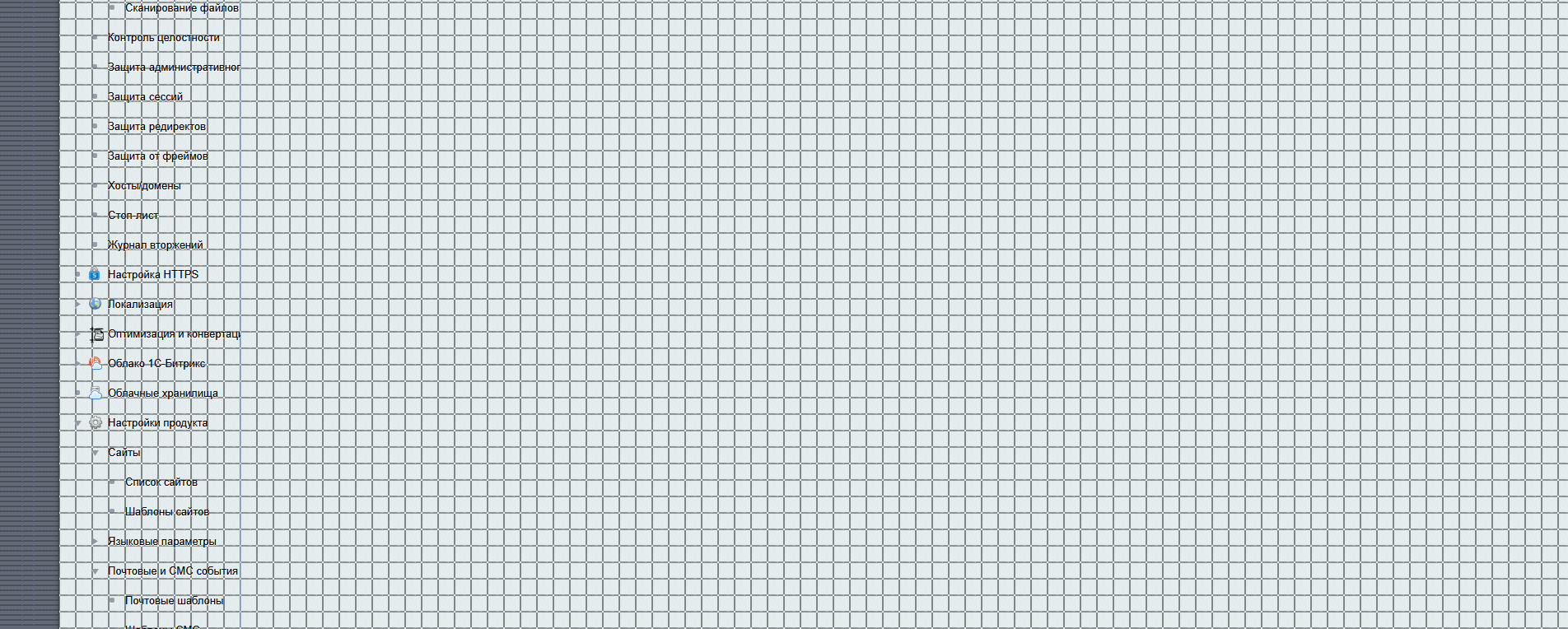
I'm experiencing an unusual issue in Firefox: a CSS grid overlay is visible on various websites, while everything displays normally in other browsers (Chrome, Edge, etc.). This grid is not part of the actual website design and does not appear when using other browsers. I haven’t activated any developer tools or extensions intentionally that would cause this behavior. Could you please help me identify what might be causing this and how to disable it?
Đính kèm ảnh chụp màn hình

Tất cả các câu trả lời (3)

tuỳ chọn khác

Hi,

If you run Firefox in Troubleshoot Mode, does the problem persist?

tuỳ chọn khác

The issue is resolved in Trobleshoot Mode, but "Refresh Firefox" and deleting prefs.js don't help.

tuỳ chọn khác

If the problem does not persist in Troubleshoot Mode, the most likely cause is an extension, theme or hardware acceleration. Generally, further troubleshooting steps are described in this article. Refreshing Firefox should have removed extensions and themes, but that may not be the case for hardware acceleration. Anyway, I'd go through all the steps just to be sure.

Looking forward to your update on how it goes!

Đặt một câu hỏi

Bạn phải đăng nhập vào tài khoản của bạn để trả lời bài viết. Vui lòng bắt đầu một câu hỏi mới, nếu bạn chưa có tài khoản.