


no shortcuts appear on the firefox opening page

I have lost shortcut functionality on the opening firefox page
Moderator note: This question has been edited to remove formatting artifacts.

Được chỉnh sửa bởi Denys vào
Tất cả các câu trả lời (3)
Hi Wilson,
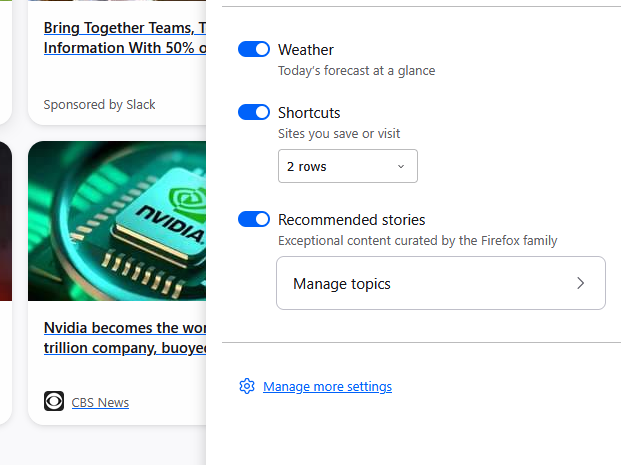
Could you please try clicking the pencil Customize icon at the bottom right corner and check if Shortcuts are enabled?
Yes, the pencil icon shows that the shortcuts are enabled in the "on" blue position - 2 rows. I also checked the shortcut box in the firefox settings home and it is "on " as well.
Tried rebooting my Dell laptop running windows 11 and still no shortcut appearance on the opening page.
Thanks for your help.
Hey Wilson,
Sorry for the late reply. Do you still experience the issue? If you do, could you please check the console on the New Tab page by pressing Ctrl+Shift+i and selecting the Console tab? Are there any errors/logs? (Normally, there should be no of them)