


Windows 10 reached EOS (end of support) on October 14, 2025. If you are on Windows 10, see this article.

Tìm kiếm hỗ trợ

Tránh các lừa đảo về hỗ trợ. Chúng tôi sẽ không bao giờ yêu cầu bạn gọi hoặc nhắn tin đến số điện thoại hoặc chia sẻ thông tin cá nhân. Vui lòng báo cáo hoạt động đáng ngờ bằng cách sử dụng tùy chọn "Báo cáo lạm dụng".

Tìm hiểu thêm

Icon when clicking and dragging things

  • 2 trả lời
  • 0 gặp vấn đề này
  • 101 lượt xem
  • Trả lời mới nhất được viết bởi bug

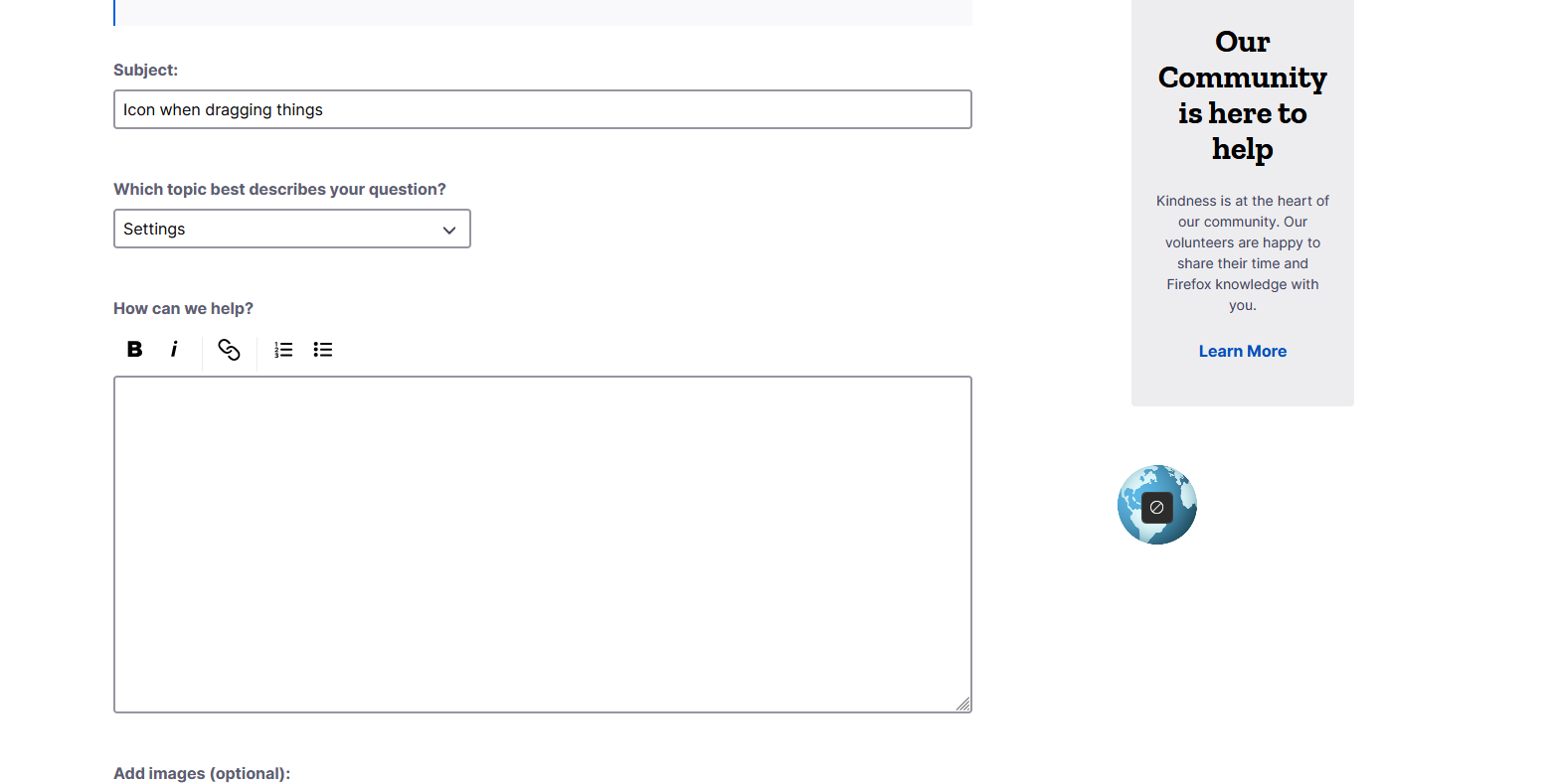
Hi. I'm asking this question because I'm not quite sure how to describe this issue through a Google search. Recently, I've noticed that whenever I click and drag anything, an icon will pop up while I'm doing so. Attached is an example, I click-and-dragged on the "Learn More" hyperlink off to the right.

Is there any way to disable the icon that pops up? It bothers me and seems to slow things down, which isn't ideal. I'm not the most well-versed when it comes to Firefox's more advanced settings (the options in about:config and whatnot) so I wouldn't know where to start.
Hi. I'm asking this question because I'm not quite sure how to describe this issue through a Google search. Recently, I've noticed that whenever I click and drag anything, an icon will pop up while I'm doing so. Attached is an example, I click-and-dragged on the "Learn More" hyperlink off to the right. Is there any way to disable the icon that pops up? It bothers me and seems to slow things down, which isn't ideal. I'm not the most well-versed when it comes to Firefox's more advanced settings (the options in about:config and whatnot) so I wouldn't know where to start.
Đính kèm ảnh chụp màn hình

Giải pháp được chọn

I'm not quite sure what caused it, but it's gone now.

I went to check if it might have been an addon causing it, so I made a blank profile without any extensions, and that profile didn't have that issue. I went back to my own profile and restarted my browser through about:profiles, and then disabled everything to try and see if one of my extensions was causing it by process of elimination... but after I turned everything off it returned to normal, even after I re-enabled everything else.

I would assume this was an issue on my end, but it seemed to only occur in Firefox, as the behavior wasn't replicated when I tried this using Chrome. I wish I had a more solid answer to this, but now I can't replicate whatever was happening anymore.

Very strange indeed.

Đọc câu trả lời này trong ngữ cảnh 👍 0

Tất cả các câu trả lời (2)

Hi, this is strange and it doesn't look like an our icon.

Giải pháp được chọn

I'm not quite sure what caused it, but it's gone now.

I went to check if it might have been an addon causing it, so I made a blank profile without any extensions, and that profile didn't have that issue. I went back to my own profile and restarted my browser through about:profiles, and then disabled everything to try and see if one of my extensions was causing it by process of elimination... but after I turned everything off it returned to normal, even after I re-enabled everything else.

I would assume this was an issue on my end, but it seemed to only occur in Firefox, as the behavior wasn't replicated when I tried this using Chrome. I wish I had a more solid answer to this, but now I can't replicate whatever was happening anymore.

Very strange indeed.